
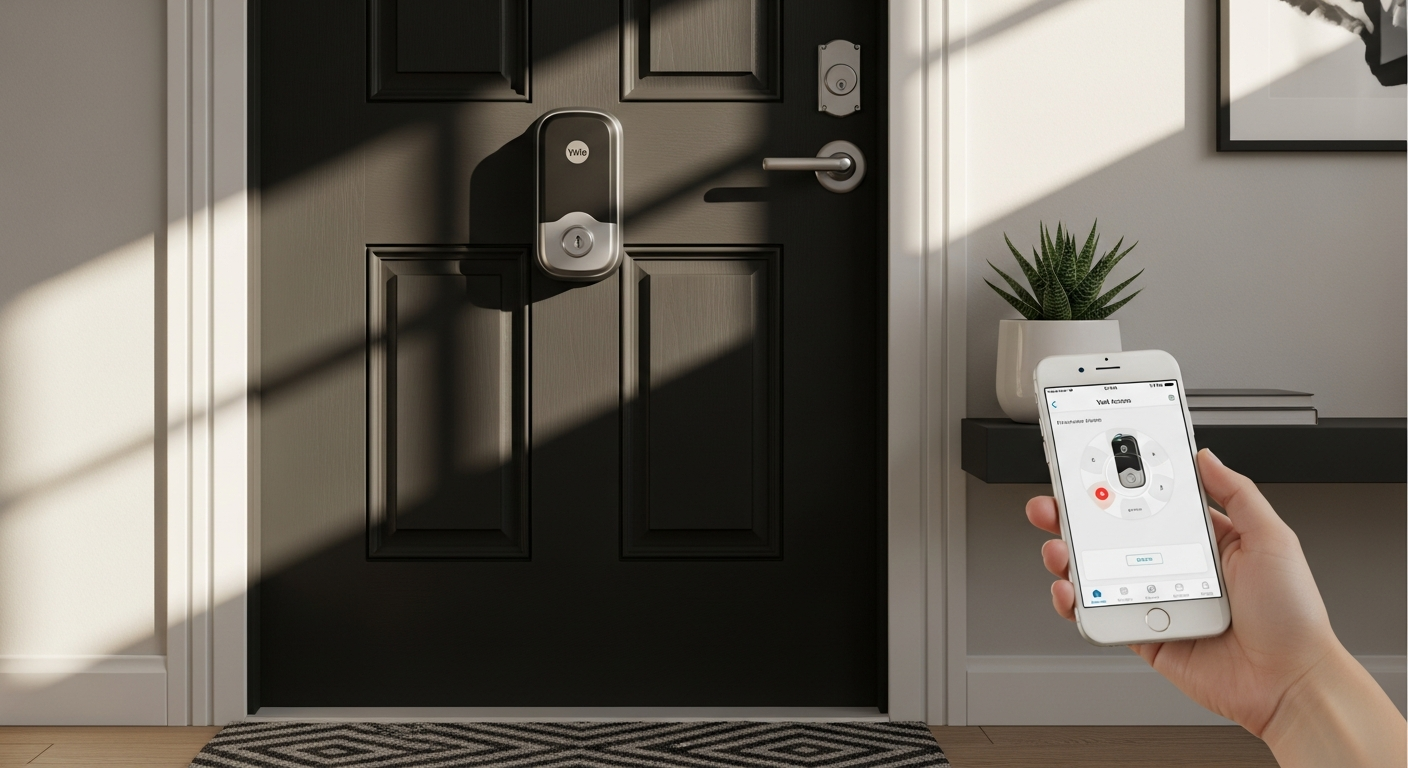
Compare Yale Assure Lock 2 models and find the perfect smart lock for your ecosystem. Explore fingerprint access, Apple Home Key, Wi-Fi connectivity, and pricing options.
Smart lock adoption has skyrocketed in recent years, with homeowners increasingly ditching traditional keys for biometric fingerprints and smartphone access. The convenience is undeniable, but the selection process can feel paralyzing—especially when you're weighing compatibility with your existing smart home ecosystem, security reliability, and budget constraints against one another.
Yale's legacy speaks for itself. For over 180 years, the brand has been synonymous with home security innovation, and their Assure Lock 2 series represents the marriage of that expertise with modern smart home technology. This isn't simply another keypad lock sitting on your door; it's a thoughtfully designed ecosystem of options built to integrate seamlessly with the devices you already own and use daily.
Discover which Yale Assure Lock 2 model fits your smart home setup perfectly.
The journey through the different Yale Assure Lock 2 configurations, their unique features and compatibility requirements, pricing structures, and how to identify which version aligns with your lifestyle—that's what we'll cover here. By the end, you'll have the clarity to make a choice that actually works for your home.
Understanding the Yale Assure Lock 2 Model Lineup
Overview of the three primary configurations: standard keypad, Touch with fingerprint, and Plus with Apple Home Key
Yale offers three distinct pathways into the Assure Lock 2 ecosystem. The foundational model provides straightforward keypad entry—no frills, no unnecessary complexity. The Touch model elevates the experience with an advanced fingerprint sensor, enabling biometric access alongside traditional keypad entry. The Plus model targets Apple ecosystem users specifically, featuring tap-and-go Apple Home Key technology that transforms your iPhone into your key.
How each model targets different user preferences and smart home ecosystems
These aren't arbitrary variations. Yale engineered each configuration to address different household priorities. The keypad model serves those who want smart features without smartphone dependency. The Touch model appeals to households managing multiple family members' access patterns. The Plus model speaks directly to Apple users who've already invested in HomeKit and want frictionless integration.
Key differences between Wi-Fi-enabled and Bluetooth-only versions
A significant fork in the road exists between Wi-Fi and Bluetooth connectivity. Wi-Fi models grant you remote unlocking capabilities and real-time notifications from anywhere. Bluetooth-only models keep you tethered to proximity but reduce your reliance on internet connectivity and typically consume less battery power. Your decision here hinges on whether you prioritize remote management or stalwart reliability.
Why Yale offers multiple models instead of a one-size-fits-all approach
Forcing every homeowner into a single product would ignore the reality that smart homes look different everywhere. Some people live in apartments with limited hub placement options. Others run Google Home ecosystems. Still others have committed fully to Apple's vision. Yale's multi-model approach respects these different realities rather than imposing artificial constraints.
The role of the Yale Access App in managing all model variants
Regardless of which model you choose, the Yale Access App becomes your command center. This application unifies control across all configurations, allowing you to manage access, track activity logs, create guest PINs, and monitor lock status—providing a single interface for managing your entry point.
Fingerprint Technology & Biometric Access on the Assure Lock 2 Touch
How the Touch model's advanced fingerprint sensor works and its security reliability
The Touch model incorporates a sophisticated fingerprint sensor that captures and compares biometric data against stored templates. The technology operates independently of your smartphone, meaning biometric access works whether your phone is charged, updated, or even nearby. Security-wise, fingerprint matching happens locally on the lock itself, never transmitted or stored in the cloud, significantly reducing vulnerability vectors.
Setup process for storing and managing multiple fingerprints
During initial setup, you'll register fingerprints directly on the lock's interface. The process is straightforward: touch the sensor repeatedly from slightly different angles to create a comprehensive template. Most users can store multiple fingerprints—accommodating spouses, adult children, or trusted household members without requiring separate access credentials.
Response time and accuracy rates compared to traditional keypad entry
Real-world performance shows fingerprint recognition working in under a second for properly registered prints. Accuracy rates hover around 99% under normal conditions, though factors like wet fingers, dirt accumulation, or extreme cold can trigger backup access methods. This reliability makes fingerprint entry faster than fumbling with a keypad while maintaining security.
Backup access methods when biometric recognition fails
The Touch model intelligently prevents you from getting locked out. If the fingerprint sensor struggles, you can revert to keypad entry using your PIN. Physical key access remains available as a final fallback, ensuring you're never stranded outside your own door regardless of technical hiccups.
Weather resistance and durability of the fingerprint sensor
Yale engineered the fingerprint sensor to withstand the elements. Rain, snow, and temperature swings won't degrade performance. The sensor itself resists corrosion and maintains accuracy through seasonal weather variations, making it suitable for exterior doors in any climate.
Ideal use cases for households with multiple family members or frequent guests
The Touch model shines in busy households. Parents can grant permanent fingerprint access to teenage children without managing PIN codes. Frequent visitors like housekeepers or dog walkers can receive temporary keypad access while family members enjoy seamless biometric entry. This flexibility reduces the administrative burden of managing access credentials.
Apple Home Key Integration: The Assure Lock 2 Plus Advantage
What makes the Plus model unique for iPhone and Apple ecosystem users
The Plus model represents the cutting edge of Apple Home Key integration. Instead of relying on traditional authentication methods, it leverages your iPhone's security infrastructure to enable tap-and-go unlocking. This isn't a separate app requiring separate credentials; it's native Apple Home functionality built directly into your lock.
How tap-and-go access works with Apple Home Key technology
The mechanics are elegantly simple. Your iPhone securely stores a digital key encrypted at the hardware level. To unlock, you simply hold your iPhone near the lock's NFC reader. Your phone's Secure Enclave processes authentication, and the lock disengages. No PIN entry, no fingerprint scanning—just frictionless access.
Compatibility requirements (iPhone models, iOS versions, Apple Home app setup)
You'll need an iPhone 13 or later with iOS 16 or higher. iPad and Apple Watch support are available with compatible devices running watchOS 9 or later. Initial setup requires the Apple Home app and HomeKit configuration, which involves creating a HomeKit code and adding the lock to your home. The process takes roughly ten minutes and integrates your lock into HomeKit automations.
Security features of Apple Home Key authentication
Apple's approach prioritizes security through encryption and device-level processing. Your digital key never exists as a standalone credential vulnerable to interception. The Secure Enclave on your iPhone handles authentication, ensuring that even Apple can't unlock your door. This represents a meaningful security upgrade over traditional smart lock authentication methods.
Ability to share digital keys with family members and temporary guests
HomeKit's sharing framework allows you to extend digital keys to family members with appropriate access levels. You can also generate temporary access codes for guests, contractors, or service providers directly through the Home app. This granular control means you're managing access intentionally rather than broadly granting entry to everyone.
Why this model appeals to Apple-centric households and tech-forward homeowners
For users who've committed to Apple's ecosystem, the Plus model feels inevitable. Your iPhone is already your key to so much of your digital life—why not your physical home? Tech-forward homeowners appreciate the security sophistication and the integration depth, viewing the Plus as the next logical evolution in home automation.
Explore the Yale Assure Lock 2 Plus with Apple Home Key integration today.
Wi-Fi Connectivity vs. Bluetooth-Only: Remote Access Trade-offs
Benefits of Wi-Fi models for remote unlocking and real-time notifications
Wi-Fi connectivity fundamentally changes what your smart lock can do. Remote unlocking means granting access to a family member stuck in traffic without being home yourself. Real-time notifications alert you instantly when someone arrives or departs. Activity logs update in real time. For those who value comprehensive oversight, Wi-Fi transforms your smart lock from a convenient entry device into an active security instrument.
How Bluetooth-only models maintain security while reducing connectivity dependencies
Bluetooth-only models operate through direct proximity communication with your smartphone. This approach eliminates dependency on your home's Wi-Fi network and reduces attack surface by eliminating internet-facing endpoints. Security remains robust because all authentication still happens locally on the lock itself.
Integration with smart home platforms like ecobee Smart Security
Wi-Fi-enabled Yale models integrate natively with ecobee systems and other smart security platforms. This allows lock status to feed into broader security automations—for instance, automatically arming your system when the last person leaves. Bluetooth models lack this integration depth, operating more independently.
Battery life implications of Wi-Fi versus Bluetooth operation
This is where trade-offs become apparent. Wi-Fi radios consume significantly more power than Bluetooth, which means Wi-Fi models typically require battery changes more frequently. Bluetooth-only models can operate for months on a single battery set, a meaningful advantage for those who prefer less maintenance.
Reliability concerns in areas with unstable internet connections
If your home sits in an area with spotty Wi-Fi coverage or frequent disconnects, a Wi-Fi model could frustrate more than help. Bluetooth models sidestep this problem entirely—they work whether your internet is stellar or nonexistent. Rural homes and areas with unreliable ISP service often benefit from Bluetooth-only approaches.
Which connectivity option suits different living situations (apartments, rural homes, smart home hubs)
Apartment dwellers with reliable Wi-Fi and frequent shared access needs often prefer Wi-Fi models. Rural homeowners with unreliable internet typically lean Bluetooth-only. Those with robust smart home hub infrastructure can benefit from Wi-Fi's extended capabilities. Your specific situation—not general best practices—should guide this decision.
Aesthetic Finishes and Installation Considerations
Available finishes: Black Suede, Oil Rubbed Bronze, Satin Nickel, and Lifetime Brass
Yale offers four finish options, each designed to coordinate with different door hardware aesthetics. Black Suede suits modern minimalist homes and dark doors. Oil Rubbed Bronze complements traditional and transitional design schemes. Satin Nickel works with contemporary fixtures. Lifetime Brass brings warmth and classic appeal. The finish isn't merely cosmetic—it communicates intentionality about your home's overall design.
How to match the lock finish with existing door hardware and home décor
Walk around your home and examine your existing hardware—hinges, doorknobs, house numbers, light fixtures. Find the predominant finish among these pieces. Match your Assure Lock 2 finish to that ecosystem rather than trying to introduce an entirely new metallic tone. Consistency across hardware creates visual cohesion.
Compatibility with standard deadbolt installations
The Assure Lock 2 functions as an entry deadbolt, fitting standard deadbolt cutouts that exist in most residential doors. If your door already has a traditional deadbolt, the Assure Lock 2 can replace it without requiring door modifications. This plug-and-play compatibility reduces installation complexity significantly.
DIY installation versus professional setup recommendations
Many homeowners successfully install the Assure Lock 2 themselves using basic tools—a screwdriver, possibly a wrench. The process involves removing your existing deadbolt, installing the Assure Lock 2's interior and exterior assemblies, and securing the connecting bolt. However, if you're uncomfortable with hardware installation or your door has unusual configurations, professional installation ensures everything functions properly.
Typical installation timeline and tools required
Plan for thirty minutes to an hour of installation time. You'll need a Phillips head screwdriver at minimum, possibly an adjustable wrench if your door has heavy deadbolts. YouTube tutorials specific to your model walk through the process step-by-step, demystifying what might initially seem intimidating.
Considerations for rental properties and temporary installations
If you're renting, check your lease before installing—many landlords prohibit permanent modifications. However, the Assure Lock 2's straightforward installation and removal means you could theoretically bring it with you to your next place, making it potentially portable if your landlord approves. Temporary residents should verify this flexibility before committing.
Pricing Breakdown: Finding the Right Value for Your Budget
Entry-level pricing for the Yale Assure Lock 2 Touch Keypad (no Wi-Fi) at $106.99
If you want smart features without breaking the bank, the keypad-only Touch model delivers remarkable value at $106.99. You're getting a reliable smart lock capable of creating multiple access PINs, generating temporary guest codes, and tracking activity through the Yale Access App—all without the price premium of Wi-Fi or biometric features. This model suits budget-conscious homeowners who don't need remote access.
Mid-range options with Wi-Fi connectivity around $299.99
Step up to Wi-Fi-enabled models and you're looking at approximately $299.99. This investment grants remote unlocking, real-time notifications, and integration with broader smart home ecosystems. For homeowners who value the ability to manage access from anywhere, this tier represents genuine value—not luxury, but meaningful capability.
Premium pricing for the Plus model with Apple Home Key at $309.99
The Plus model commands a modest premium at $309.99, reflecting the sophisticated Apple Home Key integration and the engineering required to support it. If you're an Apple user who's already invested in HomeKit, this pricing positions itself as competitive with other HomeKit-compatible smart locks while offering superior ecosystem integration.
Cost-benefit analysis of upgrading from basic to keypad entry
Consider your actual behavior. Do you frequently ask guests to wait outside while you drive home? Do you want notifications when family members arrive? If yes, the jump to Wi-Fi ($299.99) makes sense. If you're primarily interested in eliminating your physical key while managing access remotely through the app's history, the basic model suffices.
Seasonal promotions and bundle deals to watch for
Smart home retailers frequently discount smart locks during Black Friday, Cyber Monday, and Prime Day events. Home security promotions also spike around back-to-school season and early summer. Patience can yield savings of $30-50, particularly on mid-range models. Subscribe to retailers' mailing lists to catch promotions specific to Yale products.
Long-term value proposition when factoring in security benefits and convenience
Spread $106.99 across a five-year ownership lifespan and you're paying roughly $22 annually for smart lock convenience and security oversight. Even the $309.99 Plus model costs about $62 per year. When compared to the convenience of never fumbling for keys again and the peace of mind from access monitoring, this represents compelling value for something you use multiple times daily.
Security Features and Access Control Methods
Multi-layered authentication options: keypad PIN, fingerprint, smartphone app, and physical key
The Assure Lock 2 doesn't rely on a single access method—it provides redundancy. Your five-digit PIN works even if your smartphone dies. Fingerprint recognition operates independently if the keypad malfunctions. Smartphone app access functions when you're home. Physical key access exists as an emergency fallback. This layered approach means you're never locked out while maintaining robust security.
How the Assure Lock 2 prevents unauthorized access and brute-force attacks
The lock actively prevents someone from guessing their way inside. After three consecutive failed PIN attempts, the lock temporarily freezes, requiring you to wait before trying again. This exponential backoff defeats brute-force attacks that rely on rapid trial-and-error. Biometric sensors similarly reject mismatches without providing feedback that might help attackers refine their approach.
Activity logs and access history tracking through the Yale Access App
Every access creates a timestamped log visible through the Yale Access App. You'll see who entered, when they entered, and which method they used—keypad, fingerprint, or app unlock. This transparency means you maintain complete visibility into your door's activity, creating an audit trail if questions ever arise about access.
Guest access management and temporary PIN creation
The Yale Access App allows you to generate temporary PINs with set expiration dates and times. A contractor arriving Monday at 9 AM can receive a PIN active only during that window. A visiting relative can get a temporary code lasting one week. This granular control prevents you from sharing permanent access or relying on guests remembering to return physical keys.
Encryption standards and data privacy protections
Yale employs military-grade encryption for all lock communications and credential storage. Data transmitted between your lock and Yale's servers uses encrypted protocols resistant to interception. Biometric templates never leave the lock itself—they're stored locally and never synchronized to the cloud. This architecture prioritizes your privacy over convenience.
Yale's security track record and industry certifications
Yale's 180-year history in lock manufacturing isn't incidental—it reflects sustained attention to security fundamentals. The brand maintains industry certifications demonstrating compliance with security standards. Third-party security audits regularly validate Yale's approach, providing independent verification that their security claims hold water.
Smart Home Ecosystem Compatibility and Integration
Native support for major platforms: Apple Home, Google Home, Amazon Alexa
The Assure Lock 2 series spans multiple ecosystems. Apple Home users get native HomeKit integration, particularly deep on the Plus model. Google Home users can control compatible models through Google Home app. Amazon Alexa integration enables voice commands on supported configurations. This multi-platform approach ensures you're not forced to abandon your existing ecosystem to get a smart lock.
How the Yale Access App centralizes control across multiple smart home devices
The Yale Access App serves as a universal control point for your lock regardless of your broader smart home platform. You manage access, view activity logs, and adjust settings without needing to jump between five different manufacturer apps. This centralization reduces cognitive load and makes your lock one unified point of control.
Integration possibilities with security systems and video doorbells
Wi-Fi-enabled models can integrate with broader security ecosystems. Your video doorbell can trigger smart lock controls in automated workflows. Security system arming can automatically lock all doors. These integrations transform your lock from an isolated device into a coordinated part of your home security fabric.
Voice control capabilities and automation routines
Many configurations support voice control. You can ask Google Assistant to lock your door, or set automation routines that lock at sunset or when the last person leaves. These conveniences move beyond gimmick when they eliminate actual daily friction—you don't need to physically interact with your lock to control it.
Compatibility with smart home hubs and whether they're required
Some models benefit from smart home hubs (HomeKit hub, Google Home hub, or Amazon Echo Show) that facilitate remote commands and automations. Bluetooth-only models typically don't require hubs. Wi-Fi models work without a hub but gain extended functionality with one. Understanding hub requirements helps you evaluate your infrastructure before purchasing.
Future-proofing considerations as smart home standards evolve
The smart home ecosystem continues evolving. Matter protocol adoption promises greater interoperability across brands. Yale's continued innovation in the Assure Lock 2 series suggests ongoing support and compatibility updates. Choosing Yale provides reasonable confidence that your investment won't become obsolete as the industry standardizes.
Real-World Performance: Reliability and User Experience
Battery life expectations across different models and usage patterns
Keypad and Bluetooth models typically operate for four to six months on a single battery set—fresh AA or AAA batteries depending on configuration. Wi-Fi models drain batteries faster, often requiring changes every two to three months. Heavy usage patterns reduce these timelines; light usage extends them. Most users appreciate monthly or quarterly battery checks rather than annual replacements.
Durability in various weather conditions and temperature extremes
The Assure Lock 2 withstands the elements competently. Rain doesn't compromise operation. Snow won't freeze the mechanism. Temperature swings between hot summers and freezing winters don't degrade performance. Yale engineered this lock for exterior door exposure, not protected interior installation, ensuring it performs reliably in harsh climates.
Responsiveness of fingerprint recognition in real-world scenarios
In normal conditions, fingerprint recognition responds in under a second. Performance degrades slightly in extreme cold (below 20°F) when your fingers become less conductive. Wet conditions or heavy dirt similarly slow recognition. These limitations are physics-based rather than engineering failures—you'll always have keypad backup when biometric access struggles.
Noise levels during lock and unlock operations
The Assure Lock 2 operates quietly—a subtle mechanical sound without loud motors or buzzing. Unlocking happens with minimal noise, important if you're entering during sleeping hours. The quiet operation means it integrates smoothly into your daily routine rather than announcing itself.
Common user feedback and satisfaction ratings
User feedback consistently praises the Assure Lock 2's intuitive operation and reliable performance. Complaint frequency centers on occasional fingerprint sensor sensitivity rather than fundamental design issues. Most users report genuine satisfaction with the lock's security features and access convenience.
Edge cases and potential issues to anticipate
Some users report occasional inconsistency with fingerprint recognition under specific conditions—arthritic hands, very dry skin, or natural hand oils affecting sensor performance. Doors with heavy-duty strikers or unusual bolt configurations occasionally require minor adjustment. These edge cases don't invalidate the lock's core functionality but represent real-world variables to consider.
Making Your Decision: Which Assure Lock 2 Model Is Right for You
Decision matrix: matching your smart home ecosystem to the ideal model
If you're primarily an Apple user, the Plus model aligns naturally with your infrastructure. Google Home devotees benefit from Wi-Fi models' Google Home integration. Amazon Alexa users similarly prefer Wi-Fi configurations. Users without strong ecosystem commitments should evaluate their actual access patterns—remote management needs justify Wi-Fi; local-only access favors Bluetooth.
Questions to ask yourself before purchasing
Do you want remote unlocking capability, or is local access sufficient? Will you share access with multiple household members or frequent guests? Does your home have reliable Wi-Fi coverage? How important is biometric access versus traditional PIN entry? Are you fully committed to Apple's ecosystem? Your honest answers to these questions reveal which model serves you best.
Compatibility checklist for your existing devices and platforms
Before purchasing, verify that your chosen model integrates with your established smart home platform. Check your iPhone or Android version against compatibility requirements. Ensure your Wi-Fi strength can support your lock from your front door. Confirm your doorknob configuration matches standard deadbolt dimensions. This checklist prevents post-purchase frustration.
Budget-conscious versus feature-rich considerations
The $106.99 keypad model delivers surprising capability for the investment. The mid-range Wi-Fi models unlock genuine convenience through remote access. The Premium Plus model appeals to those for whom integration with existing Apple infrastructure justifies the investment. There's no objectively "right" choice—only the choice that aligns with your values and actual needs.
Timeline for implementation and smart home expansion plans
If you're building your smart home gradually, a basic model today might make sense with potential future upgrades. If you're already heavily invested in smart home infrastructure, choosing the model that integrates most deeply with your ecosystem makes logical sense. Consider your implementation timeline rather than assuming you need everything immediately.
Upgrade paths if your needs change in the future
The smart home landscape evolves. Your household composition might change. Your technology preferences might shift. While you won't easily upgrade your lock itself, Yale's multiple model options mean you could replace it with a different configuration if your needs transform. This flexibility reduces risk in choosing an initial model.
Your Smart Lock, Perfectly Matched
The Yale Assure Lock 2 series delivers genuine flexibility—you're not forced into a one-size-fits-all solution that may or may not align with your home's technology ecosystem. Whether you're drawn to the fingerprint convenience of the Touch model, the Apple Home Key elegance of the Plus, or the budget-friendly simplicity of the keypad-only version, Yale has engineered a solution that respects both your security priorities and your smart home investments.
The real power here lies in choosing intentionally. Take time to audit your existing smart devices, consider your household's access patterns, and honestly assess whether Wi-Fi connectivity matters for your situation. A $106.99 keypad lock that perfectly serves your needs beats a $309.99 premium model gathering dust because it doesn't integrate with your ecosystem. Conversely, if you're an Apple ecosystem devotee or you manage access for multiple family members, the advanced models deliver tangible value that justifies the investment.
Ready to upgrade your entry point? Start by identifying which smart home platform dominates your home, then match that to the corresponding Assure Lock 2 model. Your future self—the one fumbling with keys in the rain—will thank you for making the switch to smart, intentional home security.
Choose your Yale Assure Lock 2 model and upgrade to smart home security now.