
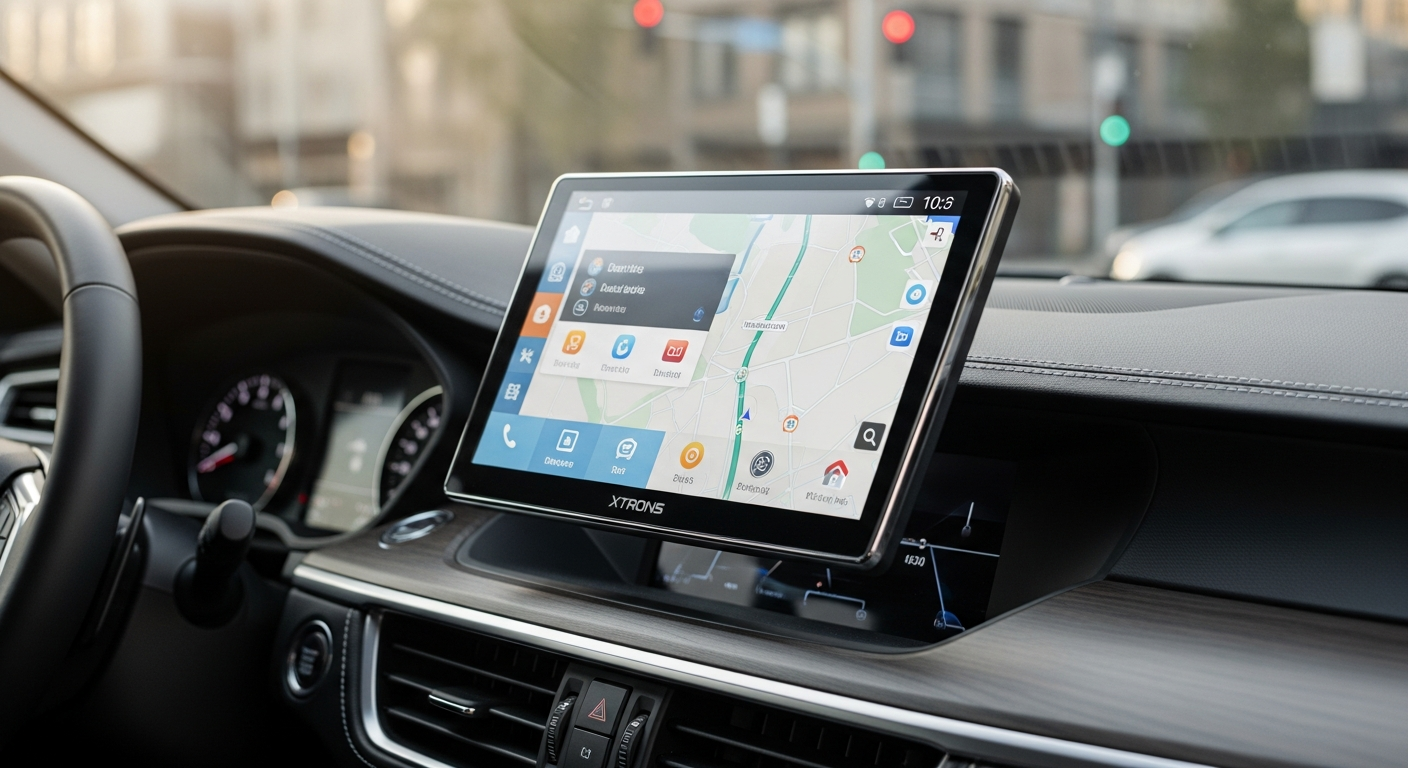
Discover how the XTRONS 10.1-inch Rotatable Android Car Stereo revolutionizes in-car entertainment with adaptive display, powerful processor, and seamless smartphone integration. Compare specs and pricing.
Drivers spend an average of 300+ hours annually behind the wheel, and that time can either be enjoyable or painfully monotonous depending on what's mounted in your dashboard. Your car's infotainment system sets the tone for every commute, road trip, and daily drive. The XTRONS 10.1-inch Rotatable Android Car Stereo bridges that gap in ways most factory systems simply can't, offering technology that transforms how you interact with navigation, entertainment, and communication while driving.
The automotive aftermarket has exploded with head unit options in recent years, yet few combine innovative hardware design with practical functionality as effectively as XTRONS does. This particular model has become a bestseller because it solves real problems that drivers face daily—problems like screen visibility in different lighting conditions, the need for flexible display orientations, and the frustration of laggy infotainment systems that can't keep pace with your smartphone.
Your vehicle deserves better than a sluggish, outdated head unit. Explore the XTRONS 10.1-inch Rotatable Android Car Stereo and discover what thousands of drivers already know. This guide walks you through the standout features, explains how the rotatable display transforms your driving experience, compares hardware performance against competitors, and helps you determine whether this upgrade is right for your vehicle.
The Rotatable Display Revolution: How a Flexible Screen Changes Everything
The signature feature that sets the XTRONS apart from conventional head units is its innovative 10.1-inch rotatable screen. Unlike fixed displays that force you to accept one orientation regardless of the situation, this flexible design allows seamless switching between vertical and horizontal modes. The difference in real-world driving is substantial—you're not just looking at a different layout, you're optimizing your interface for the task at hand.
Vertical vs. Horizontal Modes: Explanation of how the display adapts to different driving scenarios and passenger needs
Vertical orientation excels during active navigation. When you're following turn-by-turn directions, portrait mode displays the upcoming route with excellent clarity, and the narrower width keeps your attention focused on essential information without distracting peripheral content. The layout naturally emphasizes the next turn, distance remaining, and road conditions without demanding excessive visual processing from the driver.
Horizontal mode shines for entertainment and passenger comfort. During stop-and-go traffic or when parked, landscape orientation maximizes screen real estate for video playback, map visualization, or browsing. Passengers benefit from the wider display when watching videos or reviewing detailed maps. This adaptability means a single head unit can serve multiple purposes without compromise.
Built-in Gravity Sensor Technology: How the TIB110LN model automatically detects orientation and adjusts the interface accordingly
The TIB110LN model integrates a built-in gravity sensor that detects physical orientation changes and automatically adjusts the interface in real time. You don't manually rotate the screen—the sensor recognizes when the display has been rotated and immediately reorients the operating system and applications to match. This seamless transition feels natural and intuitive, almost like the head unit anticipates your needs.
The automation eliminates the awkward moment of manually adjusting something that most drivers would simply accept as a limitation. Instead of thinking "I wish this display could rotate," you experience the rotation and immediately recognize its practical value.
Navigation Optimization: Why portrait mode enhances GPS accuracy and reduces driver distraction during route guidance
Portrait mode navigation isn't just aesthetically different—it functionally reduces driver distraction during active route guidance. The taller aspect ratio accommodates upcoming turn-by-turn instructions at the top while displaying the map below, creating a visual hierarchy that guides attention naturally. Your eyes move less, scanning time decreases, and critical information (the next turn) stays in your primary field of vision.
This layout reduces the cognitive load of interpreting navigation data while driving. Rather than scanning a wide landscape display to find the next instruction, portrait mode concentrates essential information in a focused presentation.
Under the Hood: Processing Power That Keeps Up with Your Smartphone
Raw processing power determines whether your head unit feels responsive or frustratingly laggy during real-world use. The XTRONS equips itself with genuine smartphone-class processing hardware, not the underpowered chips found in budget aftermarket units.
Octa-Core Processor Specifications: Details on Rockchip PX5 and equivalent processors powering smooth multitasking
The Rockchip PX5 octa-core processor delivers the kind of performance you'd expect from a modern Android device. This isn't a marketing exaggeration—the hardware specification genuinely equals or exceeds processors found in mid-range smartphones. The eight cores handle multitasking efficiently, distributing workload across processors rather than bottlenecking everything through a single CPU.
Real-world benefit: You can run navigation with background music streaming, incoming calls can interrupt without system lag, and switching between applications happens instantly. The octa-core architecture prevents the stuttering and freezing common in cheaper head units that rely on outdated dual-core processors.
RAM and Storage Capacity: How 4GB RAM and 64GB storage compare to smartphone standards and competitor offerings
The 4GB of RAM positions this unit alongside contemporary smartphones in terms of memory capacity. That's not excessive, but it's functional for the operating system, running multiple applications, and preventing the memory-related slowdowns that plague cheaper alternatives with 2GB or less.
Storage-wise, 64GB provides genuine space for your app library, downloaded maps, and cached media files. Compare that to competitors offering 32GB or less, and you have flexibility to install a more comprehensive selection of applications without constantly managing storage limitations.
Multitasking Performance: Real-world responsiveness when running navigation, music streaming, and communication apps simultaneously
Performance matters most when you're actively using the device. Navigation running in the background while music streams and notifications arrive—this is the real test. The octa-core processor with 4GB RAM handles this scenario without visible lag. Application switching is instantaneous, navigation continues updating seamlessly, and incoming calls interrupt smoothly without stuttering or delays.
This responsiveness prevents the frustration of waiting for an app to load or watching the screen freeze momentarily when tasks compete for processing resources.
Smartphone Integration That Actually Works Seamlessly
Modern drivers expect their head unit to integrate with their smartphone, not replace it. The XTRONS accomplishes this through Wireless Apple CarPlay and Android Auto, technologies that extend your phone's capabilities to the larger display.
Wireless Apple CarPlay Functionality: Setup process, compatibility requirements, and practical benefits for iPhone users
Wireless Apple CarPlay eliminates the need for USB cables connecting your iPhone to the head unit. The XTRONS supports this feature, allowing your phone to connect via Wi-Fi and Bluetooth as soon as you enter your vehicle. The setup process requires minimal effort—you'll pair your phone once, and subsequent connections happen automatically.
iPhone users benefit from Apple's interface optimizations for automotive use, including Siri voice control, messaging integration, and access to approved navigation apps like Apple Maps, Google Maps, and Waze. The wireless connectivity means your phone stays in your pocket or bag, not tethered to a cable.
Android Auto Capabilities: Features available to Android smartphone users and how they enhance navigation and communication
Android users enjoy equivalent functionality through Android Auto, which transforms the XTRONS display into an extension of your Android smartphone. Voice assistant integration, messaging apps, navigation, and music streaming all work seamlessly. Android Auto supports the same essential applications as CarPlay, ensuring Android users don't experience reduced functionality.
The key advantage of both technologies: you're leveraging your smartphone's capabilities and data connectivity rather than relying on the head unit's limited built-in functionality. Navigation updates in real-time, music recommendations stay current, and communication apps work exactly as they do on your phone.
Bluetooth 5.0 Connectivity: Improved range, stability, and multi-device pairing compared to older Bluetooth standards
Bluetooth 5.0 represents a genuine upgrade over older Bluetooth 4.0 or 4.2 specifications. The improved standard offers better range, more stable connections, and the ability to pair multiple devices simultaneously. You can have your phone and your passenger's phone both connected, and the system intelligently routes audio and calls appropriately.
Range improvements matter in real vehicles where your phone might be in the trunk, back seat, or elsewhere. Bluetooth 5.0 maintains reliable connectivity across your vehicle without the dropouts common in older standards.
Installation Realities: What You Need to Know Before Purchasing
Purchasing the hardware is one thing; getting it properly installed is another. Understanding installation realities prevents surprises after you've committed to the upgrade.
Double DIN Form Factor: Compatibility with existing vehicle dashboard openings and trim panels
The XTRONS follows the double DIN standard, meaning it fits into dashboard openings designed for two-unit stacked head units. Most modern vehicles accommodate this form factor, but compatibility isn't guaranteed—some vehicles use proprietary head unit shapes or integrated center consoles that don't support aftermarket units.
Before purchasing, verify that your specific vehicle can accommodate a double DIN head unit. This typically involves checking your vehicle's year, make, and model against compatibility lists or consulting a professional installer.
Cable Routing Complexity: Why professional installation often prevents frustration and ensures proper functionality
Head unit installation involves routing multiple cables through your vehicle's dashboard and behind trim panels. These cables include power connections, ground connections, antenna feeds, steering wheel control inputs, and reverse camera connections if applicable. Improper routing can result in cables getting pinched, creating intermittent electrical problems or potential fire hazards.
Professional installers understand these routing paths and avoid damage to existing wiring and components. DIY installation saves money upfront but risks creating problems that cost significantly more to fix later.
Professional vs. DIY Installation: Time investment, tools needed, and when to call a specialist
DIY installation typically requires 2-4 hours and basic tools like screwdrivers, crimpers for wire connections, and a socket set for removing dashboard components. YouTube tutorials abound, and many vehicle owners successfully complete installations themselves.
However, several factors suggest professional installation: if you're uncomfortable with electrical work, if your vehicle has complex dashboard removal requirements, or if you want warranty protection for the installation. Professional installers charge $100-$300 for labor but prevent costly mistakes. The upfront investment often proves worthwhile compared to troubleshooting installation problems months later.
Pricing Strategy and Value Proposition in the Competitive Landscape
At $300-$500, the XTRONS occupies a strategic price position in the aftermarket head unit market. Understanding this positioning helps you evaluate whether you're getting genuine value or paying a premium for features you don't need.
The $300-$500 Sweet Spot: Why XTRONS positions itself between budget and premium aftermarket options
Budget head units under $200 typically compromise on processing power, display quality, or software experience. Premium units above $500 add features like higher resolution displays or integrated navigation systems that may not justify the cost for average drivers.
The XTRONS price range captures genuine value—you get smartphone-class processing power, a premium display, and modern connectivity features without the markup of premium brands. This positioning attracts drivers who want quality without overspending on features they won't use.
Feature-to-Price Ratio Analysis: How this unit compares to competitors offering similar specifications
Competitors offering comparable octa-core processors, 4GB RAM, 64GB storage, and wireless Apple CarPlay typically price similarly or higher. Units with rotatable displays remain relatively rare in the aftermarket, giving the XTRONS a unique feature set at a competitive price. When you break down the cost per major feature—rotatable display, processing power, smartphone integration, audio quality—the value becomes apparent.
Long-Term Investment Perspective: Durability and longevity considerations that justify the upfront cost
A $400 head unit might seem like significant spending until you consider that it will be in your vehicle for 5-10 years. Broken down annually, that's $40-$80 per year for dramatically improved driving experience, navigation reliability, and entertainment capability. A quality unit reduces frustration during commutes, enhances passenger entertainment during road trips, and eliminates the anxiety of unreliable navigation.
Further, a well-installed XTRONS head unit retains value if you eventually sell or trade your vehicle. Many buyers specifically look for quality aftermarket head units as a feature that justifies their purchase decision.
Making Your Decision: Is the XTRONS 10.1-inch Rotatable Android Car Stereo Your Answer?
The XTRONS 10.1-inch Rotatable Android Car Stereo represents a genuine leap forward in aftermarket infotainment. The combination of adaptive display technology, robust processing power, and seamless smartphone integration creates a driving experience that feels genuinely modern. The innovative rotatable display solves real problems, the octa-core processor handles multitasking without breaking a sweat, and the $300-$500 price range keeps premium features within reach for everyday drivers.
Installation requires careful planning, radio reception varies by vehicle, and the aesthetic won't perfectly match every car's interior, but these aren't deal-breakers for most buyers. If you're spending 300+ hours yearly in your car and want navigation that doesn't lag, entertainment that engages passengers, and smartphone integration that actually works, the XTRONS 10.1-inch delivers on all fronts.
Verify compatibility with your specific vehicle, budget for professional installation if needed, and you'll likely join the growing community of drivers who consider this upgrade one of the best decisions they've made for their vehicle. Check current pricing and availability for the XTRONS 10.1-inch Rotatable Android Car Stereo today.