
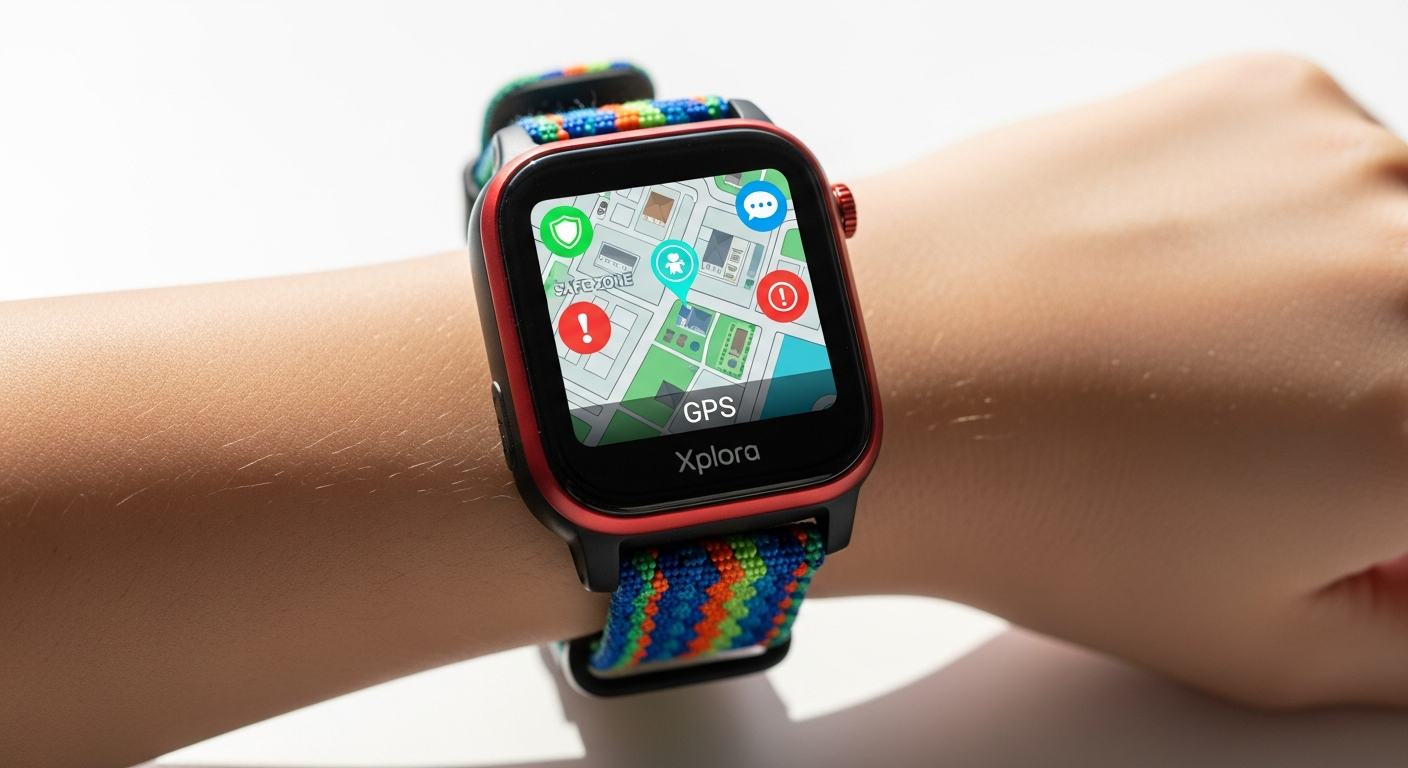
Discover how the Xplora X6Play kids smartwatch delivers real-time GPS tracking, parent-approved calling, and safety features that give parents peace of mind while keeping children engaged.
Over 2 million parents worldwide have made the switch from worrying about their child's smartphone habits to trusting a device specifically engineered for safety. The Xplora X6Play isn't just another kids' gadget—it's a carefully designed solution that transforms how families stay connected. Devices designed with children in mind from the ground up are increasingly rare, which makes the X6Play's balanced approach to functionality and control particularly compelling.
The X6Play stands apart in the crowded kids' smartwatch market because it combines genuine capabilities like real GPS tracking, voice calling, and a 5MP camera with meaningful parental controls that actually function as intended. Parents don't have to choose between staying informed about their child's whereabouts and allowing them age-appropriate independence. This dual focus creates a device that serves both populations rather than compromising for either.
Real-Time GPS Tracking and Safety Zones: How Parents Stay Informed Without Hovering
How the built-in GPS provides accurate location updates and what accuracy limitations exist
The X6Play's built-in GPS operates through 3G and 4G connectivity, delivering real-time location data that parents can view through a dedicated app. The system triangulates position using cell tower data and satellite signals, providing updates that refresh regularly throughout the day. In most scenarios—picking up from school, monitoring playtime at the park, or tracking activities at sports practice—the accuracy proves reliable and sufficient for parental peace of mind.
However, some users have reported occasional discrepancies, particularly in areas with weak signal coverage or dense urban environments where tall buildings interfere with satellite reception. GPS accuracy can vary by 10-50 meters depending on local conditions, which typically doesn't matter for broader location awareness but may matter less in detailed neighborhood mapping.
Setting up customizable safety zones and receiving instant alerts when your child enters or leaves designated areas
One of the X6Play's standout features is the ability to create multiple safety zones—digital boundaries around locations that matter most. Parents define these zones by setting a location and radius, whether it's home, school, grandparents' house, or the local recreation center. The moment a child enters or leaves a designated zone, the parent receives an instant notification on their phone.
Setting up these zones takes minutes through the companion app. Parents can create as many zones as needed and customize the alert settings for each one. This transforms GPS tracking from passive observation into active safety management. A child leaves the predetermined route home from school? Parents know immediately. A child arrives safely at a friend's house? Parents receive confirmation without having to ask.
Practical scenarios where GPS tracking proves invaluable
School pickup situations immediately demonstrate the value of this technology. Parents know the exact moment their child leaves the school building and can track their route home or to an after-school activity. For children walking or biking independently for the first time, this capability allows parents to grant freedom while maintaining oversight.
Sports practice provides another practical application. Parents dropping children at practice can track whether they arrived safely and know when practice ends, without needing to call or check in repeatedly. Weekend park visits become less stressful when parents can verify their child remains within the designated play area.
Longer family outings—amusement parks, shopping centers, beach days—become manageable with X6Play tracking. In crowded environments where children can easily wander out of sight, the watch provides precise location data without requiring constant visual supervision.
Comparing the X6Play's tracking capabilities to competitor smartwatches
The X6Play's GPS functionality stands among the more reliable offerings in the kids' smartwatch category. Competitors like the Gizmo Watch offer basic location tracking, while the TickTalk includes GPS but with fewer customization options for safety zones. The X6Play's combination of real-time updates, multiple customizable zones, and reliable 3G/4G connectivity gives it an edge in tracking sophistication.
Where some competitors require manual location requests, the X6Play provides continuous background tracking. This distinction matters significantly for parents who want responsive alerts rather than delayed information requests.
Understanding the role of 3G and 4G connectivity in maintaining consistent location data
The X6Play's 3G and 4G connectivity forms the backbone of its tracking reliability. Unlike watches that depend solely on WiFi connections, the cellular connectivity ensures location data transmits continuously, even when the child moves between networks or areas without WiFi. This cellular infrastructure requires a monthly subscription (typically around $12), but that cost directly enables the consistent location updates that make the device valuable.
The cellular connection also powers voice calling and messaging features, creating a complete communication ecosystem that extends beyond what WiFi-only devices can offer.
What to expect from battery life during heavy GPS usage
The 880 mAh Li-Ion battery delivers up to 48 hours of standby time under normal conditions. Heavy GPS usage—frequent location checks, constant zone monitoring, or regular voice calls—reduces this significantly. Realistic battery life during active tracking days typically ranges from 24-36 hours depending on usage intensity.
Parents accustomed to charging their own smartphones daily won't find this problematic. The charging routine becomes part of the nightly ritual alongside homework and bedtime preparation. For families with multiple children wearing X6Plays, charging schedules can be staggered to ensure at least one watch remains active.
Addressing GPS accuracy concerns reported by some users and workarounds
Some users have noted occasional delays in zone alerts or minor location discrepancies. These issues typically stem from signal interference rather than hardware limitations. Troubleshooting steps include ensuring the watch has a strong cellular signal, updating the companion app to the latest version, and recalibrating zones if they seem to trigger incorrectly.
Moving the safety zone boundary slightly can also help in areas with marginal signal coverage. Instead of a tight zone boundary around a specific building, expanding it by 10-20 meters can prevent false alerts caused by momentary signal fluctuations.
Controlled Communication: Voice Calls and Messaging Without the Smartphone Risks
How the pre-approved contact system works and why it prevents unwanted interactions
The X6Play operates on a whitelist system rather than unrestricted communication. Parents add specific contacts that their child can call or message, and the watch blocks all other communication attempts. This fundamental design choice eliminates entire categories of risk—spam calls, stranger contact, unwanted messaging—that plague children's smartphones.
The pre-approved contact list remains entirely under parental control. Parents can add or remove contacts at any time, allowing them to respond to changing circumstances. A child starting a new activity gets a coach's contact added. A friend moves away, and that number gets removed. This flexibility makes the restriction feel less like limitation and more like active parental involvement.
Voice calling features and which contacts parents can authorize
Children can initiate voice calls only to contacts approved by parents. The call quality benefits from 3G/4G connectivity, delivering clear audio that approximates standard phone calls. Parents typically authorize family members, emergency contacts, and trusted adults like coaches or teachers.
The calling interface is streamlined specifically for children. Rather than navigating menus, approved contacts appear as quick-dial options on the watch face. This simplicity means even younger children can quickly reach parents in urgent situations without struggling through complex phone systems.
Text messaging, emoji support, and multimedia messaging capabilities
Beyond voice calls, the X6Play supports text messages to approved contacts. Children can type messages or use a simplified emoji system to communicate. The watch also handles multimedia messaging, allowing children to send photos taken with the built-in 5MP camera, voice messages, or image attachments.
The messaging interface uses a child-friendly design with large text, simple menus, and quick-access functions. The emoji support adds engagement for children who enjoy expressive communication. Multimedia messaging means parents receive context-rich updates—a photo from school events or a voice message describing an activity—rather than just text.
The SOS button functionality and how children can quickly reach parents in emergencies
Every X6Play includes a dedicated SOS button that children can press in genuine emergencies. One press alerts parents immediately and initiates automatic location sharing. This straightforward emergency system means children don't need to remember phone numbers or navigate menus during stressful moments—just press the button and help arrives.
Parents can customize what happens when the SOS button activates. Configurations might include automatic calls to parents, alerts to multiple emergency contacts, or notifications to local emergency services depending on the severity setting chosen.
Why the absence of unrestricted internet access and social media is a major safety advantage
This distinction fundamentally separates the X6Play from smartphones. Children cannot browse the internet, access social media platforms, download arbitrary apps, or encounter the algorithmic feeds designed to maximize engagement and often expose children to inappropriate content. The watch provides communication without the distraction and psychological manipulation embedded in smartphone design.
This absence of unrestricted internet doesn't feel like deprivation for children who haven't yet experienced smartphones. Instead, the X6Play provides age-appropriate connectivity that serves the core purpose of family communication without introducing the documented harms associated with social media use among children and early teens.
School Mode feature that silences calls and notifications during designated hours
Parents can activate School Mode to disable all calls and notifications during school hours or other designated times. When activated, incoming calls go to voicemail, messages queue for later delivery, and the watch focuses entirely on its activity-tracking and educational functions. Teachers appreciate that the watch doesn't become a distraction during class.
The X6Play re-enables full communication automatically when School Mode hours end, ensuring children can immediately reach parents after school if needed. Parents can customize which hours trigger School Mode, making it flexible for different school schedules or adjusted as children progress through different grades.
Explore the complete communication and safety features of the Xplora X6Play today.
Comparing communication features to other kids' smartwatches on the market
The X6Play's communication suite represents a comprehensive middle ground between basic emergency-only devices and smartphone-adjacent watches. The Gizmo Watch offers calling but limited messaging. The TickTalk provides similar capabilities but with less sophisticated contact management. The X6Play distinguishes itself through the combination of voice calling, text messaging, multimedia messaging, and the SOS system working together cohesively.
The pre-approved contact system remains more robust than many competitors, and the School Mode feature shows thoughtfulness about where and when communication should occur—a consideration many competitors overlook.
Hardware Performance and Design: What Powers the X6Play's Smooth Experience
The 1.2GHz processor and how it delivers fast performance for a kids' device
The 1.2GHz processor represents a significant step up from earlier kids' smartwatch generations. Navigation through menus, launching apps, taking photos, and loading contacts happens without lag or stuttering. Children experience responsiveness that makes the watch feel premium rather than like a budget gadget.
This processing power becomes apparent when children interact with the GoPlay activity universe, access their photo gallery, or use multiple features in succession. The system handles this without freezing or requiring restart cycles that frustrate young users.
High-resolution display with animations that keeps children engaged
The X6Play's display provides clear visuals with vibrant colors and smooth animations that capture children's attention. Animated characters, transitions between screens, and the activity tracker interface all render smoothly, making regular interaction with the watch enjoyable rather than utilitarian.
The high resolution ensures text remains readable even for younger children who might struggle with pixelated or low-contrast displays. Screen brightness adapts to lighting conditions, making the watch usable both indoors and in bright sunlight.
5MP camera specifications and what photos look like in real-world use
The 5MP camera captures surprising quality for a device worn on a wrist. Children can take photos of things they see during the day and share them with approved contacts. The image quality ranks above basic snapshot level—details are discernible and colors render accurately in good lighting conditions.
Low-light photography shows the expected limitations of smartphone-sized sensors, but daytime outdoor photography produces genuinely usable images. The camera becomes a fun way for children to document their activities and share experiences with parents in more detail than text or voice communication alone.
8GB internal storage and 1GB RAM: how much space for photos, videos, and apps
The 8GB of internal storage provides meaningful capacity for children's photos and multimedia messages. A child taking dozens of photos daily could store weeks of images before approaching storage limits. The 1GB of RAM ensures smooth multitasking and app performance without constantly offloading data or requiring manual storage management.
This storage capacity eliminates the frustration of running out of space for important photos or needing to constantly delete files to make room. Children can genuinely use the device without hitting technical limitations that would require adult intervention.
Water-resistant IP68 rating and what activities your child can safely do
The IP68 water-resistance rating means the watch survives submersion in water up to specific depths. This rating covers the everyday scenarios that matter: washing hands, splashing in puddles, swimming in pools, or playing in rain. The watch isn't a dive computer, but it handles the water exposure children actually encounter.
This durability removes parental anxiety about accidental water damage during normal childhood activities. Children can wear the watch during water sports, beach days, or pool time without requiring removal.
Design durability for active play and rough handling
The X6Play is engineered to survive childhood—drops, bumps, knocks, and the general rough handling that accompanies active play. The casing materials withstand impacts that would damage more delicate devices. The screen resists scratches and damage from normal wear.
This durability means parents don't need to enforce careful treatment or worry constantly about accidental damage. The watch functions as an actual tool for active children rather than a fragile device requiring special handling.
The personalization factor: two extra watch frames and loops included
The X6Play ships with two additional watch frames and multiple colored loops beyond the standard configuration. This personalization option lets children customize their watch's appearance to match their style or mood. The ability to change how the device looks makes it feel more like an accessory children choose to wear rather than something imposed by parents.
Personalization also means the watch remains interesting over time. Children can vary the appearance periodically, keeping it fresh and maintaining engagement.
Display quality and readability in different lighting conditions
The high-resolution display delivers excellent readability across various lighting conditions. Indoors under artificial light, the screen renders with excellent clarity. Outdoor sunlight doesn't wash out the display or require tilting the watch to see information. Even in low-light situations, the screen remains readable enough for essential functions.
This consistency means children can use the watch reliably throughout their day without lighting conditions significantly impacting usability.
The Bottom Line: Empowering Independence While Maintaining Safety
The Xplora X6Play represents a meaningful shift in how families approach children's connectivity. It's not about surveillance—it's about creating a space where kids can explore their growing independence while parents maintain genuine peace of mind. The combination of real-time GPS tracking, controlled communication, and activity engagement addresses the core concerns that keep parents awake at night, without introducing the risks and distractions of unrestricted smartphone access.
The device succeeds because it doesn't try to be everything. It deliberately avoids the features that make smartphones problematic for children—social media, unrestricted internet, algorithmic content feeds—while including the capabilities that actually matter: knowing where your child is, enabling quick communication in emergencies, and keeping children engaged in activity rather than screen time.
With over 2 million families trusting this device, the X6Play has proven itself in real-world scenarios across countless households. These aren't early adopters of every gadget that comes along. These are parents who've evaluated the device against their actual needs and chosen it consistently. That level of adoption across different countries, cultures, and parenting styles speaks to the fundamental soundness of the X6Play's approach.
If you're at the crossroads between giving your child a smartphone and keeping them device-free, the X6Play occupies that sweet middle ground. It grants your child communication tools and location-based independence without the psychological and safety costs of smartphone ownership. The GPS tracking provides the confidence you need. The communication features give children the connectivity they want. The activity tracking transforms a safety device into something genuinely enjoyable.
At $169.99 plus approximately $12 monthly for connectivity, it represents an investment in your child's independence and your family's peace of mind.