
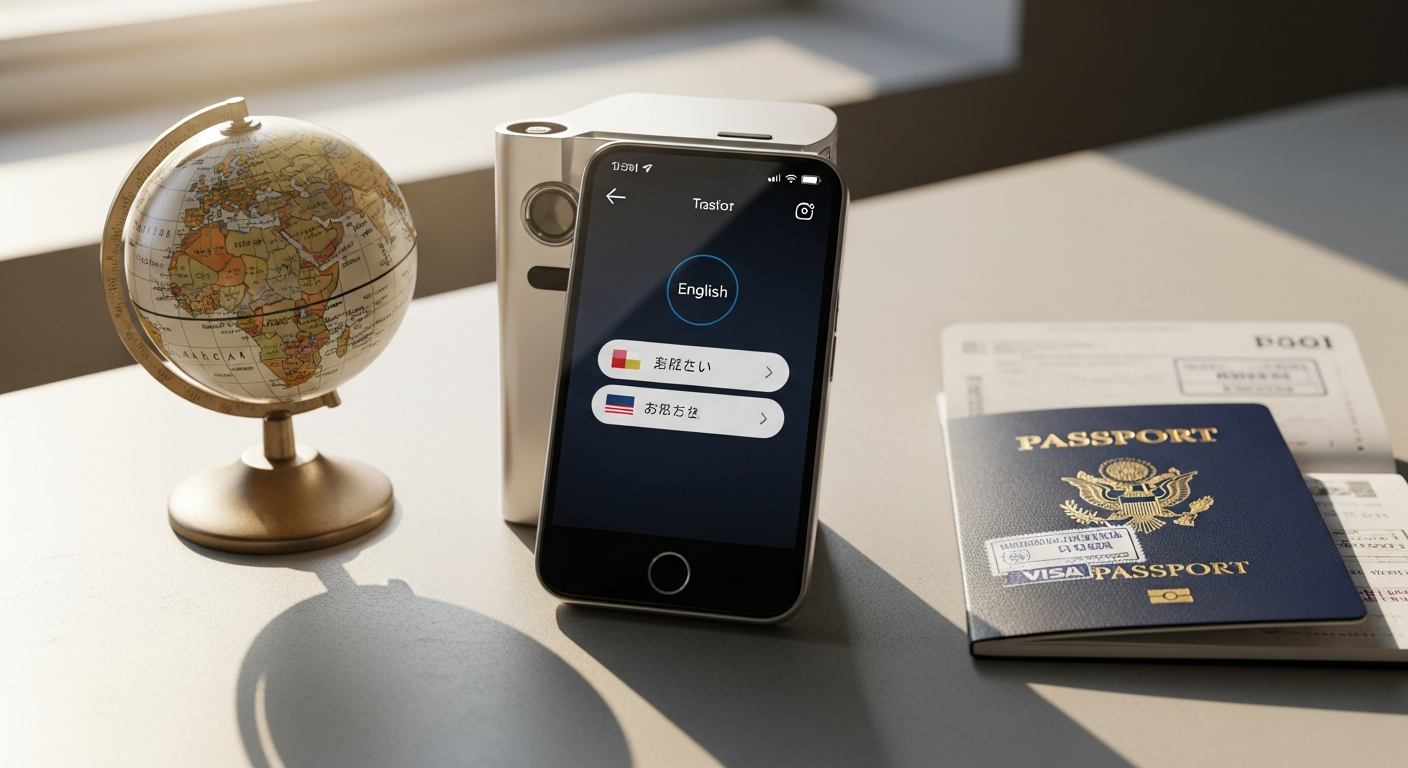
Discover how the Vasco Translator V4 eliminates language barriers with lifetime free global connectivity, 96% accuracy, and 108+ languages. Perfect for international business and expat life—no subscriptions required.
Nearly 1.5 billion people worldwide work across international borders, yet 73% report language barriers as their biggest communication challenge. Traditional solutions—smartphone translation apps, local SIM cards, Wi-Fi dependency—all come with friction. You're constantly managing data limits, waiting for updates, battling battery drain, and hoping connectivity exists where you need it most. The reality for international professionals is far messier than marketing promises suggest.
The Vasco Translator V4 changes this equation fundamentally. Unlike smartphone apps requiring constant data plans or Wi-Fi dependency, the V4 operates independently with its own global internet access across nearly 200 countries. Built directly into a pocket-sized device, it eliminates the need for workarounds and provides genuine, lifetime-free global connectivity. This guide walks professionals through exactly why the V4 has become the preferred choice for business travelers, remote workers, and expats navigating multilingual environments.
You'll discover the specific features that make it different, how its lifetime connectivity actually works, real-world performance metrics, and whether the investment makes sense for your lifestyle. Explore the Vasco Translator V4 and transform your international communication strategy.
Lifetime Global Connectivity: The Game-Changing Advantage
How the Built-In Global SIM Works Across 195+ Countries
The V4 doesn't rely on your smartphone or local networks. Instead, it comes equipped with a built-in global SIM card that activates automatically across 195+ countries without requiring activation fees or manual setup. You power on the device, and translation connectivity is simply available. This architectural decision separates the V4 from every smartphone-based competitor—the hardware itself carries the communication infrastructure.
The global SIM technology means you're never hunting for Wi-Fi in an airport lounge or negotiating with a mobile provider in a country where you don't speak the language. The device maintains consistent connectivity whether you're in Tokyo, São Paulo, or rural Croatia. This reliability matters tremendously for professionals who can't afford translation delays during critical business moments.
Why Lifetime Connectivity Eliminates Recurring Subscription Costs
Most translation apps operate on subscription models. Premium features cost $5–15 monthly, which accumulates to $60–180 yearly. Over the typical five-year lifespan of a translation device, that's $300–900 in recurring fees alone. The V4's lifetime model means you pay once at purchase and never again for connectivity.
For expats managing long-term relocations or business professionals making regular international trips, this compounds into substantial savings. A freelancer traveling quarterly to client sites across different continents might spend $500–800 yearly on app subscriptions alone. The V4's upfront investment of $389–449 pays for itself through connectivity savings within the first year, then operates at essentially zero marginal cost for the remainder of its lifespan.
Comparison of Connectivity Models: Standalone Device vs. Smartphone Dependency
Smartphone translation apps create dependencies that professionals often overlook. Your phone's battery drains faster when running translation services. Processing power gets diverted from other critical business applications. When your phone needs an update, translation reliability temporarily suffers. If your device dies at 2% battery, translation capability vanishes along with it.
The standalone model eliminates these complications. The V4 maintains its own battery (lasting 180 hours in standby mode), operates independently from your smartphone's processing load, and never competes for resources with email, calendar, or video conferencing applications. During a crucial client call where real-time translation is essential, your device won't suddenly interrupt with a system update notification.
Speed and Reliability of Translation Services in Remote Locations
Remote areas test connectivity assumptions. Smartphone apps often degrade significantly when cellular signals weaken or Wi-Fi becomes unreliable. The V4's dedicated global SIM includes priority access to translation servers, meaning it maintains functionality where smartphone apps might timeout or stall.
Business professionals and field teams operating in developing markets or rural regions report noticeably faster translation response times with the V4 compared to smartphone alternatives. This difference becomes critical when you're managing time-sensitive negotiations or coordinating with teams across continents.
No Hidden Charges, No Data Limits, No Regional Restrictions
The V4's connectivity model operates transparently. No data limits cap your translation volume. No regional restrictions prevent usage in specific countries. No hidden charges appear in an invoice three months later. This clarity appeals to organizations managing translation costs across multiple employees or to individuals who budget for professional tools with predictable expenses.
How This Model Specifically Benefits Expats and Business Professionals
Expats face unique communication challenges. You're learning new languages while simultaneously needing reliable translation for daily interactions. Business professionals navigating multilingual environments require consistency—they can't have translation reliability fluctuate based on their location or phone battery status.
For these demographics, the V4's independence from smartphone infrastructure represents genuine value. Expats setting up in a new country don't need to research local SIM plans, negotiate with providers, or manage activation across multiple devices. Business professionals presenting to international clients can maintain a dedicated translation device on their desk without depleting personal phone resources.
Real-World Scenarios Where Standalone Connectivity Outperforms Smartphone Solutions
Consider a sales professional presenting to a room of German investors via video call while needing real-time translation of their questions. Using a smartphone app would require splitting attention, managing multiple apps simultaneously, and potentially creating an unprofessional appearance. The V4 sitting on the desk provides translation support without competing for screen real estate or suggesting the professional isn't fully prepared.
Alternatively, imagine a consultant in rural India needing to translate a technical document while smartphone connectivity is intermittent. The V4's priority access to translation servers means translation completes reliably while the smartphone struggles with basic connectivity. These scenarios repeat constantly across professional environments worldwide.
Translation Accuracy & Language Coverage for Professional Communication
96% Accuracy Rate Powered by 10+ Specialized Translation Engines
The V4 achieves 96% translation accuracy—a metric far exceeding typical smartphone apps—through a sophisticated architecture utilizing over 10 specialized translation engines. Rather than relying on a single translation mechanism, the device analyzes each language pair and automatically selects the optimal engine for maximum accuracy.
This architecture matters because translation quality varies significantly depending on language combinations. English-to-Spanish translation engines differ fundamentally from English-to-Mandarin engines. The V4's multi-engine approach recognizes this reality and routes each translation request to the most appropriate processing system.
108-112 Language Support: Which Languages Are Included
The V4 supports between 108 and 112 languages, covering virtually every language with significant business or travel relevance. This includes major languages (English, Mandarin, Spanish, French, German, Japanese, Arabic) and numerous secondary languages used in professional contexts (Korean, Vietnamese, Thai, Polish, Turkish, Greek, Hungarian).
For international business professionals, this breadth eliminates the scenario where language support becomes the limiting factor. Whether you're coordinating with teams in Southeast Asia, Eastern Europe, or the Middle East, the language you need is almost certainly available.
How the Device Selects the Optimal Engine for Each Language Pair
The selection process happens transparently in milliseconds. When you speak into the V4, the device identifies both the source and target languages, then rapidly evaluates which of the 10+ available engines produces superior results for that specific combination. This optimization ensures that your English-to-Japanese translation uses different processing than English-to-Portuguese translation—each routed to specialized engines trained on millions of examples of that language pair.
Accuracy Performance Across Technical, Business, and Conversational Contexts
Translation accuracy varies depending on context. Technical terminology, financial jargon, and legal language require different precision levels than casual conversation. The V4's multi-engine approach handles this variation by selecting engines optimized for the type of communication occurring.
For business professionals, this means contract discussions, technical negotiations, and financial communications receive appropriately rigorous translation processing. Casual conversation with international colleagues similarly benefits from contextual optimization.
Real-Time Voice Translation for Natural Two-Way Conversations
The V4 enables genuine two-way conversation without awkward pauses or processing delays. When the German investor responds to your question, you speak naturally into the device, and translation emerges in real-time. The conversation flow remains relatively natural despite the language barrier—a capability that fundamentally differs from written translation or heavily delayed interpretation.
This real-time capability transforms international meetings from tedious "pause-and-translate" interactions into something approximating normal dialogue. Professionals report that this natural rhythm significantly improves negotiation outcomes and relationship building with international partners.
Handling of Accents, Dialects, and Regional Variations
Professional environments include speakers with varying accents and regional language variations. A Brazilian Portuguese speaker sounds different from a Portuguese speaker in Lisbon. An Indian English speaker has different speech patterns than an American English speaker. The V4's voice recognition and translation engines account for these variations, enabling accurate translation regardless of speaker origin.
Comparison of Accuracy Against Leading Competitors and Smartphone Translation Apps
The V4's 96% accuracy significantly exceeds most smartphone apps, which typically achieve 85–92% accuracy. This difference becomes substantial in professional contexts where a mistranslation can create misunderstanding or undermine credibility. When your reputation depends on precise communication, the accuracy gap between a smartphone app and a dedicated device with multi-engine optimization becomes meaningful.
Compared to other portable translator devices, the V4's accuracy performance ranks among the highest available. The commitment to 10+ specialized engines represents a more sophisticated approach than competitors employing simpler single-engine architectures.
Photo Translation & Document Processing for Business Use
8-Megapixel Camera Functionality for Instant Menu, Sign, and Document Translation
The V4 incorporates an 8-megapixel camera enabling instant translation of physical text. Point at a menu written in Thai, a contract in Portuguese, a street sign in Mandarin, or any document containing foreign language text, and the device captures and translates the content within seconds. This functionality transforms how professionals navigate unfamiliar environments and process written materials quickly.
Speed and Accuracy of Optical Character Recognition (OCR) Technology
The OCR technology underlying photo translation completes analysis in 2–5 seconds for most images, delivering translation nearly as quickly as you'd manually type text. The accuracy tracks closely with voice translation performance, ensuring that documents processed through photo translation maintain professional reliability.
Real-World Applications: Contracts, Invoices, Signage, Menus, Street Signs
Consider a business professional in Japan reviewing a contract written primarily in Japanese. Rather than typing each section into a translation app or waiting for a professional translation service, the V4's camera captures the document and provides immediate translation. Similarly, an expat navigating a new city can photograph street signs, invoices from utility companies, or restaurant menus and understand content instantly.
These applications seem minor until you calculate time savings. A professional who previously spent 20 minutes typing out a foreign contract section now accomplishes the same task in 60 seconds through photo capture. Over a year of international business activity, these accumulated minutes transform into hours of productivity reclaimed.
Workflow Integration for Professionals Who Need Quick Document Reference
The photo translation feature integrates naturally into professional workflows. You're in a meeting reviewing documents with an international client—you photograph relevant sections, translation appears on-screen, and you address topics immediately without interrupting the meeting for manual translation. You receive an invoice from a foreign vendor—a quick photo provides comprehensive understanding of charges and terms.
Limitations of Camera Focus and Blur Issues and When Workarounds Are Necessary
The camera occasionally struggles with focus, particularly on small text or documents photographed at difficult angles. Users report that blurry images sometimes fail to translate accurately, requiring multiple attempts to capture sharp images. In these situations, manually typing text into the translation feature becomes necessary.
This limitation matters less in professional contexts where you typically have time to position documents properly. During rushed situations—translating signage while rushing through an airport—the focus issues become more apparent. Workarounds include positioning documents under better lighting, using the device's close-focus mode, or tilting the document to improve angle and sharpness.
Batch Processing Capabilities for Multiple Documents During Business Trips
The V4 can process multiple photographs sequentially, building a translation record of numerous documents throughout a business trip. This capability proves valuable for professionals handling extensive documentation during international projects. You photograph 15 pages of a vendor contract, and translations accumulate for later review and detailed analysis.
How Photo Translation Saves Time Compared to Manual Typing or Smartphone Scanning
Manual typing of foreign text into a translation app requires character-by-character input, particularly challenging for languages using non-Latin scripts. Smartphone camera translation apps function similarly to the V4's photo translation but drain smartphone battery, consume processing power, and compete with other critical business applications. The V4's dedicated hardware approach means photo translation operates without these constraints.
Start maximizing your translation efficiency with the Vasco Translator V4 today.
Hardware Design & Durability for Frequent Travelers
5-Inch Touchscreen Display: Readability in Various Lighting Conditions
The V4's 5-inch touchscreen provides sufficient screen real estate for comfortable reading and interaction without excessive bulk. The display maintains readability in bright outdoor conditions and low-light environments—critical for professionals working across different settings. Unlike smaller devices that strain the eyes or larger devices that become cumbersome, the 5-inch dimension represents a practical balance.
Rubberized, Dust-Resistant Body: Protection Against Travel Wear and Tear
The rubberized exterior absorbs impact from drops, slides, and the inevitable collisions occurring during travel. Dust-resistant construction means the device functions reliably in environments where sand, lint, or other particles would damage less-protected electronics. Business professionals traveling to construction sites, outdoor events, or developing infrastructure projects appreciate this durability.
Water and Splash Resistance Ratings for Outdoor and Unpredictable Environments
The V4 withstands splashes and brief water exposure—you can use it during rain, near fountains, or in humid environments without concern. While not fully waterproof for submersion, the splash resistance protects against everyday moisture encounters that would disable less-protected devices.
Battery Performance: 180-Hour Standby, Multi-Day Active Use
The battery provides 180 hours in standby mode, meaning the device remains ready for weeks without charging if used intermittently. During active use—continuous translation sessions—the battery sustains several days of operation before requiring recharge. This endurance means business professionals traveling for a week rarely need to carry chargers or locate power outlets during the trip.
USB-C Charging and Connectivity Options
USB-C charging aligns with modern device standards, using the same cables and chargers as smartphones and laptops. This standardization simplifies travel packing and ensures you can charge the V4 using equipment you already carry. USB-C connectivity also enables data transfer if needed.
Compact, Pocket-Sized Form Factor for Portability
The V4 fits comfortably in jacket pockets, bag compartments, or desk drawers. Unlike bulkier translation devices or the constant dependence on smartphones, the V4's form factor means you're not adding significant weight or volume to your travel setup. It becomes as portable as a large wallet or notebook—genuinely pocket-sized.
Ergonomic Design Considerations for Extended Use During Business Meetings
The device is designed for handheld use during conversations and meetings. The rubberized grip prevents slipping, the button placement enables operation with one hand, and the screen size remains readable at the distance you'd naturally hold the device during a conversation. Professionals using the V4 during extended meetings report that ergonomics remain comfortable for hours of use.
Durability Testing and Real-World Longevity Reports from Long-Term Users
Long-term users report that the V4 maintains functionality after years of regular use in demanding conditions. The durability design isn't marketing hyperbole—it reflects real-world construction that withstands frequent travel, occasional drops, exposure to various climates, and continuous daily use. Professionals who purchased V4 devices 3–4 years ago report devices functioning reliably with minimal degradation.
Cost Analysis: Investment vs. Long-Term Value
Upfront Price Point: £389–$449 Compared to Competitors
The V4 costs between £389–$449 depending on your region and retailer. This upfront investment stings. You're making a decision to spend several hundred dollars on a single-purpose device in an era where smartphone apps promise unlimited functionality. This sticker shock represents the primary objection professionals raise when considering the V4.
Context matters significantly. Compared to entry-level portable translators offering minimal functionality, the V4 costs more. Compared to what you'll spend over five years on smartphone translation apps, the V4 costs significantly less. Comparative analysis requires viewing the purchase within realistic time horizons.
Lifetime Connectivity Value Calculation: Subscription-Free Years
Premium translation apps cost $5–15 monthly or $60–180 yearly. Assume conservative spending of $10 monthly ($120 yearly). Over five years, subscription costs total $600. Over ten years, subscription costs exceed $1,200. The V4's lifetime connectivity model eliminates these recurring expenses entirely.
If you purchase the V4 at $449, you immediately recoup this investment through subscription savings within the first 4–5 years. Every year beyond that represents pure value extraction from the lifetime connectivity feature.
Total Cost of Ownership Over 3, 5, and 10 Years
Three-Year Ownership:
- V4 device purchase: $449
- Smartphone app subscriptions (if purchased instead): $360 ($10/month × 36 months)
- Total V4 cost of ownership: $449
- Total app-based cost of ownership: $360
- V4 advantage: Break-even or slightly higher initial cost, but with standalone functionality benefits
Five-Year Ownership:
- V4 device purchase: $449
- Smartphone app subscriptions (if purchased instead): $600 ($10/month × 60 months)
- V4 battery replacement (if needed): ~$80–120
- Total V4 cost of ownership: $530–570
- Total app-based cost of ownership: $600
- V4 advantage: $30–70 savings plus no subscription dependency
Ten-Year Ownership:
- V4 device purchase: $449
- Smartphone app subscriptions (if purchased instead): $1,200 ($10/month × 120 months)
- V4 battery replacement (if needed): ~$80–120
- V4 potential replacement/repair (unlikely but possible): variable
- Total V4 cost of ownership: $530–570+ (if replacements needed)
- Total app-based cost of ownership: $1,200
- V4 advantage: $630–670+ savings
These calculations demonstrate that the V4's apparent high upfront cost becomes economical within 4–5 years and increasingly advantageous beyond that timeline.
Hidden Costs of Smartphone-Based Alternatives: Data Plans, Premium App Subscriptions
Smartphone translation apps create multiple cost vectors beyond obvious subscription fees. Premium features requiring paid tiers add up quickly. Data consumption during heavy translation usage increases mobile data plan costs. Battery degradation from intensive translation processing forces faster smartphone replacement cycles. These hidden costs typically add $200–400 annually to true smartphone-based translation expenses, costs rarely included in simple subscription comparisons.
ROI for Business Professionals and Frequent Travelers
For professionals whose work depends on translation, ROI becomes substantially positive within the first year. A business professional traveling quarterly, requiring daily translation for documents and conversations, recovers the V4 investment through subscription cost avoidance alone. The productivity improvements—faster document processing, more natural business conversations, reduced time managing multiple tools—generate additional value exceeding the hardware cost.
Frequent travelers logging 10+ international trips annually see ROI within months. Remote workers managing multilingual teams see ROI within weeks through cumulative time savings across dozens of daily translation interactions.
Financing and Payment Options
Various retailers offer payment plans, allowing you to spread the $389–449 cost across 6–12 months with minimal interest. If your organization treats the V4 as a professional tool, direct purchasing through business accounts may enable tax deductions or bulk discounts. These financial options reduce the psychological impact of the upfront expense.
Warranty and Support Coverage
The V4 typically includes a two-year manufacturer's warranty covering hardware defects and malfunctions. Extended warranty options may be available depending on your retailer. This warranty coverage protects your investment against unexpected technical failures, providing peace of mind for a device you're depending on for professional communication.
Resale Value and Device Longevity Expectations
V4 devices retain decent resale value, particularly recent models. A two-year-old V4 might resell for 60–70% of original purchase price if maintained properly. This residual value partially offsets the original investment if you eventually upgrade to a newer model. The device's construction quality and durable design contribute to strong secondary market value.
Longevity expectations suggest the V4 functions reliably for 5–7 years with normal professional use. Some users report devices functioning for longer without significant degradation. This extended lifespan significantly improves cost-per-year economics, making the original investment increasingly attractive as years accumulate.
Who Benefits Most: Professional Use Cases & Scenarios
International Business Professionals and Corporate Travelers
Executives attending conferences, negotiating contracts, or managing international partnerships benefit tremendously from the V4. Rather than managing translation through smartphones or relying on interpreters, the V4 provides on-demand, accurate communication without third-party dependency. The device elevates professionalism during international interactions while reducing miscommunication risks.
Expats and Digital Nomads Managing Multilingual Daily Life
Expats relocating to new countries face constant translation demands—rental agreements, utility bills, government forms, everyday conversations. The V4 provides consistent, reliable translation support throughout the transition period and beyond. Digital nomads moving frequently between countries similarly benefit from a device that functions independently in any location.
Sales Teams and Customer-Facing Roles in Global Companies
Sales professionals engaging with international customers need real-time translation that doesn't interrupt conversations or create unprofessional appearances. The V4 enables natural dialogue during video calls, in-person presentations, and phone conversations—critical for building customer relationships and closing international deals.
Project Managers Coordinating Across International Teams
Project managers overseeing teams in multiple countries must understand updates from non-English speakers, document project requirements across language barriers, and ensure consistent communication across distributed teams. The V4 provides reliable translation support throughout daily project management activities.
Freelancers and Consultants Working with Global Clients
Freelancers and consultants operating independently across multiple international clients benefit from the V4's independence and reliability. Rather than managing separate translation solutions for each client engagement, the V4 provides unified, professional translation capability for all client interactions.
Healthcare and Legal Professionals Requiring Accurate Terminology
Healthcare and legal professionals depend on precise translation—medical misdiagnosis or contract misunderstanding can create serious consequences. The V4's 96% accuracy and specialized translation engines provide reliability appropriate for high-stakes professional contexts requiring medical or legal terminology accuracy.
Educational Professionals and Researchers in Multilingual Environments
Researchers collaborating internationally and educators teaching multilingual student populations benefit from the V4's comprehensive language support and accuracy. The device enables research collaboration and educational instruction without language becoming a barrier to knowledge sharing.
Real Estate and Hospitality Professionals Serving International Clientele
Real estate agents and hospitality professionals regularly interact with international clients. The V4 enables smooth communication during property tours, contract reviews, and guest interactions—critical for customer satisfaction and transaction completion in international business contexts.
The Standalone Device Advantage Over Smartphone Apps
Independence from Smartphone Battery Drain and Processing Power
Smartphone-based translation consumes battery rapidly. A professional using smartphone translation intensively during an all-day conference might exhaust their phone's battery before the event concludes. The V4's dedicated battery means translation capability never competes with your phone's battery reserves—a critical distinction for professionals depending on both devices throughout the day.
Processing power similarly matters. Translation algorithms demand significant computational resources. Running intense translation on your smartphone degrades performance of email, calendar, video conferencing, and other business applications. The V4's dedicated processor ensures translation never creates lag or slowness in your primary work tools.
Reliability Without Relying on Phone Connectivity or App Updates
Smartphone translation apps require phone connectivity and rely on cloud services that occasionally experience outages or degradation. Apps require periodic updates, and sometimes those updates introduce bugs or compatibility issues. The V4's architecture eliminates these dependencies—the device operates reliably whether or not your phone has signal, and updates occur transparently without disrupting service.
Dedicated Hardware Optimized Specifically for Translation Tasks
The V4 represents hardware specifically engineered for translation excellence. Every processor cycle, every memory allocation, every software decision optimizes for translation performance. Smartphone translation apps operate as secondary functions on generalist devices optimized primarily for calling, texting, and apps. This optimization difference manifests in speed, accuracy, and reliability.
No Screen Real Estate Competition with Other Apps
Professional work demands attention to multiple applications simultaneously. Translation apps force you to switch between your primary work application and the translation app, disrupting workflow and creating cognitive overhead. The V4 operates beside your primary work without competing for screen space—you monitor translation while maintaining focus on email, documents, or video conferencing.
Uninterrupted Functionality When Your Phone Is Low on Battery
When your phone reaches 5% battery, critical applications begin shutting down to preserve remaining power. Translation capability disappears just when you might need it most—during a final business call or while reviewing last-minute documents. The V4 maintains full functionality independently of your phone's battery status.
Professional Appearance in Business Meetings: Dedicated Device vs. Phone Usage
There's a subtle but meaningful distinction between consulting a smartphone during a business meeting versus using a dedicated translation device. The phone suggests possible distraction or multitasking. The dedicated device signals intentional, focused translation support. This distinction, while seemingly superficial, influences how international partners perceive your professionalism and commitment to clear communication.
Reduced Security Risks from App-Based Data Collection
Smartphone translation apps collect and process data through third-party cloud services, raising privacy and security questions. Your conversations, documents, and business communications flow through external servers. The V4's architecture minimizes this exposure—translation occurs through Vasco's established infrastructure with transparent privacy policies aligned to professional requirements.
Consistent Performance Without Smartphone OS Interference
Android and iOS updates occasionally create compatibility issues, performance degradation, or unexpected behavior changes. The V4 runs a customized Android-based operating system optimized specifically for translation functionality. This focused environment ensures consistent performance without the interference common on generalist smartphones.
Making the Decision: Is the Vasco Translator V4 Right for You?
Assessment Questions for Determining if Standalone Translation Device Fits Your Workflow
Ask yourself:
- Do you regularly interact with people speaking languages you don't speak fluently?
- Does your work depend on translation accuracy beyond casual conversation?
- Do you travel internationally more than twice yearly?
- Would translation failures create significant professional consequences?
- Do you manage documents regularly requiring foreign language translation?
- Would smartphone battery drain impact your work effectiveness?
- Do you value device independence and reliability above cost minimization?
- Does your work schedule provide unpredictable travel patterns where subscription services become inconvenient?
If you answered "yes" to more than three questions, the V4 deserves serious consideration.
Comparison Matrix: V4 vs. Smartphone Apps vs. Other Portable Translators
Vasco Translator V4:
- Accuracy: 96% (highest tier)
- Language support: 108–112 languages
- Standalone operation: Yes
- Lifetime connectivity: Yes
- Photo translation: Yes (with limitations)
- Voice translation: Yes, real-time
- Upfront cost: $389–449
- Subscription costs: None, lifetime
- Battery endurance: Excellent (180-hour standby)
- Durability: Excellent (rubberized, splash-resistant)
Smartphone Translation Apps (Google Translate, Microsoft Translator):
- Accuracy: 85–92% (good but lower)
- Language support: 100+ languages
- Standalone operation: Limited (requires data/Wi-Fi)
- Lifetime connectivity: Via data plan only
- Photo translation: Yes
- Voice translation: Yes, with delay
- Upfront cost: Free
- Subscription costs: $0–180/year
- Battery endurance: Drains phone battery significantly
- Durability: Dependent on phone durability
Competing Portable Translators (other brands):
- Accuracy: 85–94% (varies by brand)
- Language support: 50–100 languages (typically less than V4)
- Standalone operation: Yes (varies)
- Lifetime connectivity: Rare (most require subscriptions)
- Photo translation: Limited or absent
- Voice translation: Yes, with varying quality
- Upfront cost: $200–350 (typically lower than V4)
- Subscription costs: $0–120/year (many charge ongoing fees)
- Battery endurance: Moderate (40–100 hours standby)
- Durability: Variable by brand
The V4 represents the premium option—higher upfront cost but superior accuracy, language support, lifetime connectivity, and durability.
Budget Considerations and ROI Calculations for Different Professional Roles
Executive traveling 8+ times yearly: ROI within 6–8 months through subscription avoidance and reclaimed productivity time
Business professional traveling 4–6 times yearly: ROI within 12–18 months
Remote worker with limited travel: ROI within 24–36 months, justified by daily translation reliability
Expat relocating to new country: ROI within 3–6 months due to constant translation demands
Freelancer with occasional international clients: ROI within 18–24 months
For high-travel roles, the V4 investment justifies itself within months. For lower-travel professional use, justification extends across 2–3 years but remains economically sound when lifetime subscription savings accumulate.
Alternative Scenarios Where Smartphone Apps Might Suffice
If you need translation occasionally—perhaps quarterly international calls with a stable set of partners—smartphone apps provide adequate functionality. If you travel to English-speaking countries primarily and face limited language barrier scenarios, smartphone apps deliver sufficient capability without hardware investment. If budget constraints are absolute and translation represents a peripheral business need rather than a core function, smartphone apps remain functional alternatives.
However, these scenarios typically don't describe professionals whose work genuinely depends on consistent, accurate, reliable translation. For those professionals, smartphone app limitations become genuine impediments rather than acceptable trade-offs.
Testing and Trial Options Before Committing to Purchase
Some retailers offer demonstration units or extended return periods enabling you to test the V4 in your actual work environment before committing to the purchase. Request this option before completing your purchase decision. Testing the device against your specific use cases—your actual languages, your actual document types, your actual travel patterns—provides confidence that the investment matches your requirements.
Warranty, Return Policies, and Risk Mitigation
Purchase the V4 from retailers offering 30–60 day return windows. Manufacturer warranties covering two years protect against hardware defects. These policies reduce risk substantially—if the device doesn't meet your expectations or malfunctions, you have recourse within reasonable timeframes.
Integration with Existing Business Tools and Workflows
Consider how the V4 integrates with your current workflow. Can you comfortably switch between your primary work application and the V4 during meetings? Does the device's interface align with your preferences and usage patterns? Does the photo translation feature integrate naturally with your document handling? These practical integration questions matter as much as feature specifications.
Timeline for Seeing Value and Productivity Improvements
Expect to recognize translation accuracy and reliability improvements immediately—within the first conversation or document. Broader productivity improvements—reclaimed time from faster translation, reduced meeting inefficiency, decreased reliance on smartphone multitasking—accumulate over weeks and months as you develop comfortable usage patterns. Full ROI realization typically requires 6–12 months of consistent usage as subscription cost avoidance accumulates and workflow optimization deepens.
Bottom Line: Investing in Seamless Global Communication
The Vasco Translator V4 isn't simply another translation gadget—it's a professional infrastructure investment. For business professionals, expats, and anyone whose work demands reliable cross-language communication, the combination of lifetime global connectivity, 96% accuracy, and standalone functionality creates genuine value that compounds over years. Yes, the upfront cost stings, but when you calculate the subscription fees you'll never pay, the productivity hours you'll reclaim, and the professional credibility you'll maintain through accurate, real-time communication, the math becomes compelling.
The device does have genuine limitations: the camera could be sharper, the keyboard could be larger, and the button placement could be smarter. These aren't dealbreakers for most professionals—they're minor friction points in an otherwise robust system. If you're recognizing yourself in these scenarios, the V4 deserves serious consideration. Start by identifying your specific translation pain points, then ask yourself: what's that peace of mind worth? For many professionals, the answer is clear.
Get your Vasco Translator V4 now and eliminate language barriers from your professional life.