
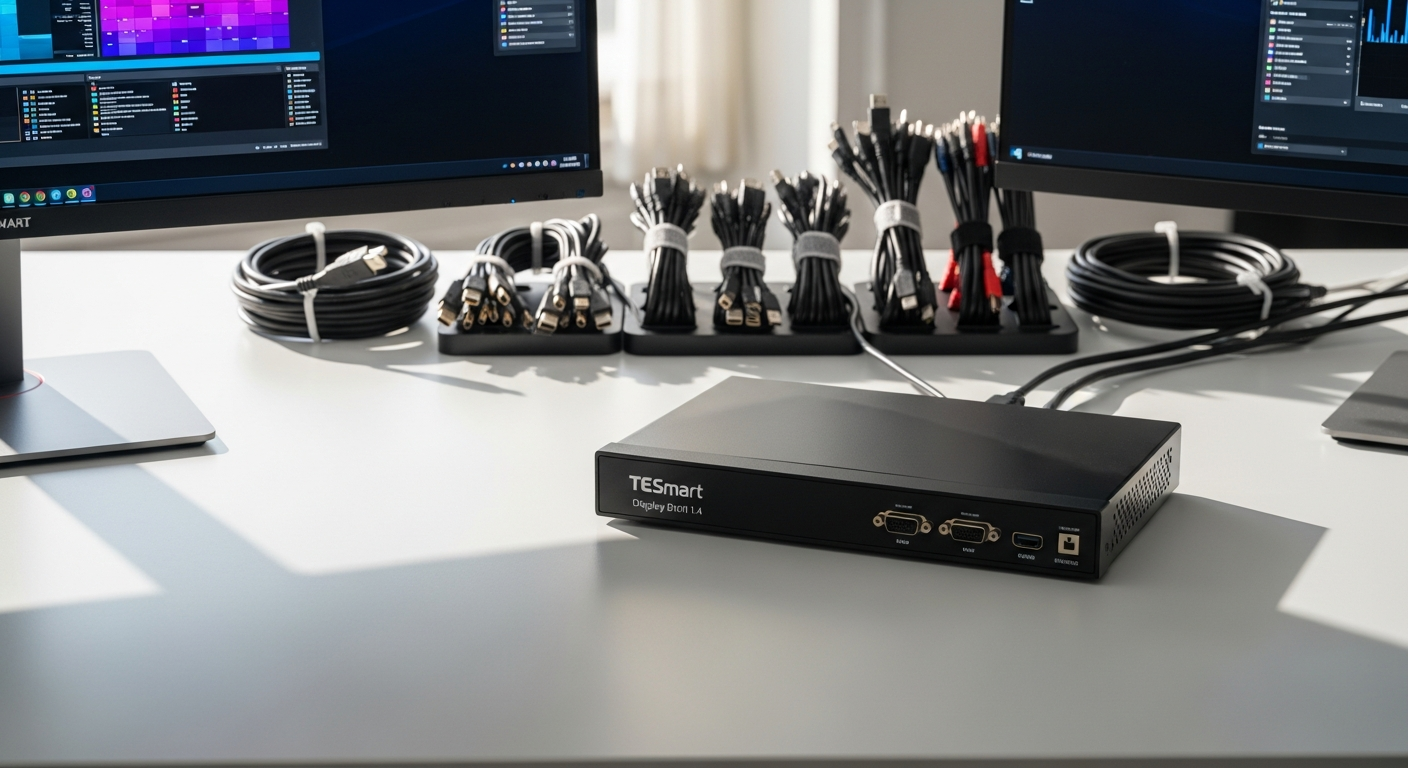
Discover how the TESmart Dual Monitor KVM Switch DisplayPort 1.4 streamlines multi-computer workstations with 8K@60Hz support, seamless switching, and advanced peripheral sharing. Perfect for professionals and gamers.
Imagine managing two powerful computers with a single keyboard, mouse, and dual monitors—no more frantic cable swapping or juggling multiple input devices. The TESmart Dual Monitor KVM Switch DisplayPort 1.4 delivers exactly this, transforming how professionals and gamers organize their workspaces. The DKS202-M24-USBK model represents the pinnacle of KVM switch technology, engineered for users who demand both performance and convenience.
Whether you're a content creator managing render farms, a developer juggling multiple systems, or a competitive gamer requiring flawless visual fidelity, this device eliminates the clutter and complexity that plague traditional multi-computer setups. The ecosystem of tools available today makes it tempting to cobble together a solution from multiple vendors, but a dedicated, purpose-built KVM switch handles what software and piecemeal hardware cannot.
Discover how the TESmart Dual Monitor KVM Switch can revolutionize your multi-computer workspace.
DisplayPort 1.4 Technology: Why It Matters for Your Setup
8K@60Hz and 4K@144Hz Support
The DKS202-M24-USBK model's DisplayPort 1.4 capability delivers exceptional visual clarity for demanding professional and gaming applications. Content creators working with 8K footage, 3D artists rendering complex scenes, and competitive gamers pushing 4K at 144Hz all benefit from this high-bandwidth connection. Traditional HDMI solutions simply cannot match these specifications, making DisplayPort 1.4 essential for anyone serious about visual performance.
Future-Proofing Your Investment
DisplayPort 1.4 ensures compatibility with next-generation monitors and graphics cards. Rather than replacing your KVM switch when newer display technology emerges, this standard provides a stable foundation for years of use. Technology moves fast, but investing in a device built around the latest connection standards protects your equipment investment longer.
Bandwidth Advantages Over HDMI
Higher data transmission rates eliminate bottlenecks in high-resolution scenarios. DisplayPort 1.4 provides significantly more bandwidth than HDMI alternatives, allowing for higher color depths, refresh rates, and resolution combinations without compression or quality loss. This technical advantage translates directly to smoother performance and cleaner visuals.
Color Accuracy and Refresh Rate Stability
Video editing, 3D rendering, and competitive gaming all demand precision. Stable refresh rates prevent visual artifacts, while accurate color transmission ensures that what you see on screen matches your final output. The TESmart switch maintains these critical parameters across both computers automatically.
Native Support for Variable Refresh Rates
Seamless performance without screen tearing or stuttering becomes possible with DisplayPort 1.4's variable refresh rate capabilities. Gamers switching between machines won't experience the performance inconsistencies that plague inferior KVM solutions.
Seamless Computer Switching Without Display Disruption
EDID Emulation Explained
EDID (Extended Display Identification Data) emulation prevents resolution resets and display configuration changes when toggling between machines. Without this feature, your monitors would adjust their resolution, refresh rate, and color settings every time you switch computers—a frustrating experience that kills productivity. The TESmart switch stores display information from each connected computer, allowing instant switching without reconfiguration.
Multiple Switching Methods
Flexibility matters when managing multiple systems. Front panel buttons provide quick physical access, keyboard hotkeys enable rapid switching during intense work sessions, mouse gestures offer intuitive control, and IR remote functionality allows operation from across the room. Choose whichever method fits your workflow, or combine multiple methods throughout your day.
Zero-Lag Switching Experience
The switch maintains consistent visual settings across different computers without any perceptible delay. Moving from one machine to another feels instantaneous, preserving your focus on the actual work rather than managing connections.
Automatic Detection and Adaptation
The system recognizes connected computers and optimizes display parameters automatically. Setup becomes straightforward—connect your machines, and the KVM switch handles the technical details behind the scenes.
Reduced Setup Time
No manual display reconfiguration needed after each switch. This might seem minor, but across dozens of daily switches, the time saved becomes substantial. Professionals managing multiple systems see significant productivity gains simply from eliminating these repetitive configuration steps.
Learn more about TESmart's KVM switch solutions and join thousands of satisfied users.
USB 3.0 Peripheral Sharing and Connectivity
The USB 3.0 ports embedded in the TESmart switch enable high-speed data transfer between connected computers. Rather than unplugging your webcam from one machine to connect it to another, or maintaining separate external drives for each system, you simply access the shared peripherals through the KVM switch.
Printers, scanners, webcams, USB drives, and external storage all connect once to the switch and become instantly available to both computers. This consolidation reduces cable clutter dramatically and eliminates the frustration of constantly re-routing connections. The bandwidth efficiency ensures that simultaneous peripheral access across machines doesn't cause performance degradation.
Plug-and-play compatibility means these devices work immediately upon connection, without requiring driver conflicts or complex setup procedures. The intelligence built into the TESmart switch manages the peripheral handoff seamlessly.
Real-World Applications: Who Benefits Most
Content Creators and Video Editors
Managing separate render workstations and editing bays becomes infinitely simpler. Render jobs continue on one machine while you edit footage on another, all controlled from your primary desk setup. No more walking between machines or dealing with incompatible peripherals.
Software Developers
Testing code simultaneously across Windows, Mac, and Linux environments requires rapid switching between systems. The TESmart KVM switch eliminates the physical barriers to this workflow, allowing developers to validate cross-platform compatibility without leaving their desk.
Competitive Gamers
Switching between gaming and streaming setups instantly without performance loss keeps competitive edge intact. High-refresh-rate displays demand reliable, low-latency switching—exactly what the DisplayPort 1.4 capability delivers.
Financial Professionals and Traders
Monitoring multiple market feeds and data streams across dedicated machines requires constant attention. The KVM switch allows traders to manage their complete setup from a single input device, critical when milliseconds matter.
Remote Workers With Multiple Devices
Consolidating work computer and personal machine access reduces desktop sprawl and mental load. A single monitor setup managed through an intelligent KVM switch beats maintaining separate workspaces.
System Administrators
Managing server systems and workstations from a centralized control point becomes practical and efficient. The reliability and performance of the TESmart switch make it suitable for professional IT environments.
Price-to-Performance Value Proposition
The $150–$300 investment range reflects advanced capabilities and build quality that distinguish premium KVM switches from budget alternatives. While this represents a meaningful purchase, consider the total cost of ownership compared to maintaining separate setups.
A single keyboard, mouse, and monitor set replaces multiple setups entirely. For professionals already investing in dual-monitor configurations and powerful workstations, the KVM switch cost becomes negligible compared to the hardware savings. Factor in the productivity gains from eliminating switching friction, and the ROI becomes compelling quickly.
Professionals managing expensive dual-monitor setups particularly benefit from this value proposition. The time saved on switching and cable management adds up significantly across weeks and months. Software-based switching solutions can't match the performance reliability that critical tasks demand, making the hardware KVM switch the only practical option for serious users.
The Bottom Line for Your Multi-Computer Workspace
The TESmart Dual Monitor KVM Switch DisplayPort 1.4 transforms chaotic multi-computer setups into streamlined, efficient workstations. Its DisplayPort 1.4 capability delivers stunning visual performance at 8K@60Hz or 4K@144Hz, while EDID emulation ensures your display settings remain stable across switches. The USB 3.0 peripheral sharing eliminates constant re-plugging, and multiple switching methods adapt to your personal workflow style.
The $150–$300 investment represents a meaningful purchase, but for professionals and gamers managing serious computing power, the productivity gains and space savings justify the cost completely. Whether you're consolidating a creative workstation, managing development environments, or building the ultimate gaming-and-streaming setup, this device delivers the reliability and performance that separates premium KVM solutions from budget alternatives.
Your desk deserves a tool that matches the capabilities of your computers. The TESmart Dual Monitor KVM Switch makes this possible.
Explore TESmart's affiliate program and find the perfect KVM solution for your needs.