
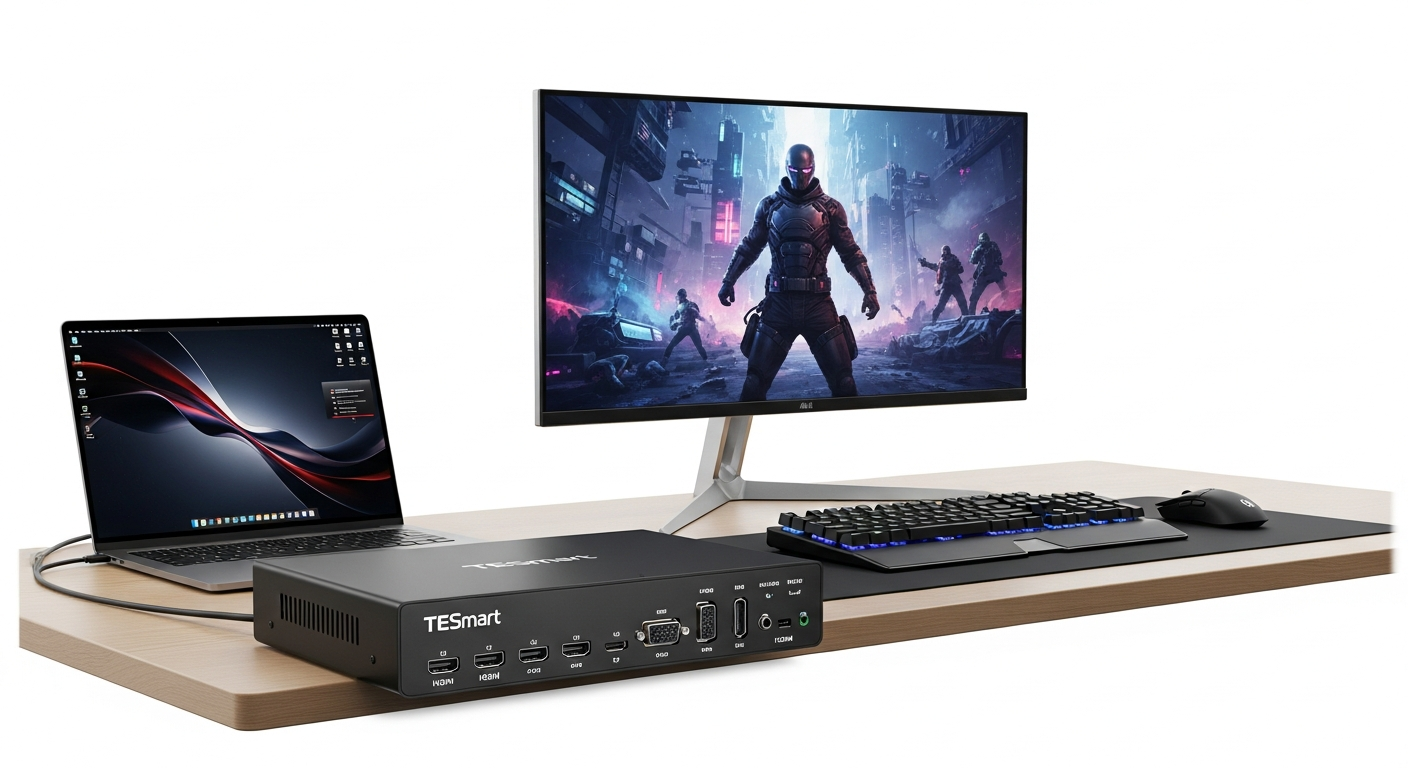
Discover how the TESmart Dual Monitor KVM Switch 4K 60Hz simplifies multi-device workflows. Explore EDID emulation, seamless switching, and why professionals choose this KVM solution for high-resolution productivity.
The productivity cost of manual switching between computers extends far beyond the few seconds it takes to unplug and reconnect cables. Every time you physically swap peripherals, you’re breaking context. Your muscle memory resets. Your display settings potentially shift.
The productivity cost of manual switching between computers
Consider a typical day: a software developer tests code on one machine, references documentation on another, and monitors deployment on a third. Without a KVM switch, each transition demands physical intervention. Cables get yanked. Monitors go black momentarily. The operating system reconfigures display arrangements. Icon positions shuffle. What should be a instantaneous context switch becomes a multi-second interruption that derails focus and workflow momentum.
How EDID emulation prevents display frustration and resolution drops
The TESmart Dual Monitor KVM Switch incorporates EDID (Extended Display Identification Data) emulation, a feature that prevents the display detection issues plaguing cheaper alternatives. When you switch between computers, the KVM switch maintains consistent display information. Your monitors remain recognized at their proper resolutions—3840×2160 at 60Hz—without the operating system attempting to reconfigure layouts. This means icons stay in place, window arrangements persist, and your workspace feels continuous rather than chaotic.
Real-world time savings: comparing cable-swapping vs. seamless switching
The mathematics of time savings becomes apparent over extended periods. A user switching between systems four times daily saves approximately two minutes of cable manipulation. Over a year, that’s eight hours recovered simply from eliminating physical disconnection. Factor in the time cost of resolution resets, icon repositioning, and refocusing attention, and the actual productivity gain multiplies significantly. For remote workers managing both professional and personal machines, this becomes especially valuable.
Breaking Down the TESmart 4K 60Hz Technical Specifications
Understanding the technical foundation helps clarify why this particular model commands premium positioning within the KVM switch market.
4K resolution at 60Hz (3840×2160) with 4:4:4 chroma sampling explained
The TESmart’s 4K@60Hz specification represents genuine high-fidelity video output. The resolution of 3840×2160 pixels provides four times the pixel density of standard 1080p displays. The 60Hz refresh rate ensures smooth motion, critical for both content creation and gaming. The 4:4:4 chroma sampling means full color information travels across each pixel, eliminating compression artifacts that plague cheaper alternatives using 4:2:0 sampling. For video editors, designers, and anyone working with color-critical content, this technical specification directly impacts output quality.
HDMI 2.0 and HDCP 2.2 compliance: what it means for your setup
HDMI 2.0 compatibility ensures the KVM switch handles contemporary video standards without bottlenecking. HDCP 2.2 compliance protects copyrighted content, allowing streaming services, Blu-ray players, and protected media to function without DRM handshake failures. Together, these standards mean the device works seamlessly with modern monitors, graphics cards, and media sources without requiring adapter chains or workarounds.
Multi-computer support: 2-port and 4-port configuration options
The TESmart lineup offers flexible configurations. The 2-port model suits professionals managing a laptop and desktop setup. The 4-port variant accommodates complex environments where developers test across multiple machines, or content creators maintain separate rigs for capturing, editing, and rendering. Both configurations support dual monitors simultaneously, meaning four monitors can display content across multiple computers without additional hardware.
Control Methods That Match Your Workflow Style
The TESmart provides multiple switching mechanisms, accommodating different user preferences and workflow patterns.
Front panel button switching for quick, tactile control
Physical buttons on the device itself offer immediate, tactile feedback. Users who prefer visible controls and quick visual confirmation of active computer prefer this method. The buttons remain accessible even if software conflicts or driver issues temporarily affect other control methods.
Keyboard hotkey combinations for power users
Keyboard hotkeys enable seamless switching without interrupting typing or navigation. Power users often commit these combinations to muscle memory, switching between systems as naturally as tabbing between applications on a single computer. This method eliminates the need to reach for a remote or access menus.
Mouse gesture controls: intuitive switching without interruption
Mouse gestures offer an elegant middle ground. Users can trigger computer switching through simple mouse movements—flicking right or left—without keyboard shortcuts or reaching for external controls. This approach particularly suits designers and video editors whose workflows center on mouse-based interaction.
Setting Up Your Multi-Device Ecosystem
Proper configuration determines whether the KVM switch becomes invisible infrastructure or a source of frustration.
Pre-purchase checklist: assessing your computer and monitor compatibility
Before purchasing, verify that each connected computer has HDMI outputs capable of 4K@60Hz. Check that monitors support HDMI 2.0 input at 4K resolution. Confirm the number of computers requiring connection—this determines whether a 2-port or 4-port model fits your needs. Assess available desk space for the KVM unit itself, typically a compact box requiring minimal footprint.
Cable requirements and included accessories (HKS0802A1U kit example)
The HKS0802A1U arrives as a complete kit, including all necessary KVM-to-PC cables. This eliminates the guesswork of sourcing compatible connectors. HDMI cables must support 4K resolution, and the kit provides these pre-selected. USB cables connect each source computer to the switch, enabling keyboard and mouse sharing.
Step-by-step connection guide for dual monitor setups
Proper connection sequence prevents confusion. First, connect both monitors to the KVM switch’s output ports. Next, connect each source computer’s HDMI cables and USB connections to their designated ports on the switch. Connect keyboard and mouse to the USB inputs on the KVM unit. Finally, connect the switch’s USB output to a computer for firmware updates (if applicable). Power on the switch last, allowing all components to initialize before beginning use.
Use Cases That Justify the Investment
The TESmart 4K 60Hz delivers measurable value across specific professional and creative contexts.
Content creators and video editors managing source files and editing software
A video editor typically works across multiple computers: one captures raw footage, another handles color grading, a third renders final output. The 4K@60Hz capability ensures color-accurate editing without compromise. EDID emulation keeps workspace organization consistent. The ability to switch between machines without interrupting the creative flow directly translates to faster project completion and higher output quality.
Competitive gamers switching between gaming rig and streaming setup
Professional gamers maintain separate machines: one for competitive play, another for streaming content. The 4K@60Hz specification provides stunning visual quality for both streaming and gameplay. Seamless switching enables quick transitions between gaming focus and stream management without losing performance momentum or dropping broadcast quality.
Software developers testing across multiple machines without workspace clutter
Developers frequently test code on machines with different operating systems or configurations. Rather than physically relocating to different workstations, a KVM switch keeps a developer centered at a primary desk while testing happens across systems. This consolidation eliminates physical clutter and mental overhead associated with multiple workspaces.
Strengths That Make This KVM Switch Stand Out
The TESmart has earned its market position through consistent execution across multiple performance dimensions.
Reliable EDID emulation preventing display detection issues
Unlike budget alternatives, the TESmart’s EDID implementation prevents display dropout and reconfiguration issues. Monitors consistently recognize their capabilities across computer switches. Resolution, refresh rate, and color depth remain stable regardless of which system is active.
Robust build quality and consistent user feedback
The device itself reflects quality construction. Metal casing withstands professional environments. Cable connections remain secure without frequent reseating. User feedback over extended periods confirms durability and reliability. The brand maintains consistent quality control, reducing the likelihood of receiving a defective unit.
Seamless switching experience with zero lag or artifacts
Switching between computers happens instantaneously with no visual artifacts, black frames, or audio dropout. This seamlessness makes the KVM invisible—it functions as infrastructure rather than a noticeable tool. The experience feels natural rather than mechanical.
Potential Drawbacks and Honest Limitations
Acknowledging limitations provides realistic expectations for potential buyers.
Premium pricing compared to basic KVM switch alternatives
The TESmart commands higher pricing than basic single-monitor KVM switches or budget alternatives with lower resolution support. A 4K@60Hz dual monitor KVM switch typically ranges from approximately $250 to over $300. For users with simple setups or limited budgets, this represents significant investment requiring careful consideration.
Occasional firmware updates required for bug fixes
While generally solid, the device occasionally requires firmware updates to address minor issues or optimize compatibility with newer systems. This demands occasional attention and basic technical competency, though the update process remains straightforward for most users.
Learning curve for optimal hotkey configuration
Maximizing efficiency with keyboard shortcuts and mouse gestures requires initial setup and memorization. Users accustomed to basic switching methods may need time adapting to optimal configurations. The initial learning period is typically brief, but optimization requires deliberate effort.
Transform Your Workspace: Making the TESmart Decision
The TESmart Dual Monitor KVM Switch 4K 60Hz represents more than peripheral hardware—it embodies a fundamental shift in workspace organization and workflow efficiency. When mental energy previously devoted to cable management redirects toward creative work, productivity multiplies. The combination of EDID emulation ensuring stable display settings, seamless switching requiring no user intervention, and build quality withstanding professional demands creates an experience that transcends typical tool interaction.
For content creators managing complex media workflows, developers testing across multiple machines, remote workers balancing professional and personal systems, and professionals juggling diverse workstations, this investment often proves invaluable. The real value emerges gradually—through months and years of uninterrupted creative sessions, through workspace organization that persists across computer switches, through the subtle elimination of friction that compounds into substantial productivity gains.
The device functions best when it becomes invisible, requiring no conscious thought or interaction beyond simple switching commands. That invisibility, that reliable infrastructure supporting seamless context transitions, defines the TESmart’s core value proposition.