
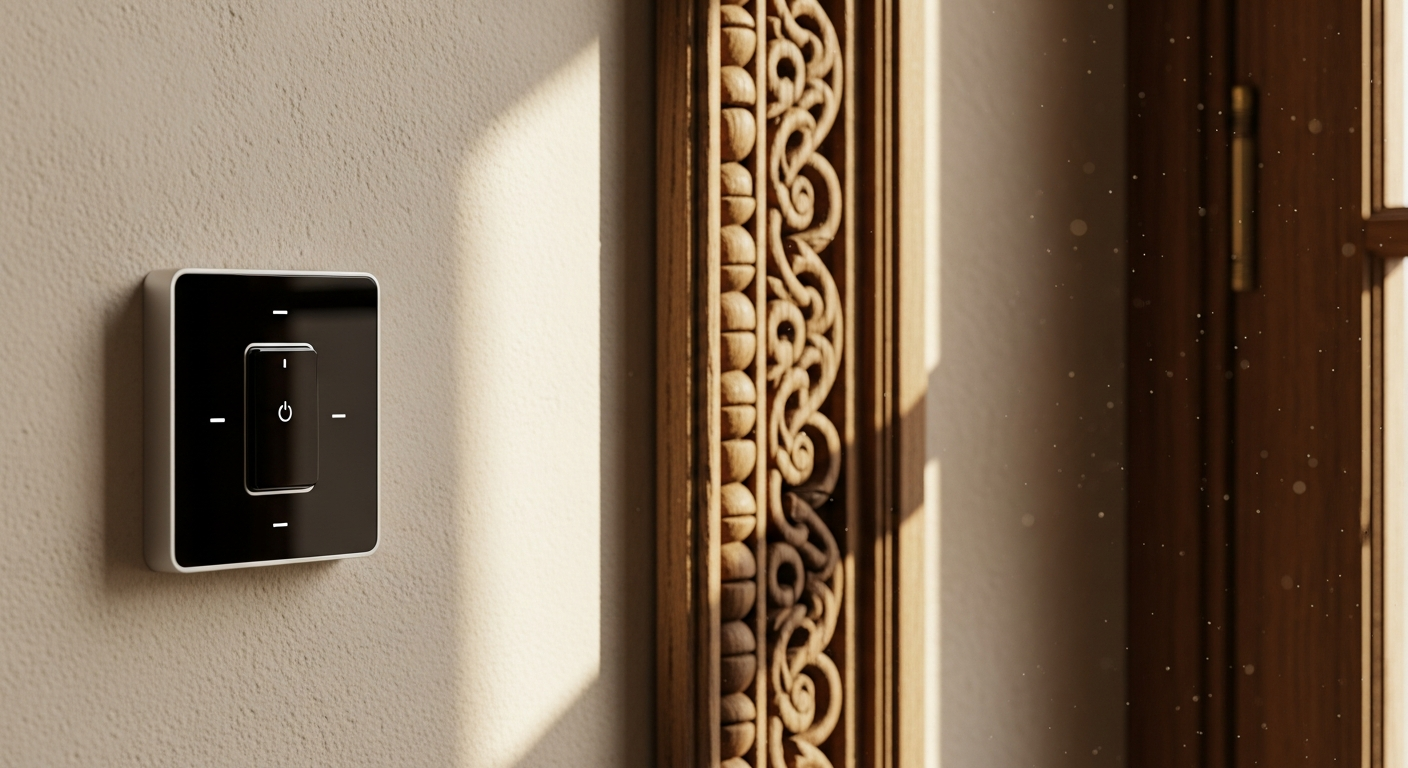
Learn how to retrofit older homes with the SONOFF ZBMINI Extreme Zigbee Smart Switch without extensive rewiring. Complete installation guide, compatibility tips, and solutions for tricky electrical setups.
Nearly 70% of homeowners want to upgrade to smart home technology, yet many hesitate because their older homes lack modern electrical infrastructure. Traditional smart switches simply don't fit into cramped Victorian-era switch boxes, and outdated wiring configurations make retrofit installations seem impossible. The electrical systems in pre-2000s homes were never designed to accommodate today's smart devices.
The SONOFF ZBMINI Extreme Zigbee Smart Switch changes this equation entirely. Its extreme compact design and Zigbee 3.0 connectivity bridge the gap between legacy electrical systems and modern smart home ecosystems. Rather than forcing bulky devices into spaces they don't fit or requiring complete electrical rewiring, this switch offers a practical solution that respects older home constraints while delivering genuine automation capabilities.
Discover how the SONOFF ZBMINI Extreme can transform your older home into a smart home today.
Why Older Homes Need a Different Smart Switch Approach
Older homes present unique challenges that modern smart switch designs rarely account for. Electrical systems installed before the year 2000 often lack neutral wires in switch boxes—a critical component that many contemporary smart switches require. Beyond wiring limitations, the switch boxes themselves are frequently undersized compared to modern standards, with barely enough space to accommodate a traditional switch, let alone a bulky smart device.
Existing wiring configurations in vintage homes create additional complications. Two-wire circuits were standard practice decades ago, but modern smart switches typically expect three or four conductors. Installing a standard smart switch in these conditions often creates safety hazards or violates electrical codes. Maintaining code compliance while upgrading to smart technology becomes a puzzle that frustrates homeowners and contractors alike.
The ZBMINIR2's compact form factor directly solves these space constraints that defeat other smart switches. Where traditional smart relays require substantial room to fit safely, this device slides into standard electrical boxes without forcing or modification. Standard smart switches fail in older installations precisely because they were designed for new construction with adequate wiring infrastructure. The ZBMINIR2 was engineered with retrofit installations as a core consideration.
Understanding the SONOFF ZBMINI Extreme's Compact Design Advantage
The ZBMINIR2 achieves a remarkable feat: delivering full smart home functionality in an extremely miniaturized form factor. This isn't a gimmick—it's a fundamental design choice that makes retrofitting feasible where it would otherwise be impossible. The device's dimensions allow it to fit inside standard electrical boxes without the bulk of competing smart switches that require aftermarket enclosures or external mounting solutions.
Size comparison reveals the practical advantage clearly. Where traditional smart switch relays occupy substantial space with protruding components, the ZBMINIR2 maintains a compact profile that works behind existing switches or mounted directly in junction boxes. This flexibility transforms installation possibilities across different home layouts and electrical configurations.
Installation scenarios highlight where compact design matters most. In tight Victorian homes with ornate trim work, the reduced footprint prevents unsightly external boxes. Apartment buildings benefit from the ability to install switches in cramped hallway electrical boxes. Condominiums with shared walls appreciate minimal drilling and cutting requirements. Real-world installations consistently demonstrate that size directly determines whether a retrofit project succeeds or fails.
The compact design doesn't compromise durability or performance. The ZBMINIR2 achieves its miniaturization through efficient circuit design and careful component selection, not by cutting corners on materials or reliability. Users consistently report that the device functions reliably despite its diminutive size.
The Neutral Wire Requirement—What You Actually Need to Know
The ZBMINIR2 requires a neutral wire for operation, and understanding this requirement separates successful installations from frustrating dead-ends. A neutral wire provides a return path for electrical current, allowing the switch's internal circuitry to function properly. Without it, the device simply won't power on.
Identifying whether your switch box contains a neutral wire involves straightforward visual inspection. Turn off power at the breaker and carefully remove the existing switch. Look at the wire bundle behind it. Neutral wires are always white (or sometimes white with a colored stripe), distinct from the black hot wire and copper ground wire. If you see white wires capped together or connected to the switch, you likely have a neutral wire available. If the switch box contains only black, red, and copper wires with no white conductors, you're dealing with a two-wire circuit.
Older home electrical systems that typically lack neutral wires include knob-and-tube installations and early two-wire circuits common in homes built before 1950. Many mid-century homes constructed through the 1970s also lack neutral wires in switch boxes, even if the main electrical panel includes them. This limitation doesn't reflect poor original installation—it reflects the fact that older switches simply didn't require return current paths.
When the ZBMINIR2 cannot be used due to missing neutrals, alternatives exist. You could retrofit the switch location with a new neutral wire run from the electrical panel or a nearby junction box where a neutral already exists. This requires working with a licensed electrician to maintain safety and code compliance. Some homeowners choose different automation solutions that don't require neutral wires, though these typically cost considerably more.
Learn more about making smart switches work in any home setup with the SONOFF ZBMINI Extreme.
Working with a licensed electrician to add neutral wires safely ensures the work meets electrical code and functions properly long-term. The cost varies significantly based on how far the neutral must be run and local labor rates, typically ranging from several hundred to a few thousand dollars depending on scope. Given that the ZBMINIR2 itself costs only $12.90–$16.59, the total retrofit investment changes dramatically if neutral wire installation becomes necessary.
Safety implications of attempting installation without proper neutral wire availability cannot be overstated. A device without power simply won't function, but more concerning, attempting to force operation or improvising alternative connections creates serious electrical hazards. Fire risk and shock hazards increase substantially when electrical work deviates from proper specifications. Always verify neutral wire availability before beginning installation.
Zigbee 3.0 Connectivity and Mesh Network Expansion
Zigbee 3.0 creates a self-healing mesh network that strengthens with each additional device added to the system. Unlike Wi-Fi devices that communicate directly with a central router, Zigbee devices relay signals through each other, creating redundancy and extended coverage. If one device loses connection, others automatically reroute the signal through alternative paths.
The ZBMINIR2's role in expanding this network extends smart home coverage throughout older homes effectively. Each switch installed becomes a repeater that boosts signal strength for devices behind it in the mesh network. Homeowners with multiple switches installed across different rooms notice dramatically improved responsiveness and reliability compared to single-device setups.
Compatibility with multiple Zigbee hubs provides flexibility in choosing platforms. The SONOFF Zigbee Bridge offers direct integration with the eWeLink app ecosystem. Samsung SmartThings provides advanced automation and routines. Amazon Alexa with built-in Zigbee hub capabilities appeals to those already invested in Echo devices. This multi-hub compatibility prevents vendor lock-in and allows gradual ecosystem expansion without replacing existing equipment.
Zigbee proves ideal for older homes with thick walls and challenging radio frequency environments. Plaster walls, lath construction, and older metal framing that would severely degrade Wi-Fi signal have minimal impact on Zigbee's 2.4 GHz frequency and shorter-range protocol. Homes where Wi-Fi smart switches struggle to maintain connection often find Zigbee performs reliably in the same locations.
Range extension benefits become apparent in larger properties or multi-story homes. Rather than attempting to position a single hub in an optimal central location, installers can deploy ZBMINIR2 units throughout the home, creating a network that reaches into previously problematic areas. This approach transforms homes where distance or construction materials previously prevented smart automation.
Energy efficiency advantages of the Zigbee protocol mean devices consume significantly less power than Wi-Fi-based alternatives. The ZBMINIR2 operates efficiently on its own power supply without continuously polling servers or maintaining active connections. This efficiency matters in older homes where electrical load is a consideration.
Signal reliability in homes with metal studs, plaster walls, and other interference sources improves substantially through mesh networking. Rather than relying on a single radio path, signals find optimal routes through multiple devices. Older construction materials that would defeat Wi-Fi create no meaningful obstacles for Zigbee mesh networks.
Multi-Platform Integration for Maximum Flexibility
The ZBMINIR2 offers native compatibility with Amazon Alexa, Google Home, and Samsung SmartThings, covering the three dominant smart home platforms currently in use. This broad compatibility means homeowners invested in any of these ecosystems can integrate the device immediately without adapting to proprietary restrictions.
Setting up the ZBMINIR2 through the eWeLink app provides direct control independent of other platforms. Users gain manual override and scheduling capabilities even if they haven't yet integrated with Amazon, Google, or SmartThings. This staging approach lets homeowners begin with simple automation before expanding to voice control or complex routines.
Creating automation routines and smart scenes across different platforms opens possibilities for sophisticated home operation. A scene named "Leaving Home" might trigger the porch light to turn on at dusk, disable other lights, and activate a security monitoring routine—all coordinated across multiple platforms automatically. Morning routines, evening wind-downs, and work-from-home automations become simple to set up and maintain.
Voice control capabilities provide hands-free operation for users who prefer verbal commands. "Alexa, turn on the bedroom light" becomes possible when the ZBMINIR2 is integrated with Echo devices. Similar voice control works through Google Home and SmartThings voice assistants depending on which hub users prefer.
Scheduling features enable time-based automation without requiring hub connectivity or voice commands. Lights can turn on automatically at sunset and off at midnight. Fans can run during afternoon hours to manage temperature. Appliances can activate on schedules that optimize electricity usage during off-peak hours. These automations continue functioning even if cloud services temporarily disconnect.
Integrating the ZBMINIR2 with existing smart home ecosystems from different manufacturers prevents the need to replace working equipment. A household with Amazon Alexa in some rooms and Samsung SmartThings in others can implement the ZBMINIR2 throughout without consolidating platforms. This flexibility respects real-world situations where smart home ecosystems grow organically rather than following master plans.
Cross-platform automation without proprietary lock-in ensures that future device choices remain open. Adding non-SONOFF products to the network continues working without complications. This ecosystem agnosticism appeals to homeowners who want to build gradually without committing to single-vendor solutions.
Two-Way Control—Preserving Traditional Switch Functionality
The ZBMINIR2 supports hybrid control combining smart operation with manual functionality. Pairing the switch with an external traditional switch allows users to operate lights or appliances either through smart commands or by flipping the physical switch exactly as they always have.
This two-way capability matters enormously in older homes where residents prefer familiar switch operation. Some household members may never adopt voice commands or smartphone apps, preferring tactile switch operation they've used for decades. Two-way control accommodates these preferences without sacrificing automation benefits for others in the household.
Manual override proves essential in scenarios where power outages disable smart systems or network failures occur. A traditional switch paired with the ZBMINIR2 ensures lighting remains controllable even if the internet connection drops, the hub goes offline, or the app experiences temporary issues. This reliability resonates strongly with older homeowners accustomed to systems that function without network connectivity.
Installation configurations for two-way control setups involve connecting the external switch to the appropriate terminals on the ZBMINIR2. This pairing requires understanding switch wiring but follows standard procedures that licensed electricians perform routinely. The configuration allows both the smart device and the physical switch to control the same light or appliance independently.
User experience benefits of combining smart automation with tactile switch control extend beyond simple convenience. Household members retain the muscle memory and intuitive control they've developed over years of use. Guests and service providers don't require explanations of smart home systems—they simply use the switch as they always have. This familiarity reduces friction when integrating smart devices into established homes and habits.
Training household members on hybrid control systems becomes straightforward since it accommodates both smart and traditional operation. Older residents who might resist learning new technology can continue using the physical switch. Younger household members who embrace automation benefit from voice control and scheduling. The flexibility satisfies multiple generations and technology comfort levels simultaneously.
Step-by-Step Installation for Older Home Electrical Systems
Pre-installation assessment begins with checking for neutral wire availability and verifying electrical code compliance. Turn off power at the breaker and carefully remove the existing switch to inspect the wire configuration. Confirm that white neutral wires are accessible at the switch location. Research local electrical codes to understand whether permits or inspections are required for smart switch installation in your jurisdiction.
Safety precautions must precede any electrical work. Turn off power at the breaker, then verify the power is actually off by testing the switch location with a non-contact voltage tester. Never assume the breaker correctly corresponds to the switch location—verify directly. Work during daylight hours so you can see clearly without relying solely on flashlights. Have a helper available in case you need assistance.
Identifying existing switch wiring requires careful observation and testing. The hot wire (typically black) carries current into the switch box. The neutral wire (white) provides the return path and must be present. The ground wire (copper or green) provides safety protection. The load wire (often black, but sometimes another color) carries current out to the light fixture. Sketch this configuration before disconnecting anything so you can remember the original setup if needed.
Removing old switch hardware carefully prevents damage to vintage wiring that may be brittle or fragile. Loosen terminal screws gradually rather than forcing them to avoid wire breakage. Some older installations have wires twisted together and wrapped with cloth tape—unwrap carefully without tugging the conductors. Take photographs of the original configuration before removing anything for reference during reinstallation.
Connecting the ZBMINIR2 terminals in tight switch boxes requires careful organization. The three critical connections are hot in, neutral in, and load out. Some configurations include a ground connection as well. Strip approximately half an inch of insulation from each wire, twist the conductor strands together tightly, and insert into the appropriate terminal. Tighten the terminal screw firmly but not so aggressively that you crack plastic components.
Securing the device without forcing it into cramped spaces prevents damage to the switch and strain on wire connections. Gently guide the ZBMINIR2 into the switch box, allowing wires to fold naturally rather than bunching them tightly. If the device doesn't fit easily, double-check that all wires are routed correctly and not creating unnecessary bulk. Never force components into boxes—this indicates a design mismatch that should be reconsidered.
Testing connections before closing the switch box ensures everything functions properly. Restore power at the breaker and verify that the ZBMINIR2 powers on (you should see indicator lights or hear a soft beep). Confirm that manual switch operation still functions if you've installed a two-way configuration. Test smart control through the eWeLink app before reassembling the switch cover plate.
Knowing when to call a licensed electrician versus attempting DIY installation depends on your comfort level and electrical experience. If you've successfully installed a standard switch previously, the ZBMINIR2 installation follows similar procedures. If you're uncertain about electrical systems, uncomfortable working with live circuits even after breaker shutdown, or your jurisdiction requires permits and inspections, hiring a professional is the appropriate choice. The device cost is negligible compared to the cost of electrical mistakes.
Common installation mistakes in older homes include forcing devices into boxes that are too small, failing to verify neutral wire availability before beginning work, damaging brittle insulation on vintage wiring, and connecting wires to incorrect terminals. Each of these mistakes is preventable through careful preparation and methodical work. Review installation documentation thoroughly before starting, work slowly, and verify each connection matches the specifications.
Troubleshooting Connectivity Issues in Older Homes
Weak Zigbee signal in homes with thick walls, plaster, and metal fixtures sometimes requires targeted solutions. Metal framing, old electrical conduit, and structural elements can create dead zones where signals don't reach reliably. Identifying these problem areas begins with monitoring connection stability through the eWeLink app.
Positioning strategies for optimal hub and device placement involve understanding how Zigbee signals propagate through your specific home. Place the hub in a central location away from metal objects and large appliances. Avoid positioning it in closets or behind metal filing cabinets. If the hub location is fixed, install ZBMINIR2 devices strategically to relay signals into weak areas.
Adding repeater devices to strengthen mesh network coverage provides the most effective solution for problematic areas. Installing additional ZBMINIR2 units or compatible Zigbee repeaters in strategic locations creates signal paths around obstacles. A device positioned halfway between the hub and a distant room often dramatically improves reliability for everything beyond it.
Interference from older appliances and electrical systems occasionally affects Zigbee performance. Older microwave ovens, some televisions, and vintage electrical equipment sometimes emit radio frequency interference on the 2.4 GHz band that Zigbee uses. Repositioning the hub or installing additional repeaters away from these appliances often resolves issues.
Reconnecting devices that drop from the network requires removing them from the app's device list, waiting thirty seconds, then re-adding them through the pairing process. The eWeLink app guides users through re-pairing with straightforward prompts. Devices occasionally lose connection temporarily during network transitions or after power interruptions—re-pairing restores functionality.
Firmware updates through the eWeLink app improve compatibility and fix bugs that may cause intermittent connection issues. Check the app settings regularly for available updates and install them when prompted. Newer firmware versions often address specific compatibility issues discovered after initial product release.
Resetting the ZBMINIR2 when pairing fails involves holding the pairing button for an extended period (specific duration is listed in documentation) until the indicator light flashes. A reset clears previous pairing information, allowing the device to accept new pairing requests. Reset should be a last resort after attempting standard pairing procedures multiple times.
Diagnosing whether issues stem from the device or the hub requires methodical testing. Move the ZBMINIR2 very close to the hub (within a few feet) and attempt pairing. If this succeeds, the device functions properly and the issue is network coverage. If pairing fails at close range, the device may be faulty or the hub may need troubleshooting. Contact SONOFF support if close-range pairing repeatedly fails.
Performance optimization in homes with multiple smart devices involves managing the overall network load. Zigbee networks perform optimally with reasonable device counts—adding dozens of devices sometimes creates congestion that slows response times. Verify that your hub supports the number of devices you're adding and confirm network performance before adding additional devices.
Cost-Benefit Analysis for Retrofitting Older Homes
Device cost at $12.90–$16.59 represents an extremely affordable entry point into smart home automation. This price point enables homeowners to retrofit multiple rooms incrementally without major financial commitment. Compared to traditional smart switch alternatives that often cost $30–$50 per unit, the ZBMINIR2 provides exceptional value.
Installation costs vary dramatically depending on whether you perform DIY installation or hire a licensed electrician. DIY installation costs essentially nothing beyond your time and any minor tools you might purchase. Professional installation typically ranges from $75–$150 per device depending on local labor rates and installation complexity. For a straightforward retrofit using existing neutral wires, professional installation remains surprisingly affordable.
Potential electrical upgrades needed for neutral wire installation significantly impact total retrofit costs. Running new neutral wires from the electrical panel or junction boxes to switch locations can cost several hundred to several thousand dollars depending on distance and accessibility. However, this expense applies only to homes lacking neutral wires—many homes already have them available in switch boxes. Assess your home's electrical configuration before assuming major upgrades are needed.
Long-term energy savings from smart automation and scheduling directly improve financial returns. Automating lighting to turn off when rooms are unoccupied reduces electricity consumption. Scheduling ceiling fans and ventilation to run only during necessary periods saves energy. Smart control of water heaters and air conditioning provides additional savings. These savings vary by climate and usage patterns but typically amount to 5–15% of heating and cooling costs annually.
ROI timeline for smart home retrofitting projects depends on how aggressively you automate and how effectively you use scheduling features. Homes where multiple lights are frequently left on during the day see savings quickly. Homes that already manage energy consciously see smaller immediate returns but benefit from convenience and modern functionality. Most retrofits achieve financial breakeven within five to ten years when including automation benefits.
Budget-friendly approach to upgrading multiple rooms involves prioritizing high-usage areas first. Install ZBMINIR2 switches in rooms where lights are most frequently left on unnecessarily—typically kitchens, bathrooms, and hallways. Once these initial installations demonstrate value, expand to other areas. This staged approach distributes costs over time while delivering immediate benefits from the highest-impact installations.
Comparing total retrofit costs across different device types and installation scenarios reveals the ZBMINIR2's competitive advantage. A single high-end smart switch with energy monitoring costs more than five ZBMINIR2 devices. Installing energy-monitoring outlets requires additional hardware and professional setup. Zigbee mesh networks built from ZBMINIR2 units cost substantially less than equivalent Wi-Fi-based systems while offering superior reliability in older homes.
Real-World Installation Scenarios in Older Homes
Victorian-era homes with plaster walls and limited switch box space present classic retrofit challenges. The ZBMINIR2's compact design specifically addresses these constraints. Tight closets and narrow hallways that defeated bulkier smart switches now accommodate installation easily. Plaster walls that would require destructive patching for mounting external boxes pose no obstacle to retrofitting interior components.
1970s ranch houses with two-wire circuits lacking neutral wires require creative solutions when homeowners want to automate lighting. Some switch locations may have accessible neutral wires in nearby junction boxes, allowing retrofits without running new wiring. Other locations truly lack neutral availability, requiring either neutral wire installation or acceptance of unsupported automation in those specific rooms.
Apartment buildings with shared electrical systems and installation restrictions benefit tremendously from the ZBMINIR2's simplicity. Renters appreciate that installations require no permanent modifications and can be removed without leaving traces. Landlords accept retrofits more readily when they involve no significant electrical work. Complex devices requiring neutral wire modifications would be rejected outright in most rental situations.
Historic homes with preservation requirements affecting electrical modifications need solutions that respect architectural integrity. The ZBMINIR2's compact design allows behind-the-switch installation that maintains original switch plate appearances. Exterior mounting or visible junction boxes would violate preservation guidelines—interior installation preserves aesthetics while delivering automation.
Multi-story homes requiring mesh network coverage across different floors benefit from strategic ZBMINIR2 placement. Installing units on each floor creates vertical coverage that reaches basements and upper stories effectively. The self-healing mesh network reroutes signals around obstacles, ensuring reliable control throughout large homes.
Basement and attic installations for expanded smart home control extend automation beyond primary living areas. Controlling workshop lighting, storage area access, or attic ventilation through the same smart system provides whole-home coverage. Devices installed in these secondary areas simultaneously strengthen the overall mesh network for primary living spaces.
Successful retrofits consistently involve proper assessment before beginning work, careful installation respecting existing electrical constraints, and strategic device placement to optimize mesh network coverage. Challenging installations that failed typically resulted from attempting installation without verifying neutral wire availability, forcing devices into inadequate spaces, or expecting single-device solutions in homes requiring multiple units for coverage.
Safety Considerations and Electrical Code Compliance
Understanding local electrical codes for smart switch installations prevents costly mistakes and ensures long-term safety. Some jurisdictions require permits for any electrical modifications. Others allow homeowner work without permits. Many require professional installation or third-party inspection. Contact your local building department before beginning work to understand requirements that apply to your specific location.
Working with licensed electricians ensures compliance with codes that vary between jurisdictions. An electrician familiar with your local codes understands exactly what's permissible and what requires permits or inspections. Their knowledge prevents inadvertent code violations that could create liability when selling your home or adjusting insurance.
Grounding requirements and proper terminal connections matter significantly for device safety. The ZBMINIR2 must be properly grounded according to installation specifications. Incorrect grounding creates shock hazards and fire risks. Installation documentation provides specific grounding requirements—follow these exactly without deviation or improvisation.
Load capacity limitations prevent circuit overload that creates fire hazards. The ZBMINIR2 has maximum load specifications that must not be exceeded. Connecting the device to circuits carrying loads beyond these specifications causes overheating and potential fires. Understand your circuit's typical load before assuming the ZBMINIR2 can manage it safely.
Fire safety implications of improper installation extend beyond the device itself to the entire electrical system. Incorrect connections can cause arcing, insulation damage, or overheating that starts fires within walls. These hazards develop silently over time and become dangerous long before any visible problems appear. Proper installation following specifications prevents these catastrophic failures.
Inspection requirements in some jurisdictions mean that completed installations must pass official review before placing them into service. Building inspectors verify that work meets code and functional specifications. This inspection process seems burdensome but ensures that electrical modifications meet safety standards and won't create problems down the road.
Insurance considerations when modifying home electrical systems deserve attention before beginning work. Some insurance policies require that electrical modifications be performed by licensed professionals. Others explicitly exclude coverage for electrical work done by unlicensed individuals. Review your homeowner's insurance policy before installing smart switches to understand what modifications are covered.
Documentation and permits for smart home upgrades create official records of modifications made to your home's electrical system. These records prove invaluable when selling your home, as they demonstrate that modifications were performed correctly and legally. Buyers' insurance and inspectors expect documentation that electrical work met code requirements.
Beyond Lighting—Controlling Appliances and Outlets
Using the ZBMINIR2 to control small appliances and devices extends smart home functionality beyond lighting. Ceiling fans can be automated to turn on during warm afternoons and off at night. Exhaust fans can run on schedules that manage humidity without constant manual operation. Water heater circulation pumps can operate during morning and evening hours when hot water is typically needed.
Load capacity considerations for different appliance types determine what devices can be safely controlled. The ZBMINIR2 handles typical lighting loads easily. Many small appliances also fall within safe operating ranges. However, large air conditioning compressors, water heaters with high-wattage heating elements, and power tools exceed the device's specifications. Understanding your appliance's electrical requirements prevents unsafe overloading.
Smart control of ceiling fans, exhaust fans, and ventilation systems improves home comfort while reducing energy consumption. Bedroom ceiling fans can turn on automatically when temperatures exceed set points and turn off when cooling becomes unnecessary. Kitchen exhaust fans can run during cooking hours and for brief periods afterward, eliminating manual operation. Bathroom exhaust fans can operate on humidity-triggered schedules that manage moisture without constant running.
Outlet control applications extend possibilities for appliance automation. Connecting the ZBMINIR2 to a circuit powering smart outlets allows remote switching of multiple devices. This configuration enables automation scenarios like turning off entertainment systems when leaving home or scheduling morning coffee maker operation.
Automation scenarios beyond lighting unlock genuine energy savings and convenience. A water heater can operate only during designated morning and evening hours when hot water is typically needed, reducing standby heating losses. A workshop connected through smart control can prevent tools from remaining powered during extended idle periods. A garage heater can activate before arrival on winter mornings rather than running continuously.
Limitations and what the ZBMINIR2 cannot safely control require clear understanding before attempting beyond-lighting automation. Electric stove and oven circuits carry loads far exceeding safe switch specifications. Heavy-duty air conditioning compressors demand more current than the device handles. Central heating systems with complex safety requirements need dedicated controls. Always verify that your specific appliance falls within the ZBMINIR2's electrical specifications.
Combining multiple units for whole-home appliance automation distributes load across several switches rather than concentrating everything on one device. Installing separate ZBMINIR2 units for lighting, bathroom exhaust, garage circuits, and other loads allows each device to operate within safe specifications. This approach provides reliable automation throughout the home without pushing any single device beyond its rated capacity.
Making Smart Home Retrofitting Accessible for Every Older Home
The SONOFF ZBMINI Extreme Zigbee Smart Switch shatters the myth that older homes can't embrace smart automation. Its extreme compact design solves the space constraints that defeat bulkier alternatives. Reliable Zigbee 3.0 connectivity extends coverage through older homes with challenging radio environments. The affordable price point removes financial barriers that previously made home automation impractical for budget-conscious households.
Older homes and modern automation aren't mutually exclusive—they're a perfect match when you choose the right device. The ZBMINIR2 was engineered specifically for retrofit scenarios where standard smart switches fail. Its designers understood the constraints of vintage electrical systems and compact switch boxes, then built a device that thrives in these challenging environments.
Begin your smart home journey by assessing one switch location in your home. Check whether a neutral wire exists at that location. Verify the space available in the switch box. Research your local electrical codes and permitting requirements. Take this first step toward a smarter home with realistic understanding of your specific situation rather than generic assumptions about what's possible.
Get your SONOFF ZBMINI Extreme smart switch and start retrofitting your older home today.