
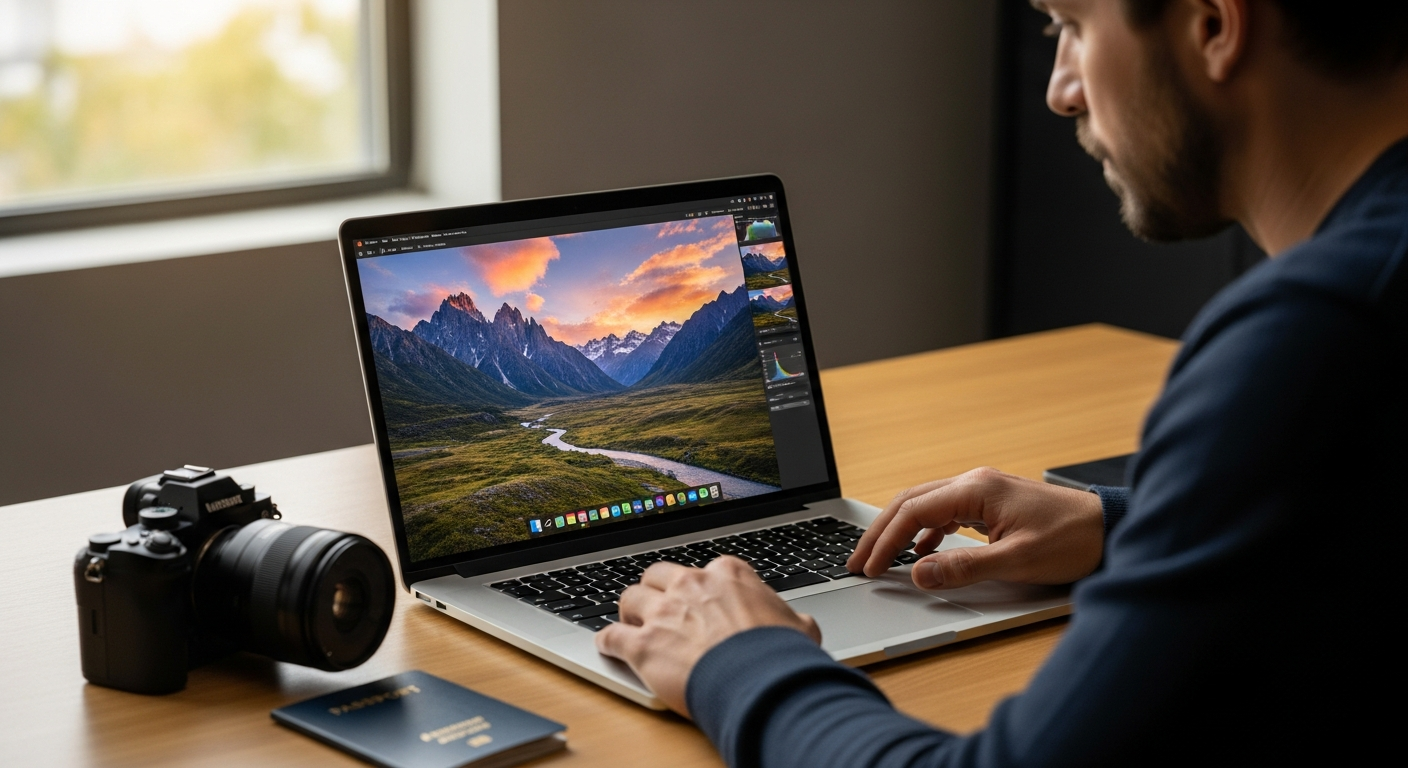
Discover how Skylum Luminar Neo AI Photo Editor revolutionizes travel photography with one-click sky replacement, automatic object removal, and intelligent retouching. Learn why adventurous photographers choose this AI-powered solution.
Travel photographers capture breathtaking moments, yet they often spend hours wrestling with editing software to make those images shine. According to recent surveys, photographers waste an average of 4-5 hours per week on repetitive editing tasks—time that could be spent planning the next adventure. You know the feeling: a perfect sunset shot sits on your hard drive for days while you manually adjust exposure, tweak color grading, and remove distracting elements.
Skylum Luminar Neo AI Photo Editor has emerged as a game-changer for photographers who refuse to compromise between speed and quality. Unlike traditional editing software that requires technical expertise and countless manual adjustments, Luminar Neo harnesses artificial intelligence to automate the tedious stuff. This means you're not tethered to expensive subscription models or complex learning curves—you get professional-grade results without the headache.
Discover how Luminar Neo transforms your travel photography workflow today.
Why Adventure Photographers Are Switching to AI-Powered Editing
Traditional editing workflows drain time and creative energy from photographers at an alarming rate. Manual adjustments demand constant back-and-forth between tools, sliders, and preview windows. For every shot requiring sky replacement, you're selecting, masking, blending, and fine-tuning. For every landscape needing exposure correction, you're wrestling with gradient masks and careful dodge-and-burn techniques. This process consumes hours that could fuel actual creativity—planning compositions, scouting locations, or refining your photographic vision.
The shift from manual adjustments to intelligent, one-click solutions represents a fundamental change in how photographers interact with their images. AI doesn't replace your artistic judgment; it handles the mechanical labor. SkyAI recognizes the sky and replaces it in seconds. Relight AI analyzes image depth and adjusts exposure dynamically. StructureAI enhances texture while preserving natural appearance. These tools execute in moments what previously demanded minutes or hours of meticulous work.
Travel photographers specifically benefit from faster turnaround times because their circumstances demand efficiency. You're managing multiple shooting locations, varying light conditions, and tight deadlines between excursions. When you're capturing 500 shots across a week-long expedition, post-processing becomes a bottleneck. Luminar Neo collapses that bottleneck. Photographers who once edited one image per evening now process entire location series during breakfast.
The role of AI in handling challenging lighting conditions found in remote locations cannot be overstated. Harsh midday sun, inconsistent temple lighting, golden hour gradients, and deep shadows in canyons all present editing headaches. Traditional software forces you to manually compensate for each scenario. Luminar Neo's algorithms understand depth, lighting ratios, and color temperature intuitively. Relight AI adjusts exposure based on what the algorithm detects in the frame, not just blanket brightness increases. This contextual understanding transforms editing from a technical chore into a creative refinement.
Luminar Neo fits into the broader evolution of photography software as the first mainstream editor to prioritize AI automation without sacrificing flexibility. Previous generations demanded either speed or control, subscription fees or limited features. Luminar Neo offers a third path: intelligent automation with optional manual refinement, perpetual licensing alongside subscription choices, and professional results without steep learning curves.
Real-world scenarios demonstrate where AI automation outperforms manual editing techniques consistently. Removing power lines from landscape shots: Luminar Neo's Remove Power Lines tool identifies and eliminates them automatically. Isolating a subject amid crowds at a tourist destination: Background RemovalAI handles complex edges seamlessly. Rescuing a beautiful moment shot in dim temple light: Noiseless AI and Upscale AI recover detail without introducing grain. Each scenario represents hours saved and frustration eliminated.
Skylum Luminar Neo's AI Tools Built for Travel Photography
SkyAI: Transforming Dull Skies into Dramatic Landscapes
Countless travel photos feature beautiful subjects undermined by bland, washed-out skies. A mountain range loses impact against a gray overcast sky. A desert landscape feels flat without color and drama overhead. SkyAI recognizes the sky boundary automatically and replaces it with thousands of stunning options—vibrant sunsets, dramatic storm clouds, deep blues—or generates entirely new skies. The replacement respects lighting direction and color temperature, avoiding the telltale glow of amateur compositing.
Relight AI: Correcting Exposure and Temperature Issues
Harsh midday sun creates unflattering shadows and blown highlights. Golden hour, while beautiful, sometimes leaves certain elements underexposed. Cold temple interiors and warm sunset scenes demand different color temperature approaches. Relight AI analyzes your image's depth and applies exposure and temperature adjustments dynamically. Rather than crushing shadows or blowing highlights uniformly, it understands the three-dimensional structure of your scene and adjusts accordingly. Results look natural, not processed.
AtmosphereAI: Adding Atmospheric Depth
Mountain ranges, deserts, and coastal scenes often benefit from atmospheric enhancement. Distant peaks fade into haze, vast landscapes lack depth, and atmospheric perspective needs strengthening. AtmosphereAI adds realistic atmospheric effects that enhance perceived depth and drama. Mountains feel more majestic, valleys feel more expansive, and distant elements register properly against closer subjects.
Remove Dust Spots & Power Lines: Eliminating Unwanted Distractions
Travel photography captures the world as it exists—telephone wires, dust spots on your sensor, unexpected intrusions in frames. Manual cloning introduces artifacts and consumes time. Luminar Neo's automatic removal tools identify dust spots and power lines, then intelligently remove them while maintaining texture and avoiding obvious cloning patterns. This automation handles what would take minutes of careful cloning in traditional software.
Background RemovalAI: Isolating Subjects in Complex Environments
Crowded tourist destinations, complex natural backgrounds, and compositional challenges often demand subject isolation. Whether you're creating a portrait against layered mountain scenery or isolating a cultural subject from busy surroundings, Background RemovalAI recognizes edges intelligently. The resulting separation handles fine details—hair, fabric texture, jewelry—that would require meticulous manual masking.
Upscale AI & Noiseless AI: Enhancing Low-Light Shots
Dimly-lit temples, cave interiors, night photography, and twilight scenes present technical challenges. Higher ISO introduces grain, and traditional noise reduction destroys fine detail. Luminar Neo's Upscale AI enlarges images while maintaining sharpness, while Noiseless AI removes grain intelligently while preserving texture and detail. The combination rescues shots that would otherwise be unusable or require extensive manual recovery.
StructureAI: Bringing Out Fine Details Naturally
Sand textures, water ripples, vegetation details, and rock formations deserve emphasis. StructureAI enhances these fine details while maintaining completely natural appearance—no artificial sharpening halos, no over-processed look. The algorithm understands organic texture and applies enhancement that feels like improved lighting rather than digital manipulation.
Portrait Bokeh AI: Creating Professional-Grade Background Blur
Travel portraits and cultural photography often benefit from subject separation. Portrait Bokeh AI creates professional background blur even when your camera lacks wide aperture capabilities. The effect applies intelligently to preserve depth perception and avoid the artificial look of simple blur filters. Results rival expensive glass and larger sensors, allowing compact travel cameras to produce creamy bokeh backgrounds.
Explore Luminar Neo's complete AI toolkit and revolutionize your editing process.
Editing Speed: How Luminar Neo Cuts Your Workflow in Half
The time savings accumulate through multiple mechanisms working together. Traditional software editing of a landscape series might involve opening each image individually, assessing its specific needs, applying adjustments, and exporting. A series of ten images realistically consumes 45 minutes to an hour. Luminar Neo accomplishes the same work in 15-20 minutes through one-click solutions and batch processing.
Automated selection masks eliminate the frustration of manual masking. You're not drawing selections around objects, feathering edges, and refining boundaries. Luminar Neo recognizes subjects, skies, and areas requiring adjustment automatically. Your role shifts from technical execution to creative decision-making: Do you want this sky replaced? Should this area be brightened? The software handles implementation.
Batch processing capabilities handle multiple shots from a single location with remarkable efficiency. Photograph a landscape from slightly different angles with consistent lighting? Apply your preferred editing to one image, then batch-process the series. All ten shots receive identical adjustments instantly. Individual fine-tuning follows if needed, but the baseline work completes in seconds.
Real-time preview features reduce trial-and-error adjustments that consume time in traditional workflows. You see changes instantly as you adjust sliders. Want to compare the original against the edited version? Toggle preview on and off. Unsure about a particular adjustment? The real-time feedback shows exactly how changes affect your image before committing to them.
Layer-based editing maintains flexibility without sacrificing speed. You're not forced into destructive, non-reversible edits. Each adjustment sits on its own layer, adjustable or removable at any point. This flexibility encourages experimentation without penalty—try an effect, assess it, adjust or discard it based on actual results rather than predetermined assumptions.
Practical examples clarify the time advantage. A landscape series shot at a single location—foreground, midground, distant peaks—traditionally requires individual exposure correction, sky replacement, and color grading for each image. With Luminar Neo, you apply one-click AI tools to the first image (three minutes), batch-apply to the series (30 seconds), then individual fine-tuning as needed (one minute per image if required). Total: ten images edited in approximately 15 minutes. Traditional software demands 45-60 minutes for comparable results.
Integration with Adobe Lightroom and Photoshop transforms Luminar Neo from standalone editor into seamless workflow enhancement. You organize and batch-tag photos in Lightroom, apply Luminar Neo's AI tools through its Lightroom plugin, then refine further in Photoshop if needed. Your established workflow remains unchanged while gaining access to Luminar Neo's AI capabilities.
Standalone Application vs. Plugin: Choosing Your Workflow
Luminar Neo functions as a standalone editor for Windows and macOS systems, offering a complete editing environment with its own interface, organizational tools, and file management. If you're editing independently without other software, standalone mode provides everything required. The interface doesn't require learning Adobe's ecosystem, and you maintain full control over your editing process from import through export.
Using Luminar Neo as a Photoshop plugin extends its capabilities within your existing creative environment. For photographers already invested in Adobe's ecosystem, the plugin approach maintains workflow continuity. You're not switching between applications; Luminar Neo's tools appear directly within Photoshop's interface. Advanced compositing becomes possible: apply Luminar Neo's AI tools, then use Photoshop's pixel-level control for additional refinement.
Integration with Adobe Lightroom enables batch editing and organization advantages. Process your library in Lightroom's powerful organizational environment, then apply Luminar Neo's AI tools to selected images. The plugin approach lets you stay within Lightroom's interface while accessing Luminar Neo's intelligence.
Apple Photos compatibility serves Mac users seeking simplicity. Your entire photo library remains within Apple's ecosystem while benefiting from Luminar Neo's AI capabilities. This approach suits casual photographers and those deeply embedded in Apple's environment.
When to use Luminar Neo standalone versus as a supplementary tool depends on your existing workflow. If you're not using Adobe products, standalone mode offers independence and simplicity. If you're already using Photoshop or Lightroom professionally, the plugin approach integrates seamlessly. Neither choice is objectively superior—the right choice matches your specific workflow.
Flexibility for photographers who work across multiple platforms distinguishes Luminar Neo. You can use it as a standalone editor on macOS, switch to Lightroom plugin mode for batch work, and access Photoshop integration for advanced compositing. This flexibility prevents workflow restrictions and accommodates evolving needs.
Plugin functionality extends Luminar Neo's capabilities within familiar environments. Rather than learning an entirely new application, you're accessing new tools within software you already know. This approach reduces friction and accelerates adoption.
Pricing That Won't Break Your Travel Budget
Perpetual license options at $79–$139.30 contrast sharply with traditional subscription models demanding ongoing payments. A perpetual license represents a one-time investment covering unlimited future use. At $99, that's roughly $1.65 per month if amortized over five years—or essentially free if you use Luminar Neo for a decade. This approach appeals to photographers who resent subscription fatigue and prefer owning their tools.
Annual subscriptions at $59/year cater to photographers wanting lower upfront costs or testing the software before committing. Twelve months of access costs less than a single perpetual license, though multi-year subscriptions eventually exceed the perpetual price. The subscription model suits casual users or those wanting to evaluate the software's fit for their workflow.
Bundle deals and promotional pricing opportunities appear throughout the year. Seasonal sales, holiday promotions, and bundle packages frequently reduce prices further. Photographers monitoring pricing strategically capture perpetual licenses for $79.99 or less—essentially the price of two restaurant dinners.
Cost-per-use calculations favor perpetual licensing for active photographers. Someone editing photos weekly recouped their investment within months. Someone editing photos monthly breakeven within a year. Even casual photographers using Luminar Neo several times yearly justify the purchase within five years of ownership.
Perpetual licenses appeal to photographers avoiding subscription fatigue. Rather than managing recurring payments and worrying about software access if finances tighten, you own your tool indefinitely. Updates remain available, your investment remains yours, and future access remains guaranteed.
The value proposition compares favorably against competitor pricing. Adobe Photoshop subscriptions cost $20+ monthly. Lightroom subscriptions add $9.99+ monthly. Combined costs approach $30 monthly, or $360 annually. Luminar Neo's $99 perpetual license breaks even after just four months of combined Adobe costs. For photographers using Luminar Neo exclusively, the savings multiply over time.
Occasional sales and seasonal discounts maximize savings without demanding premium prices during off-season periods. Newsletter subscriptions often announce promotions before public announcements. Monitoring pricing strategically allows capturing exceptional deals.
Flexible payment options accommodate photographers on varying budgets. Monthly subscription flexibility suits those with unstable income or uncertainty about long-term software needs. Perpetual licenses serve those with committed budgets and predictable photography income.
Real Limitations: What Luminar Neo Doesn't Do (Yet)
Scenarios exist where Luminar Neo falls short compared to Photoshop or Lightroom Classic, and honest assessment requires acknowledging these gaps. Luminar Neo excels at specific tasks—sky replacement, exposure correction, object removal—but lacks certain comprehensive features.
Advanced retouching tasks requiring pixel-level control remain challenging in Luminar Neo. Removing blemishes from portraits, healing skin imperfections, or performing detailed cloning demands Photoshop's precision tools. While Luminar Neo includes Skin Defects Removal, the results occasionally fall short compared to manual retouching.
Complex layering and masking operations beyond standard workflows exceed Luminar Neo's design parameters. If you require intricate layer blending, advanced mask creation through channels, or sophisticated compositing across multiple images, Photoshop remains superior. Luminar Neo prioritizes simplicity and AI automation over maximum control.
Occasional inconsistencies with specialized tools like Skin Defects Removal surface in real-world use. The tool doesn't achieve perfect results across every skin type, lighting condition, or blemish type. Manual refinement often becomes necessary.
Performance slowdowns during resource-intensive operations frustrate users with older computers. Focus Stacking, HDR Merge, and Upscale AI demand computational power. Machines with insufficient RAM or aging processors experience noticeable delays. This limitation affects accessibility for photographers using older hardware.
When professional-grade alternatives become necessary depends on your specific requirements. If your work demands pixel-perfect retouching, advanced compositing, or specialized effects beyond Luminar Neo's scope, Photoshop remains essential. Most travel photographers, however, never encounter situations requiring those capabilities.
Honest assessment acknowledges the learning curve versus feature depth trade-off. Luminar Neo intentionally prioritizes accessibility over comprehensive features. Photographers seeking maximum control should expect steeper learning curves and more complex interfaces. Those prioritizing speed and ease-of-use embrace Luminar Neo's focused feature set.
Getting Started: Your First Luminar Neo Editing Session
System requirements for Windows and macOS installations remain modest. Modern computers from the past five years handle Luminar Neo without difficulty. Windows 10+ and macOS 10.14+ support the software. 8GB RAM represents the practical minimum; 16GB provides comfortable headroom for batch processing.
Initial setup and interface navigation prove intuitive for beginners. The toolbar presents AI tools prominently. Sliders and adjustment options remain visible and logical. Menus don't overwhelm with esoteric options. Within minutes, you're comfortable locating key tools.
Importing travel photos and organizing by location or date suits Luminar Neo's interface. Your library appears in a clean grid view. Sorting and filtering options let you locate specific image sets quickly. You're not managing separate folders and external drives—everything centralizes within the application.
Applying AI presets as starting points for consistent editing accelerates your workflow significantly. Rather than rebuilding adjustments for similar scenes, presets apply batches of settings instantly. A "landscape enhancement" preset brightens, adds sky drama, and enhances structure. A "portrait" preset adjusts skin tone, applies subtle bokeh, and brightens eyes. These serve as starting points, not final edits.
Fine-tuning results with manual adjustments when needed maintains creative control. The one-click solutions rarely produce perfect results for every image. Spending 30 seconds adjusting exposure or color temperature refines AI-generated edits into exactly what you envisioned.
Exporting optimized images for social media, print, or archival completes the workflow. Luminar Neo offers presets for various platforms—Instagram, Facebook, print services. You specify dimensions and quality settings once, then batch-export multiple images in your preferred format.
Building a personal editing style using Luminar Neo's tools develops naturally through repeated use. You discover which AI tools consistently improve your images, which presets align with your vision, and which manual adjustments refine results predictably. After a dozen editing sessions, your process becomes automatic and personalized.
The Verdict: Is Luminar Neo Right for Your Travel Photography?
Luminar Neo isn't just another photo editor—it's a productivity multiplier disguised as software. For travel and adventure photographers drowning in editing backlogs, this AI-powered solution genuinely delivers. You'll reclaim hours each week while producing images that rival those from photographers using far more complex and expensive tools.
The perpetual licensing model eliminates subscription anxiety. You own your tool outright, with access guaranteed indefinitely regardless of future pricing changes or business decisions. The intuitive interface means you're editing, not learning—no steep learning curves delaying your creative work.
Sure, Luminar Neo won't replace Photoshop for pixel-perfect retouching or handle every edge case flawlessly. But it wasn't designed to. Attempting to build universal software sacrifices focus, complicating interfaces and overwhelming beginners. Luminar Neo excels deliberately at what travel photographers actually need: fast, intelligent, beautiful results.
Ready to transform your travel photography workflow? Start with a trial, test it against your current editing process, and experience the time savings firsthand. Your next adventure deserves an editor that keeps pace with your creativity.
Begin your Luminar Neo journey and accelerate your travel photography editing today.