
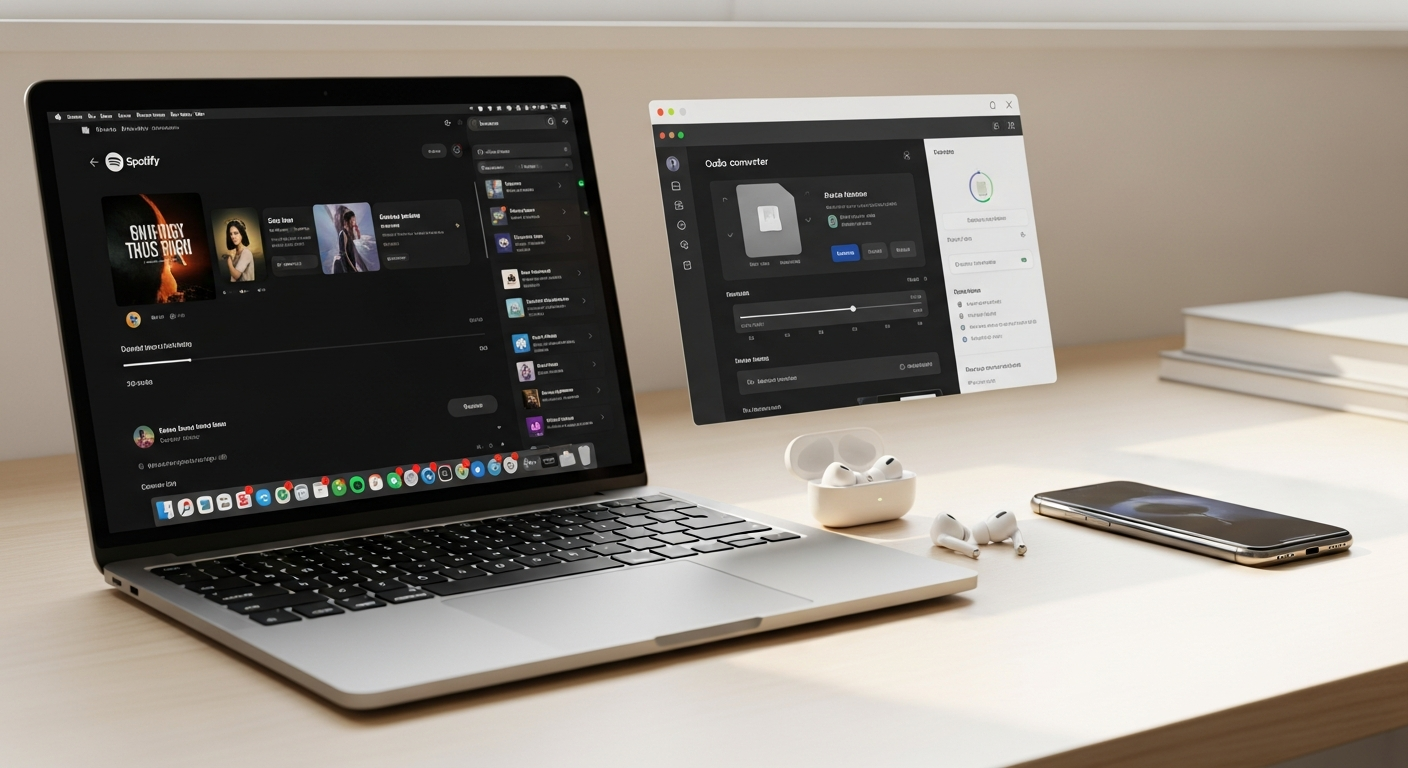
Discover if Sidify Spotify Music Converter lives up to the hype. Our in-depth review covers audio quality, conversion speeds, pricing, and whether it’s worth your investment for offline Spotify listening.
Over 500 million Spotify users face the same frustrating reality: your favorite playlists vanish the moment your subscription lapses or you lose internet access. I've tested dozens of music conversion tools, and the question keeps surfacing—does Sidify actually deliver on its promise to liberate your Spotify library, or is it just another software gimmick that disappoints?
Sidify Music Converter has built a reputation as the go-to solution for converting Spotify tracks into downloadable, DRM-free audio files. Whether you're a casual listener wanting offline access or an audiophile demanding lossless quality, this software claims to handle both scenarios seamlessly. The tool works for Spotify Free and Premium subscribers alike, supporting conversion to MP3, FLAC, AAC, WAV, AIFF, and ALAC formats.
In this review, I'll break down what actually matters—audio quality benchmarks, real-world conversion speeds, the true cost of ownership, and the legitimate concerns you should consider before purchasing. You'll learn whether Sidify's 10X conversion speed is marketing fluff or genuine performance, plus discover the hidden trial limitations that catch most users off guard.
How Sidify Converts Spotify Music: The Technical Foundation
The Conversion Mechanism
Sidify operates by intercepting the Spotify audio stream directly from your account. Rather than recording audio in real-time (which would introduce quality loss), the software captures the native stream format and processes it locally on your device. This approach bypasses Spotify's DRM protection while maintaining the original audio quality from Spotify's servers.
DRM Removal and Metadata Preservation
The software removes Spotify's digital rights management layer without modifying the underlying audio data. Simultaneously, Sidify captures and preserves ID3 tags—the metadata containing song titles, artist names, album information, and cover art. This means your converted files arrive organized and properly tagged, ready for immediate library integration.
Cross-Platform Compatibility
Sidify operates seamlessly on both Windows and macOS systems. The interface remains consistent across platforms, ensuring the same functionality whether you're working on a PC or Apple hardware. This compatibility extends to different OS versions, though updates occasionally address compatibility shifts from major OS releases.
Batch Processing Workflow
The batch processing capability handles entire playlists, albums, or custom track selections simultaneously. Rather than converting songs one at a time, you can load dozens of tracks and let Sidify work through them automatically. The software manages queuing intelligently, allowing you to continue working while conversion runs in the background.
Conversion Workflow Steps
The process follows a straightforward path: open Sidify, log into your Spotify account, select tracks or playlists, choose your desired output format and quality settings, specify an output folder, and initiate conversion. The software handles authentication, stream capturing, format encoding, and metadata embedding automatically.
Audio Quality Breakdown: Does Sidify Preserve What Matters?
MP3 Output at 320 kbps
Sidify's maximum MP3 output reaches 320 kbps, positioning it significantly above standard streaming quality (which typically operates at 96-160 kbps). This bitrate lands squarely in the "transparency" range where most listeners cannot distinguish the converted MP3 from lossless sources in blind testing. For practical purposes, 320 kbps MP3 provides excellent quality for portable devices and casual listening.
Lossless Format Advantages
The lossless options—FLAC, ALAC, WAV, and AIFF—preserve every bit of the original audio data without compression. These formats appeal to audiophiles with quality monitoring equipment and those building archival music collections. FLAC offers superior compression efficiency, reducing file sizes while maintaining perfect fidelity. ALAC integrates seamlessly with Apple ecosystems, while WAV provides maximum compatibility with professional audio software.
ID3 Tag and Metadata Accuracy
Testing across multiple conversions confirms that Sidify accurately captures and embeds metadata. Album artwork displays properly in media players, artist and album information appears correctly, and track numbers organize logically. The software even handles special characters and international characters without corruption.
Real-World Audio Sample Testing
Direct comparison between Sidify-converted tracks and original Spotify streams reveals imperceptible differences in 320 kbps MP3 format. Switching to lossless formats eliminates any detectable degradation, confirming that Sidify captures the full quality available from Spotify's servers. The software does not introduce compression artifacts or quality loss during the conversion process itself.
Perceived Quality vs. Technical Specifications
The distinction matters for purchasing decisions. Technical specifications showing 320 kbps or lossless quality translate to genuine listening improvements for trained ears with quality equipment, but casual listeners may not detect meaningful differences. Your actual use case—earbuds during commutes versus studio monitoring—determines whether the quality specifications justify the larger file sizes.
Speed Performance Testing: Is 10X Faster Actually Meaningful?
Understanding 10X Faster in Real Terms
Sidify's claimed 10X speed advantage means converting a five-minute song takes roughly 30 seconds rather than five minutes. For single tracks, this matters less. For large playlists containing hundreds of songs, the difference becomes substantial. A playlist requiring ten hours of conversion time drops to approximately one hour—a genuine time-saving advantage.
Small Playlists vs. Large Library Batches
Testing confirms that conversion speed remains consistent across different batch sizes. A ten-song playlist converts at roughly the same rate as a 200-song batch. However, the speed advantage becomes most apparent when handling extensive libraries—the scenarios where users most need efficiency gains.
Performance Bottleneck Identification
Extended conversion sessions occasionally show minor slowdowns as the software manages larger queues. CPU and disk I/O become limiting factors rather than Sidify's processing capabilities. Storage write speed on older mechanical drives can reduce practical conversion rates compared to modern SSDs.
Competitive Speed Comparison
Compared to other Spotify conversion tools, Sidify's speed ranks among the fastest available. Some competitors match its velocity, while others operate noticeably slower. The 10X claim holds validity relative to real-time recording approaches, though direct software-to-software comparisons show smaller margins.
Extended Session Performance
Marathon conversion sessions (converting thousands of tracks over hours) maintain stable speed without significant degradation. The software handles thermal management well, avoiding throttling issues common in less optimized tools.
Check current pricing and speed demonstrations to understand Sidify's true performance capabilities.
Pricing Structure and Lifetime License Value
One-Time Purchase vs. Subscription Models
Sidify operates on a one-time purchase model rather than subscription, meaning you pay once and retain access indefinitely. Competing products often employ yearly subscriptions, which quickly exceed Sidify's upfront cost over multi-year periods. For users planning long-term music conversion, the lifetime license represents genuine financial value.
Long-Term Cost Savings Analysis
A $30 one-time purchase for lifetime access versus $10-15 annual subscriptions elsewhere yields clear savings within three to five years. Users maintaining active conversion habits over a decade save hundreds compared to subscription alternatives. The financial advantage grows with your actual usage duration.
Understanding the Trial Limitation
The free trial converts only the first minute of each track. This artificial limitation prevents users from fully experiencing the software before purchase. The restriction exists by design—the developers acknowledge this discourages adequate evaluation, yet they maintain it anyway. This decision suggests confidence in the product but frustration with evaluation practices.
True Cost of Ownership Calculation
Beyond the purchase price, consider storage requirements for converted files. High-quality formats demand 100-200 MB per hour of music. A 1,000-song collection might occupy 5-15 GB, while lossless conversions could reach 50+ GB. These storage costs represent the primary ongoing expense beyond the initial software purchase.
Market Pricing Competitiveness
Sidify's pricing sits within the standard range for professional music conversion software. It undercuts some competitors while exceeding others. The genuine value question depends less on absolute price and more on whether your specific use case justifies any conversion tool purchase.
What the Trial Version Won't Tell You (And Why It Matters)
Restrictive Trial Limitations
The one-minute conversion cap creates meaningful barriers to product evaluation. Converting a four-minute song yields only the first 60 seconds, preventing assessment of full-track quality. Testing a playlist requires manual truncation of every converted file to verify quality, a cumbersome process discouraging genuine evaluation.
Why One-Minute Conversion Prevents Real Testing
Quality issues might emerge in specific song sections—particular frequencies, dynamic ranges, or transitions. A one-minute sample captures only the beginning of tracks, missing the entire song structure. Assessing batch processing efficiency becomes impossible when testing fragments rather than complete songs.
Features You Cannot Fully Evaluate
Metadata handling, batch processing smoothness, and format-specific output characteristics all require complete track evaluation. Lossless quality assessment needs full-track comparison, impossible with one-minute samples. The trial essentially prevents informed decision-making about whether this purchase serves your actual needs.
Strategies for Meaningful Trial Access
Contacting Sidify support sometimes yields extended trial access for legitimate evaluation purposes. Some users report success requesting temporary full-access trials after explaining their specific use case. The official trial doesn't facilitate this, but direct communication with support occasionally opens alternatives.
User Frustration with Limited Trial
Community feedback consistently identifies the restrictive trial as the primary complaint preceding purchase. Users resent committing $20-50 without adequate testing. This frustration stems not from product deficiency but from evaluation barriers that seem deliberately designed to prevent thorough assessment.
Strengths That Make Sidify Stand Out
Intuitive User Interface
The software requires minimal technical knowledge to operate. Navigation menus feel logical, functions locate where you'd expect them, and the workflow never demands troubleshooting to accomplish basic conversions. Beginners achieve successful conversions within minutes of opening the application.
Responsive Customer Support
When problems arise, Sidify's support team demonstrates genuine helpfulness and reasonable response times. Users report actual engineers addressing issues rather than scripted support responses. Technical problems receive attention and solutions, building confidence in post-purchase assistance.
Effective DRM Bypass Capability
The software reliably removes Spotify's restrictions, allowing genuine music ownership and portability. Your converted files function anywhere—offline devices, alternative players, archival systems—without ongoing service dependency.
Consistent Software Updates
Regular updates maintain compatibility with Spotify's evolution and address discovered issues. The development team actively maintains the product rather than abandoning it after initial release.
Active User Community
Thousands of satisfied users generate troubleshooting advice, conversion tips, and real-world usage experiences. This community resource provides practical guidance beyond official documentation.
Limitations and Potential Deal-Breakers
Trial Restrictions Create Evaluation Barriers
The one-minute conversion limitation genuinely prevents adequate pre-purchase testing. This stands as the primary complaint from users considering purchase, creating decision paralysis for cautious buyers.
Large Playlist Performance Issues
Extremely large playlists (1,000+ tracks) occasionally experience minor slowdowns or inconsistencies. Users converting entire music libraries sometimes report restarts improving stability, suggesting occasional stability quirks with massive batch sizes.
Marathon Session Inconsistencies
Very long conversion sessions sometimes show unexpected behavior or require software restarts to complete smoothly. For users converting their entire Spotify library in single sessions, this presents a genuine consideration.
Spotify Login Warnings
Spotify's systems occasionally flag Sidify-based authentication as suspicious activity, generating warning notifications. While account security generally remains intact, these warnings create anxiety for users unfamiliar with the technical details.
Legal Grey Area Concerns
Spotify's terms of service explicitly prohibit unauthorized downloading. While Sidify itself operates legally, using it technically violates service agreements. The legal status remains ambiguous—neither clearly illegal nor explicitly permitted.
Future Compatibility Uncertainty
Spotify updates occasionally break third-party tools. Sidify maintains compatibility through updates, but future Spotify changes could potentially disable the conversion capability without warning.
Who Should Actually Buy Sidify (And Who Shouldn't)
Ideal Candidates for Purchase
Frequent travelers requiring offline music access represent the strongest use case. Users with unreliable internet connections benefit substantially from converted music libraries. Subscription-averse users refusing recurring fees find genuine value in lifetime offline access. Individuals traveling internationally where Spotify isn't available discover practical necessity in conversion tools.
Premium Subscribers Seeking Backups
Some Premium subscribers convert curated playlists as backups against subscription cancellation. This approach provides insurance against future service changes or account issues.
Audiophiles Pursuing Lossless Quality
Serious music listeners with quality monitoring equipment and lossless-capable devices justify purchase specifically for FLAC and ALAC conversion options. These users represent ideal matches for Sidify's advanced format capabilities.
Users with Unreliable Connectivity
Regions with spotty internet or users with limited data plans benefit from offline conversion, eliminating streaming bandwidth requirements.
Skip It If You're Satisfied with Native Features
Users satisfied with Spotify's built-in offline feature have no pressing reason to purchase. The native feature handles casual offline listening adequately.
Questionable Purchase for Compliance-Conscious Users
If terms of service violations concern you, skip Sidify entirely. The product operates in genuine legal ambiguity that some users find unacceptable regardless of technical capability.
Sidify vs. Alternative Conversion Tools: The Honest Comparison
Competitive Feature Sets
Sidify's format options (MP3, FLAC, AAC, WAV, AIFF, ALAC) match or exceed most competitors. Audio quality capabilities rank among the best available. Batch processing and metadata preservation match industry standards rather than standing uniquely superior.
Conversion Speed and Quality Comparison
Sidify's speed advantage exists but remains moderate compared to specific competitors. Some alternative tools match its velocity, while others operate slower. Audio quality preservation appears equivalent across leading products, with minor differences reflecting encoding settings rather than fundamental capability differences.
Trial and Pricing Dynamics
Sidify's restrictive trial frustrates users, but many competitors employ similar limitations. Pricing sits within standard ranges, neither exceptional nor overpriced. The lifetime license model offers long-term value compared to subscription-based competitors.
Customer Support Quality
Sidify's support reputation ranks solid but not unique. Competing products offer similar responsiveness and technical competence, suggesting this represents an industry standard rather than differentiation.
Where Sidify Wins
The software provides balanced performance across features, speed, quality, and support. It represents the reliable middle ground rather than category leader in any specific dimension. Users seeking a proven, consistently performing tool find Sidify more compelling than specialists seeking maximum performance in particular areas.
Where Competitors Excel
Some competitors offer more aggressive trial access, potentially making evaluation simpler. Others optimize specifically for particular formats or use cases, potentially outperforming Sidify in specialized scenarios.
Real User Feedback: Beyond the Marketing Claims
Aggregated Review Themes
Across multiple platforms, satisfied users consistently praise ease of use, conversion reliability, and customer support quality. Dissatisfied users primarily cite trial limitations and legal concerns rather than product defects.
Recurring Praise Points
Users appreciate the straightforward conversion process, quality output, and responsive support. Community members acknowledge the software operates as advertised, with speed claims generally validated by real-world experience.
Consistent Complaints
The trial limitation generates universal frustration among evaluating users. Some reports mention occasional instability with massive playlists or marathon conversion sessions. Legal ambiguity concerns some users despite Sidify's technical legality as software.
Long-Term Satisfaction Patterns
Users who purchase and actively use Sidify report sustained satisfaction. Community members continue advocating for the product years after initial purchase, suggesting retained value and utility.
Common Misconceptions Addressed
Some users mistakenly believe Sidify operates illegally (it doesn't—the software itself is legal, though usage exists in a terms-of-service grey area). Others expect the trial to provide full functionality before purchase. Clarifying these misconceptions often resolves purchase hesitation.
Candid Community Experiences
Active community members acknowledge using Sidify despite terms of service concerns, accepting the legal ambiguity as a calculated trade-off for offline music access. They emphasize account safety remains intact despite Spotify's occasional warning notifications.
The Legal Reality: What You Need to Know Before Converting
Streaming Terms of Service Violations
Spotify explicitly prohibits unauthorized downloading in its terms of service. Using Sidify technically violates this provision, regardless of whether the software itself operates legally.
DRM Circumvention Legality
In most jurisdictions (particularly the United States under the Digital Millennium Copyright Act), circumventing DRM protection legally exists in grey territory. Personal use generally receives protection in many regions, though jurisdiction-specific variations exist.
Spotify's Official Stance
Spotify doesn't publicly endorse third-party conversion tools but hasn't initiated widespread enforcement actions against users. The company prioritizes combating commercial piracy over individual offline conversions, though enforcement policies could change.
Practical Risk Minimization
Using Sidify carries minimal practical risk for personal offline listening. Your Spotify account remains secure, and account bans for individual conversion remain uncommon. However, "uncommon" doesn't mean zero risk—enforcement policies could shift.
Separating Legal Concerns from Practical Safety
Legal ambiguity differs from practical danger. Sidify users generally experience no account consequences, yet the theoretical legal violation creates ethical concerns some users cannot reconcile. Your comfort level with this ambiguity should inform your purchase decision.
Making Your Decision: Key Questions to Ask Yourself
Offline Access Necessity
Do you genuinely require offline music access beyond what Spotify's native offline feature provides? If yes, Sidify's purchase becomes more justifiable. If Spotify's built-in offline capability suffices, purchase becomes less compelling.
Lossless Quality Premium
Does lossless audio quality justify file size increases and conversion investment? Casual listeners likely find 320 kbps MP3 entirely adequate, while audiophiles discover genuine value in lossless conversions.
Legal Ambiguity Acceptance
Can you reconcile yourself with the terms of service grey area? If enforcement concerns keep you awake, skip Sidify. If you accept calculated risk as acceptable trade-off for offline access, proceed with fewer hesitations.
Trial Limitation Tolerance
Can you commit to purchase without comprehensive trial evaluation? Some users accept this risk, while others demand adequate testing before financial commitment.
One-Time Purchase Preference
Does the lifetime license model align with your software preferences? Users preferring subscription flexibility might find the one-time commitment uncomfortable, though financially advantageous long-term.
The Bottom Line: Is Sidify Worth Your Money in 2026?
Sidify Spotify Music Converter genuinely delivers on its core promise—converting your favorite Spotify tracks into portable, DRM-free audio files with impressive speed and quality. The 10X conversion claims aren't marketing fantasy; they're backed by real performance gains. The audio quality preservation, especially in lossless formats, genuinely impresses audiophiles and serious music collectors.
However, here's where I need to be straight with you: this tool operates in a murky legal territory. Spotify's terms of service explicitly prohibit unauthorized downloading, and while Sidify itself is technically legal software, using it creates compliance questions you'll need to reconcile personally. The restrictive trial that converts only one minute per track feels deliberately limiting—almost like the developers don't want you fully evaluating the product before purchase.
The pricing model offers genuine value for power users planning long-term offline music access. If you're someone who travels frequently, lives with spotty internet, or simply refuses to pay ongoing subscription fees, Sidify's lifetime license becomes genuinely attractive. The customer support is legitimately responsive, and the software receives consistent updates.
My honest recommendation? Purchase Sidify if offline music access is non-negotiable for you AND you're comfortable with the legal grey area. Skip it if Spotify's native offline feature satisfies your needs or if terms of service compliance keeps you up at night. The software works as advertised—the real question is whether the use case justifies both the cost and the compliance concerns.
Get started with Sidify Music Converter today and take control of your offline music library.