
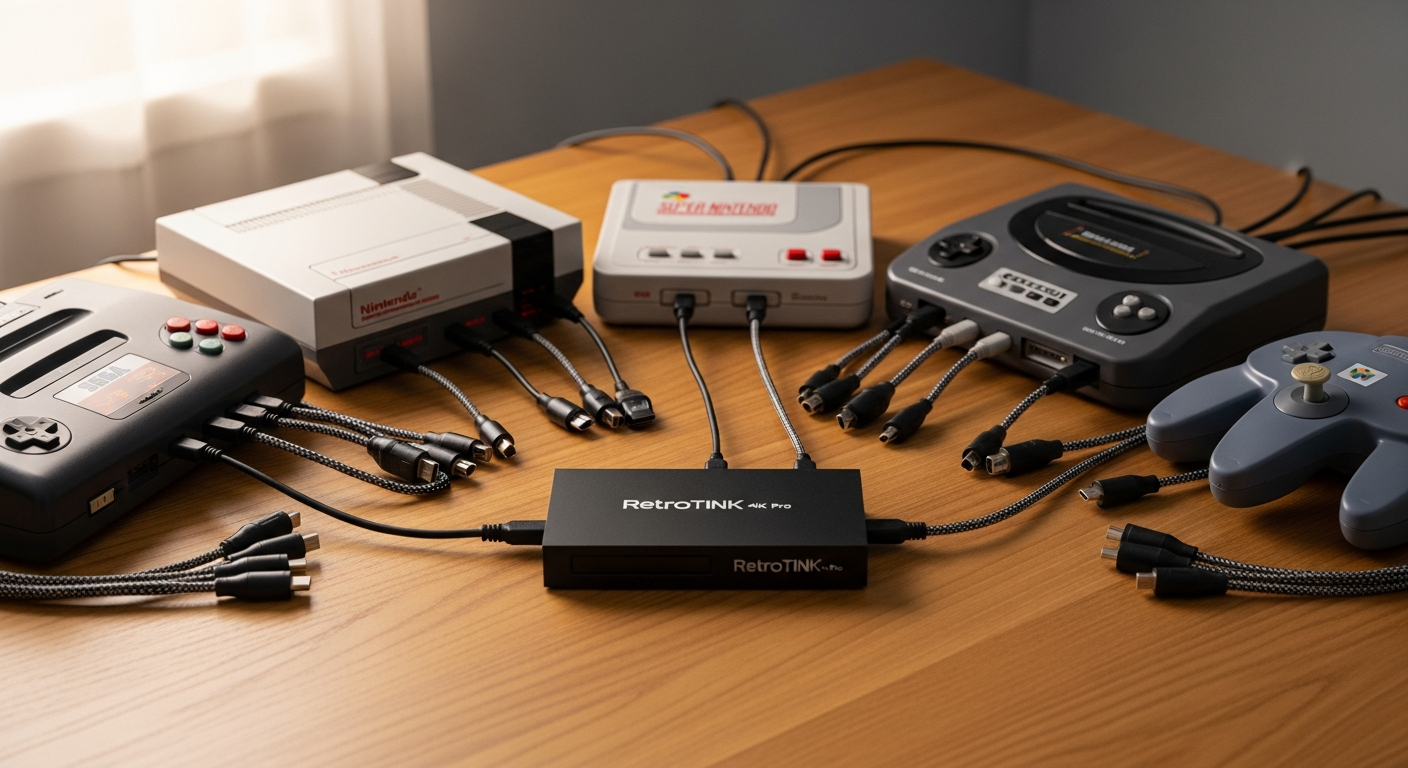
Master your retro gaming collection with the RetroTINK-4K Pro. Learn how to connect multiple consoles, optimize picture quality, and achieve authentic CRT visuals on modern 4K displays.
I've watched countless retro gaming enthusiasts struggle with the same frustration: connecting their prized vintage console collections to modern 4K televisions without sacrificing the visual magic that made those games legendary. Your shelves might be lined with NES systems, Sega Genesis units, PlayStation consoles, and arcade cabinets—each a portal to unforgettable gaming moments—yet displaying them on contemporary displays often means compromised image quality or awkward compatibility workarounds.
The RetroTINK-4K Pro emerged as the definitive answer to this dilemma, intelligently transforming composite, SCART, and digital signals from virtually any retro console into stunning 4K output while preserving the authentic visual character of the original experience. This device stands apart as the world's most advanced video processor specifically engineered for retro gaming, offering capabilities that bridge decades of hardware evolution without degrading the artistic intent behind classic games.
Discover the RetroTINK-4K Pro and transform your vintage console collection today.
Architecting Your Multi-Console RetroTINK-4K Pro Setup
Understanding the RetroTINK-4K Pro's universal input architecture and why it's essential for console collectors
The RetroTINK-4K Pro functions as the central hub of a comprehensive retro gaming ecosystem. Its architecture accommodates virtually every video format ever produced for consumer gaming hardware—from humble composite connections to advanced digital outputs. This universal compatibility means you're not forced to choose between consoles based on which ones your display can handle. Instead, every system in your collection gains access to modern display technology without compromise.
The device's Cyclone V A7 FPGA architecture provides the processing muscle necessary for real-time signal conversion while maintaining pixel-perfect accuracy. This isn't simple upscaling; the hardware intelligently analyzes incoming signals and applies sophisticated processing algorithms that enhance clarity while respecting the original visual aesthetic.
Mapping your console collection by video output type
Before purchasing cables and planning your setup, categorize each console by its native video output. This organizational step prevents purchasing incompatible adapters and ensures efficient signal routing.
Composite video represents the most common output across 8-bit and early 16-bit consoles. NES, SNES, Genesis, and N64 all default to composite connections. These single-cable systems are convenient but offer lower image fidelity.
S-video connections appeared on later cartridge-based systems and some CD consoles, providing improved color separation compared to composite. Identifying which systems support S-video can yield noticeably sharper results.
RGB and SCART connections dominate European console variants and RGB-modded systems. SCART cables carry RGB signals along with audio and sync information through a single multi-pin connector, making them efficient for setups with numerous systems.
Component video provides three separate color channels, found on later PlayStation and Xbox systems. This format offers superior signal quality to composite or S-video alternatives.
HD15/VGA inputs accommodate arcade cabinets, CRT monitors, and computer systems that output VGA-standard signals. These connections enable integrating non-console sources into your RetroTINK-4K Pro setup.
Creating a physical layout plan that minimizes cable runs and maximizes accessibility
Arrange your console collection based on how frequently you access each system and the proximity of your input cables. Commonly played consoles should have shorter cable runs and more accessible connections. Less frequently used systems can occupy positions requiring longer cables.
Consider proximity to your television and the RetroTINK-4K Pro's physical location. Central placement near your entertainment center reduces cable clutter and simplifies switching between consoles. Vertical cable management using clips or raceways prevents tangled messes and makes troubleshooting easier.
Plan for future additions. Leave extra SCART, composite, and component ports available for consoles you might acquire later. This foresight prevents redesigning your entire setup when you add that dream console to your collection.
Input Compatibility Across Your Retro Console Arsenal
Composite video connections and which classic consoles use this standard
Composite video dominated consumer electronics from the 1980s through early 2000s. This single-cable format carries all video information through one connector, making it the most accessible but least image-quality-optimal choice.
Nintendo Entertainment System, Super Nintendo Entertainment System, Sega Genesis, and Nintendo 64 all shipped with composite cables. Later cartridge systems like Sega Saturn and PlayStation often defaulted to composite connections, though many supported superior alternatives.
The RetroTINK-4K Pro accepts composite signals through standard RCA connectors. Simply connect your console's composite cable directly, and the device automatically detects and processes the signal. While composite video compresses color and luminance information into a single signal, the RetroTINK-4K Pro's advanced processing recovers substantial detail through intelligent deinterlacing and signal separation.
SCART connections for European console variants and RGB-capable systems
SCART connectors represent the European standard for home console connections, offering RGB signal transmission along with stereo audio and control signals through a single 21-pin interface. Systems equipped with SCART outputs include European Sega Genesis models, all Amiga computers, Atari systems, and RGB-modded consoles from North American manufacturers.
The RetroTINK-4K Pro features dedicated SCART inputs that automatically detect incoming signal types. RGB signals receive priority when available, providing dramatically improved image quality compared to composite alternatives. The device handles both 50Hz and 60Hz SCART signals from PAL and NTSC consoles respectively.
Quality SCART cables matter significantly. Shielded cables with proper pin configurations ensure clean signal transmission. Generic or poorly constructed SCART cables introduce artifacts and signal degradation that even advanced processing cannot entirely eliminate.
HD15/VGA inputs for arcade cabinets and computer systems
Arcade cabinets and computer systems often output VGA-standard HD15 signals. This 15-pin analog connection format provides RGB video along with separate horizontal and vertical sync signals.
The RetroTINK-4K Pro includes HD15/VGA inputs supporting resolutions up to 1080p, making it ideal for CRT monitors, arcade equipment, and vintage computer systems. Whether you're integrating a classic arcade cabinet into your setup or displaying computer-based retro games, the HD15 input provides seamless compatibility.
VGA signals require attention to cable quality and length. Longer runs without proper shielding degrade signal integrity. Use quality shielded VGA cables and keep runs under 15 feet to maintain optimal signal fidelity.
Output Resolution Optimization for Your Display Setup
Selecting the right output resolution based on your TV's native capabilities
The RetroTINK-4K Pro supports multiple output resolutions: 480p, 1080p, 1440p, and 4K60. Your television's native resolution determines which output modes will produce the sharpest results.
Most modern televisions feature 1080p or 4K native resolution. If your display supports 4K60, this option provides maximum visual fidelity and takes full advantage of the RetroTINK-4K Pro's processing capabilities. Retro games rendered at 4K resolution display exceptional clarity and vibrancy while maintaining the distinctive visual characteristics of their original hardware.
1440p serves as an excellent middle ground for older displays or specific preference. This resolution avoids the computational overhead of full 4K while providing substantial image quality improvements over standard 1080p output.
1080p and 480p modes offer compatibility with older displays or specific use cases where lower bandwidth is preferred. However, if your television supports higher resolutions, selecting the maximum compatible mode yields noticeably superior results.
Understanding refresh rate options and their impact on motion smoothness
Refresh rate profoundly influences perceived motion smoothness and response quality. The RetroTINK-4K Pro supports multiple refresh rates at various resolutions: standard 60Hz modes, 1440p120, and 1080p120 high-refresh-rate options.
Most retro gaming consoles generate 60Hz output, matching standard NTSC or PAL television frame rates. Outputting at the native 60Hz maintains motion authenticity to the original hardware while ensuring compatibility with any television.
Higher refresh rates like 120Hz smooth motion and reduce perceived jitter, particularly noticeable when viewing scrolling backgrounds or rapid camera pans in retro games. Not all televisions support these modes, so verify your display's capabilities before selecting high-refresh-rate options.
Custom modeline creation for specific display requirements and edge cases
The RetroTINK-4K Pro supports custom modeline creation for displays with unusual specifications or specific refresh rate requirements. Advanced users can define precise timing parameters, resolution, and refresh rate combinations tailored to particular equipment.
Custom modelines address edge cases like older arcade monitors with non-standard refresh rates or displays requiring specific timing parameters. This flexibility ensures the RetroTINK-4K Pro integrates seamlessly with virtually any visual output device you might employ.
CRT Simulation Profiles and Authentic Visual Recreation
How CRT simulation works and why it matters for retro gaming authenticity
Retro games were designed for CRT monitors and televisions, hardware with fundamentally different display characteristics than modern LCD screens. CRT technology naturally renders pixels softly, with subtle blending at pixel boundaries and characteristic glow effects that contribute to games' visual identity.
Modern televisions display pixels as distinct rectangular blocks, creating a harsh, blocky appearance incompatible with retro games' original aesthetic vision. CRT simulation recreates the visual characteristics of classic displays through digital filtering and processing, transforming modern display output to match original hardware appearance.
The RetroTINK-4K Pro implements sophisticated CRT simulation algorithms that adjust pixel rendering, apply subtle bloom effects, and modify color response to replicate authentic CRT appearance. This technology allows appreciating retro games as their creators intended while enjoying modern display conveniences.
Built-in CRT filter options and their visual characteristics
The device includes multiple CRT simulation profiles with varying intensity and characteristics. Options range from subtle filtering that slightly softens pixels to aggressive simulation providing pronounced CRT glow and scanline effects.
Scanline filters introduce horizontal lines mimicking CRT display technology, enhancing the retro aesthetic. Shadow mask filters replicate the color pattern found in CRT displays. Slot mask filters provide alternative CRT simulation with different visual characteristics. Each option offers distinct visual qualities, allowing customization to personal preference.
Community-developed profiles tailored to specific console generations
The RetroTINK-4K Pro benefits from an active community developing specialized profiles for specific console generations and games. These community-created configurations fine-tune color response, scanline intensity, and visual characteristics to match particular hardware or aesthetic preferences.
Arcade enthusiasts share profiles recreating classic arcade monitor appearance. Console collectors exchange configurations optimized for specific systems. This collaborative development ecosystem means discovering pre-configured profiles matching your preferred visual aesthetic.
Fine-Tuning Picture Quality Across Your Collection
Precise cropping techniques to remove overscan areas and maximize visible content
Retro consoles rendered images with overscan areas—portions of the signal that original CRT televisions physically cropped due to hardware limitations. Modern televisions display the entire signal, revealing previously hidden artifacts, black borders, and unintended visuals.
The RetroTINK-4K Pro provides precise cropping controls removing overscan areas and revealing the intended game viewport. Adjusting cropping parameters displays exactly what developers intended players to see, eliminating distracting borders and maximizing useful image content.
Cropping settings vary by console and even individual games. The flexibility to adjust cropping on a per-profile basis ensures optimal framing regardless of your console's specific configuration.
Scaling adjustments for console-specific aspect ratio quirks
Different consoles generated signals at varying aspect ratios, and games often displayed with non-integer pixel aspect ratios creating subtle distortions. The RetroTINK-4K Pro addresses these quirks through adjustable scaling parameters.
Aspect ratio correction stretches or compresses pixels to match the original intended proportions. Integer scaling options ensure pixels scale by whole-number factors, preserving pixel-perfect sharpness without blurriness or artifacts.
Per-profile scaling settings accommodate console-specific requirements. A Sega Genesis profile might use different scaling than a Super Famicom configuration, each optimized for that hardware's unique characteristics.
Explore RetroTINK-4K Pro scaling and aspect ratio features to perfect your image quality.
Brightness, contrast, and saturation enhancement for aging console output
Older consoles often produced video with reduced color vibrancy or inconsistent brightness due to aging capacitors and component degradation. The RetroTINK-4K Pro includes color and brightness controls allowing compensation for these aging effects.
Saturation adjustments restore vibrant color to consoles producing dull output. Contrast controls enhance definition in dark or washed-out video. Brightness fine-tuning corrects signals shifted too dark or too bright.
These adjustments apply at a global level or within specific profiles, enabling tailored optimization for individual consoles. A heavily-played NES might require saturation enhancement, while a well-maintained Genesis profile might need minimal adjustment.
Troubleshooting Common Multi-Console Setup Issues
No signal detection and diagnostic steps for each input type
Signal detection failures typically indicate cable issues, incorrect port selection, or device configuration problems rather than fundamental incompatibility.
For composite connections, verify the cable connects to the correct RCA input and that the console powers on with proper video output. Try alternative composite cables to eliminate cable failure as a cause. Confirm the RetroTINK-4K Pro detects the input in its menu system.
SCART troubleshooting begins by verifying proper cable seating and pin configuration. Some SCART cables incorrectly pin RGB or sync signals. Test with an alternative SCART cable to determine if cable quality is the issue. Ensure your console's RGB output is enabled if it supports multiple output modes.
HD15/VGA signal detection requires confirming proper cable connection and video signal presence from your source device. Use display detection tools or alternative displays to verify your arcade cabinet or computer outputs proper VGA signals.
Audio synchronization problems across different console connections
Audio sync issues typically arise from mismatched audio and video processing delays, particularly when using different input types or switching between consoles.
Verify audio connections match your console's original output type. If your console output both analog audio and HDMI audio, only one typically carries the correct signal. Confirm you're using the appropriate audio source for each console.
The RetroTINK-4K Pro includes audio delay adjustment controls. If video appears delayed relative to audio (or vice versa), adjusting audio delay compensates for processing latency. Test different delay settings to achieve proper synchronization.
Intermittent signal loss and cable quality verification procedures
Intermittent signal dropout typically indicates marginal cable quality or loose connections. Check all cable connections at both the console and RetroTINK-4K Pro, ensuring proper seating and no movement.
Test suspected cables by swapping with known-good alternatives. Poor quality or damaged cables frequently exhibit intermittent failures manifesting as signal loss during operation. Replacing low-quality cables often immediately resolves intermittent problems.
Long cable runs without proper shielding degrade signal integrity. If experiencing intermittent issues, test with shorter cables to determine if length or shielding is the culprit. Shielded cables rated for your specific connection type (composite, SCART, VGA) provide superior performance.
Your Retro Gaming Legacy Awaits
The RetroTINK-4K Pro transforms how collectors experience their vintage console libraries. By thoughtfully architecting your multi-console setup—from input selection through output optimization and CRT simulation—you're not simply upscaling old video signals. You're preserving gaming history while honoring the artistic vision of developers who created magic on hardware from decades past.
The device's robust FPGA architecture, comprehensive input flexibility, and community-driven feature expansion mean your investment remains relevant as technology evolves. Your collection of cartridge-based systems, disc consoles, and arcade cabinets deserves display technology that respects their heritage while providing modern visual excellence.
Start mapping your console connections today. Identify each system's video output type, plan your physical layout, and prepare for the visual transformation awaiting your collection. The magic you remember from childhood gaming sessions still exists in those systems—the RetroTINK-4K Pro simply reveals it more beautifully than ever before.