
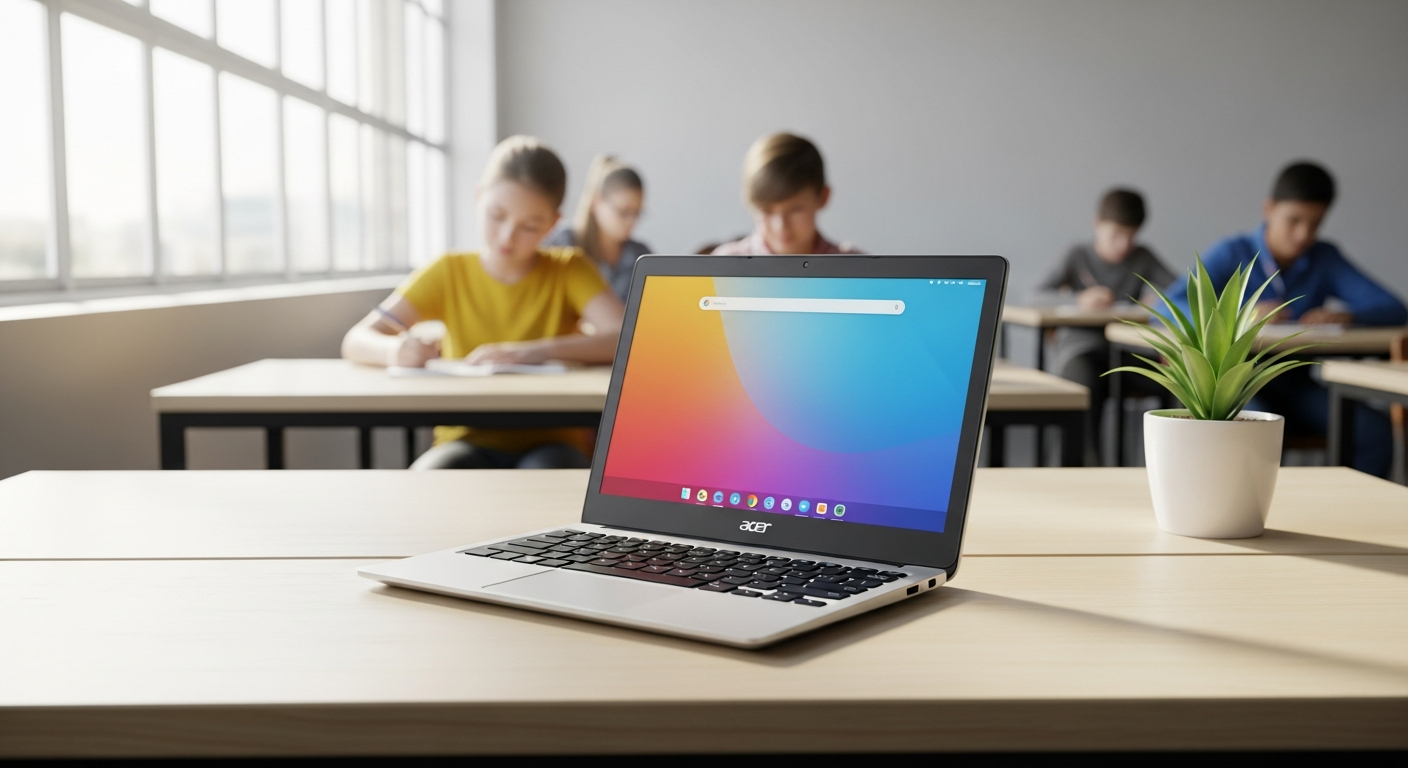
Discover why the Refurbished Acer Chromebook 11 Touchscreen is the go-to choice for UK schools and budget-conscious learners. Expert review, specs, warranty details, and real value analysis inside.
Over 40% of UK schools now operate in hybrid or fully cloud-based learning environments, yet many educators struggle to find devices that won’t break the bank. The pressure to equip classrooms with modern technology has never been greater—and the budget constraints have never been tighter.
Enter the refurbished Acer Chromebook 11 Touchscreen. This isn’t just another second-hand laptop gathering dust in a warehouse. Orion Computers, a UK-based refurbishment specialist, has made this model a cornerstone of their best-seller lineup by combining affordability with genuine quality assurance.
Discover the refurbished Acer Chromebook 11 Touchscreen at Orion Computers today.
The case for this device over new budget alternatives is compelling. At £69, it undercuts new entry-level touchscreen laptops by over £200. The proven durability in educational settings, combined with reports from verified customers describing units as “like new,” demonstrates that refurbished doesn’t mean second-rate. The rugged design specification makes it particularly suited for the bumps and drops of classroom life. When you factor in the 1-year warranty, free UK shipping, and 30-day return policy, the total cost of ownership becomes substantially lower than purchasing new.
Beyond the financial argument, there’s the environmental case. Extending device lifecycle reduces institutional carbon footprint and e-waste. Schools purchasing refurbished technology redirect cost savings toward other educational priorities while demonstrating commitment to sustainable procurement practices.
Exceptional Value Proposition
The pricing advantage alone justifies serious consideration. New entry-level touchscreen laptops rarely drop below £300, while the Acer Chromebook 11 Touchscreen starts at £69 from Orion Computers. This represents a genuine value proposition for institutions operating under tight constraints.
Proven Durability in Educational Settings
The rugged design specifications make this model particularly suited for classroom environments. Students can transport it between rooms without fear, and the chassis withstands the inevitable knocks and impacts of daily use.
Like-New Condition Reports
Verified customers and educational buyers consistently report receiving units in excellent condition. This reliability speaks to Orion Computers’ refurbishment standards and quality control processes.
Real-World Performance Matches New Devices
For cloud-based and web-centric tasks—the primary workload in modern education—this refurbished Chromebook performs identically to a new unit at a fraction of the cost.
Comprehensive Specifications That Support Modern Learning
The 11.6-inch touchscreen display hits the sweet spot for classroom portability. Large enough for comfortable viewing during lessons, yet compact enough for students to carry between classrooms without strain. The touchscreen functionality adds genuine educational value—interactive note-taking, digital whiteboarding, and collaborative applications benefit from the responsive touch interface.
The Celeron N3350 processor handles the core educational workload with ease. Google Workspace, Microsoft 365, and learning management systems run smoothly. The processor won’t break any performance records, but it’s more than adequate for the cloud-first approach that defines modern education.
Four gigabytes of RAM supports multiple browser tabs and cloud applications without lag. In testing and real-world deployment, the system maintains responsiveness even with a dozen tabs open—typical of active student or educator workflows.
Storage at 32GB eMMC is designed for cloud-centric usage. Chrome OS encourages saving documents to Google Drive, OneDrive, or other cloud services rather than the local drive. For institutions already committed to cloud infrastructure, this limitation disappears entirely.
Battery performance receives thorough testing during the refurbishment process. Trained Orion Computers technicians verify that batteries charge fully and maintain capacity throughout the day. Keyboard and trackpad functionality undergo comprehensive assessment to ensure classroom reliability. All ports are tested for connectivity issues.
The lightweight and compact design means students experience zero strain carrying the device between classrooms and home. Battery life supports a full school day or work day without requiring midday charging.
The Refurbishment Process That Guarantees Peace of Mind
Understanding what “refurbished” means at Orion Computers provides genuine assurance. This isn’t generic resale—it’s a structured, documented process managed by trained technicians.
Grade-Checked Assessment
Every unit undergoes professional evaluation by trained Orion Computers staff. Devices are graded based on condition, functionality, and cosmetic appearance.
Battery Testing
Technicians verify full charge capacity and assess longevity. A refurbished battery that doesn’t meet standards gets replaced rather than passed along.
Screen Inspection
The display receives detailed examination for physical damage, dead pixels, and display defects. The touchscreen functionality is tested across the entire surface to ensure responsive interaction.
Keyboard and Port Functionality
All input devices and connectivity features undergo comprehensive testing. Keys that stick, ports that don’t accept connections, or trackpads that stutter are identified and resolved before the unit ships.
Professional Cleaning and Cosmetic Restoration
Trained staff clean the device thoroughly and address cosmetic issues where possible. While minor scratches or scuffs may remain, the overall appearance and functionality meet quality standards.
Software Verification
Chrome OS gets optimized and updated to the latest stable release. The system is ready for immediate educational use without additional setup or updates.
Quality Assurance Documentation
Each unit comes with refurbishment certification detailing the testing performed, issues identified and resolved, and the technician’s sign-off. Customers know exactly what they’re purchasing.
Explore the full refurbishment process and purchase your Acer Chromebook 11 Touchscreen today.
Unbeatable Warranty and Customer Protection
The warranty and support structure removes the primary hesitation around refurbished purchases. A 1-year comprehensive warranty covers hardware defects and manufacturing issues. If something fails within twelve months, Orion Computers handles replacement or repair at no cost.
The 30-day hassle-free return policy provides a safety net. If the device doesn’t meet expectations, customers receive a full refund or replacement without questions. No restocking fees, no penalties—just straightforward customer protection.
Free UK shipping eliminates hidden delivery costs. There are no regional surcharges or surprise expenses at checkout.
Dedicated customer service responds to technical questions and issues. Real-world example: a customer who received a unit with a faulty charging cable contacted support and received prompt resolution. This responsiveness distinguishes Orion Computers from larger, impersonal retailers.
Warranty coverage includes battery, screen, keyboard, and all ports. The protection extends across every critical component.
Real-World Performance for Students, Educators, and Remote Workers
Web browsing handles multiple tabs and video streaming without stuttering. Students researching topics for class projects, watching educational videos, and switching between reference materials experience fluid performance.
Video conferencing on Zoom, Teams, and Google Meet runs smoothly. Classroom lessons, remote lectures, and group projects proceed without technical frustration. The touchscreen adds value during interactive sessions where instructors or students mark up shared content.
Cloud-based productivity tools—Google Docs, Sheets, and Slides—perform reliably. Collaborative group work where multiple students edit a presentation simultaneously functions without lag.
Educational software compatibility extends across learning management systems and student tools. Integration with school platforms proceeds seamlessly.
The touchscreen responsiveness enhances interactive learning. Digital note-taking becomes more intuitive, and collaborative applications benefit from the touch interface.
Offline capability is limited—the device requires internet connectivity for full functionality. This reflects Chrome OS design philosophy rather than a limitation of the refurbished unit specifically. The cloud-first workflow mindset is essential for maximum utility.
Battery life supports full school day or work day without charging interruptions. Thermal management keeps the device cool during extended use, reducing fan noise in quiet classroom environments. Students can focus on learning rather than listening to an overheating laptop.
Sustainability and Environmental Impact
Refurbished technology directly extends device lifecycle. A Chromebook destined for e-waste instead becomes a productive tool in a classroom or home. Multiply this impact across thousands of units annually, and the environmental benefits become substantial.
Purchasing refurbished avoids the manufacturing emissions associated with new device production. The carbon footprint of extracting rare earth minerals, manufacturing components, and shipping new devices is eliminated when existing devices are refurbished and redeployed.
This approach supports circular economy principles. Institutions demonstrate commitment to responsible technology procurement while reducing their carbon footprint per device deployed.
The cost savings from refurbished purchasing redirect funds toward other educational priorities—additional devices, software licenses, teacher training, or student support services. Budget constraints no longer force choices between technology investment and other needs.
The practice appeals to environmentally conscious parents and educators. Families increasingly seek to minimize their technology consumption’s environmental impact. Schools gain community support by demonstrating sustainability commitment through responsible procurement.
Potential Limitations and How to Work Around Them
Acknowledging limitations provides realistic expectations. The 32GB eMMC storage isn’t suitable for users requiring extensive local file storage. However, the workaround is straightforward: leverage cloud storage services like Google Drive, OneDrive, or Dropbox for document management. Students and educators already accustomed to cloud-based workflows won’t notice this constraint.
The Celeron N3350 processor won’t handle video editing or graphic design software. This limitation is design-related rather than a refurbishment issue. The workaround uses cloud-based creative tools—Canva, Adobe Express, and similar platforms—which deliver impressive results without demanding local processing power.
Minor cosmetic imperfections are possible. Scratches or scuffs on the casing might appear in some units. Protective cases and skins available for under £15 address this concern entirely.
Limited RAM means multitasking with 20+ browser tabs may slow performance. Encouraging focused tab management and periodic browser refreshes maintains responsiveness.
Chrome OS gaming library is limited. The device isn’t designed for gaming. Cloud gaming services like Xbox Game Pass and GeForce Now offer alternatives for users interested in gaming capability.
Comparing the Acer Chromebook 11 Touchscreen to Competitor Refurbished Models
Against the HP Chromebook 11, the Acer offers similar specifications with superior touchscreen responsiveness. Interactive elements feel more fluid and precise.
Compared to the Lenovo Chromebook 100e, the Acer provides superior display quality at a comparable price point. The screen clarity and color reproduction make a noticeable difference during extended use.
Versus the ASUS Chromebook C202, the Acer touchscreen adds a £20-30 premium. For interactive learning and digital collaboration, this premium investment justifies itself.
Refurbished Acer versus new budget Chromebooks tells a compelling story. The refurbished Acer beats new models on the value-to-feature ratio. Orion Computers’ 1-year warranty exceeds typical refurbisher standards, providing confidence in the purchase.
The 30-day return window extends longer than many competitors, reducing purchase risk. UK-based support ensures faster resolution times compared to international retailers who can’t provide same-day assistance.
Who Should Buy the Refurbished Acer Chromebook 11 Touchscreen
The primary audience includes UK schools and educational institutions managing IT budgets. The affordability and durability make it ideal for classroom deployments.
Secondary audience includes university students needing affordable, portable devices. The device handles coursework, research, and collaboration without excess cost.
Tertiary audience encompasses remote workers focused on cloud-based collaboration tools. Email, video calls, and document work proceed smoothly.
Homeschooling families find the device cost-effective for multiple learners. One device can serve different family members at different times, rotating through subjects and users.
Educators purchasing personal devices represent another audience segment. Budget-conscious professionals appreciate the value without compromising capability.
Elderly users benefit from the simple Chrome OS interface with minimal learning curve. The touchscreen adds intuitive interaction for users uncomfortable with traditional trackpads.
First-time laptop buyers find refurbished devices present low financial risk for testing device preferences. If someone discovers they prefer different form factors or operating systems, the investment isn’t substantial.
Budget-conscious professionals require sufficient devices for email, video calls, and document work. The Acer Chromebook 11 Touchscreen handles these workloads completely.
The Bottom Line: Smart Investment for Modern Learning
The Refurbished Acer Chromebook 11 Touchscreen represents far more than a budget compromise—it’s a strategic choice for anyone prioritizing value without sacrificing functionality. The rigorous refurbishment process, protective warranty structure, and real-world performance capabilities have made this model a bestseller across UK classrooms and homes. The touchscreen display elevates it beyond standard budget Chromebooks, while the £69 entry price keeps it accessible for institutions and individuals alike.
What genuinely sets this device apart is Orion Computers’ commitment to transparency and customer protection. The 1-year warranty, 30-day return policy, and free shipping remove the typical friction points of purchasing refurbished technology. If you’re equipping a classroom, supporting distance learning, or searching for an affordable device that actually delivers on its promises, the Refurbished Acer Chromebook 11 Touchscreen deserves serious consideration.