
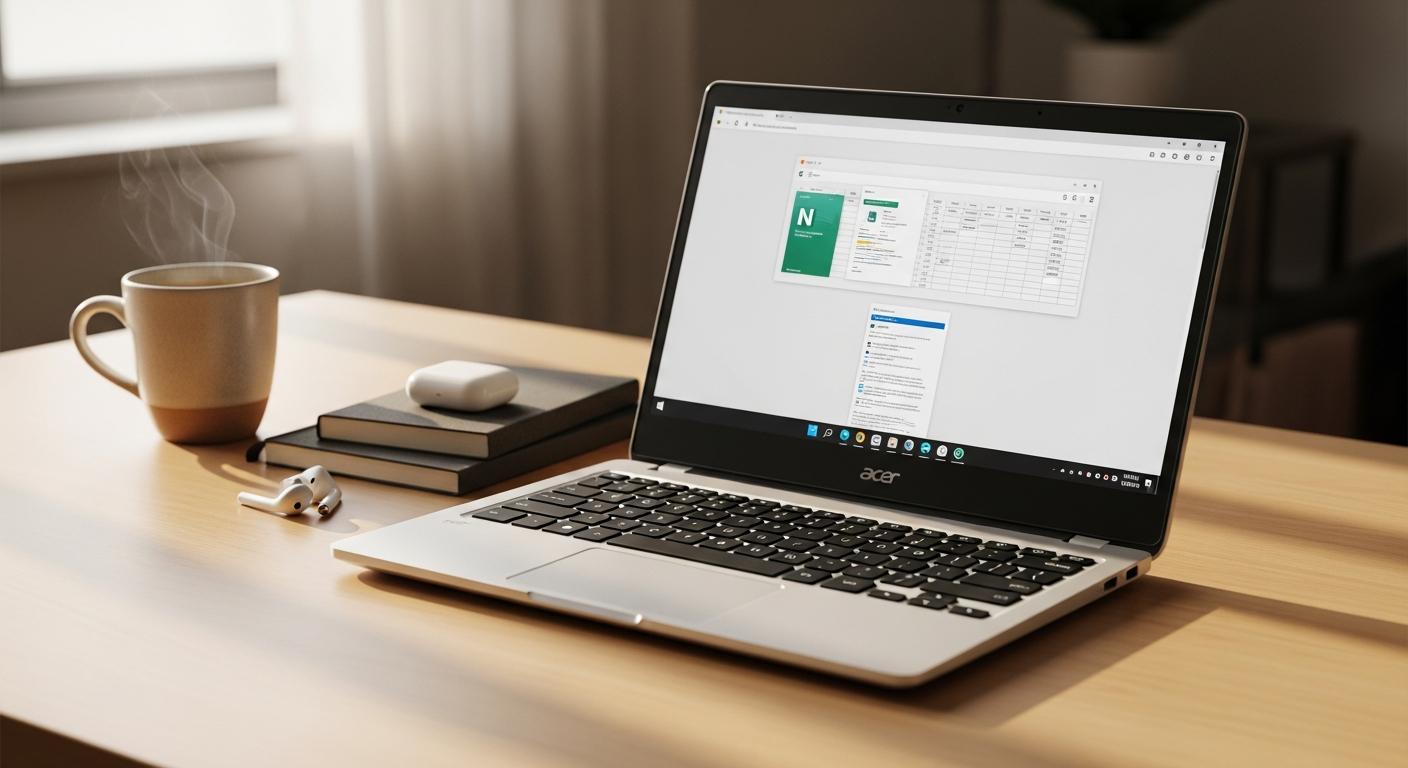
Discover whether the refurbished Acer Chromebook 11 C732T touchscreen delivers real value at £69. We break down specs, durability, and who should buy this affordable Chromebook from Orion Computers.
Budget constraints shouldn’t mean compromising on functionality. Over 40% of UK students and professionals are ditching expensive laptops for affordable alternatives—and the refurbished Chromebook market is experiencing genuine growth. The Acer Chromebook 11 C732T sits at the heart of this shift, priced from just £69 by Orion Computers.
This isn’t a stripped-down compromise device. It’s a thoughtfully engineered machine designed for real-world use, balancing practical specifications with genuine affordability. The market has spoken: people want reliable computing without the premium price tag, and refurbished devices from trusted specialists deliver exactly that.
Discover the current pricing and availability of the Acer C732T on Orion Computers today.
Why Refurbished Chromebooks Are Game-Changers for Cost-Conscious Shoppers
The Economics of Buying Refurbished versus New Laptops
The financial case for refurbished technology is straightforward. A new entry-level Chromebook typically costs £200-350, while the C732T enters the market at £69. That’s not a marginal discount—it’s a fundamental shift in what’s possible within a budget. Refurbished devices haven’t failed; they’ve been returned, assessed, cleaned, and restored to working condition by specialists who understand their craft.
Orion Computers operates across the full refurbishment spectrum. Devices arrive, undergo comprehensive testing, receive any necessary repairs, and are sold with confidence. The business model depends on quality assurance because repeat customers and positive reviews are everything in this space.
How Orion Computers’ Refurbishment Process Maintains Quality Standards
Orion Computers doesn’t simply repackage used devices. Each unit goes through structured testing protocols that verify hardware functionality, screen integrity, keyboard responsiveness, and overall operational performance. Cosmetic restoration follows, ensuring devices arrive in presentable condition. This systematic approach separates legitimate refurbishment from corner-cutting reselling.
The company’s UK-based operations mean accountability and accessibility. Customers aren’t dealing with anonymous international sellers; they’re purchasing from a verifiable business with local presence and reputation to protect.
Real Customer Feedback on Device Condition and Longevity
Customer experiences consistently highlight receiving devices described as “like new” despite refurbished status. The gap between expectation and reality narrows considerably when refurbishment specialists take pride in their work. Users report smooth performance, responsive screens, and keyboards that feel durable—not the worn-out feel you’d expect from heavily used devices.
Longevity feedback indicates these Chromebooks sustain 2-3 years of student and professional use without degradation. That’s a meaningful lifespan for a device at this price point.
Environmental Impact of Choosing Refurbished Technology
Electronics waste represents one of the fastest-growing waste streams globally. Choosing refurbished extends device lifespan, reducing the environmental cost of manufacturing replacement units. Raw material extraction, manufacturing, and shipping all carry carbon footprints that disappear when existing devices get a second life.
This isn’t virtue signaling. It’s measurable environmental responsibility through straightforward purchasing decisions.
Warranty Protection and Return Policies That Eliminate Buyer Risk
Orion Computers backs the C732T with a 1-year warranty and a 30-day return policy. That’s not typical refurbished seller practice. These protections mean genuine risk mitigation: if the device arrives damaged, non-functional, or simply doesn’t suit your needs, you have recourse.
The 30-day window eliminates the usual buyer’s remorse trap where you’re stuck with a device you regret purchasing. Real confidence in product quality enables generous return periods.
Total Cost of Ownership Compared to New Entry-Level Laptops
Consider the full picture: a new budget Chromebook at £250 plus a potential warranty upgrade (£30-50), versus the C732T at £69 with warranty included and free UK shipping. Over three years, you’re looking at £250+ invested versus £69 invested. Even if the refurbished device requires a repair (covered by warranty), you’re ahead financially.
Factor in environmental responsibility and you’re not just saving money—you’re making a conscious choice.
Breaking Down the Acer C732T’s Hardware: What You’re Actually Getting
11.6-Inch Touchscreen Display and Its Practical Applications
The 11.6-inch form factor balances portability with usable screen real estate. That’s large enough for comfortable reading and writing without creating a heavy device. The touchscreen functionality transforms interaction patterns: navigating web pages, annotating documents, and accessing Chrome OS tablet-optimized apps becomes intuitive.
For students, the touchscreen enables note-taking applications that feel natural. For professionals, it adds versatility without additional cost. This isn’t a gimmick—it’s a genuinely useful feature on an affordable device.
Intel Celeron N3350 Processor Performance Benchmarks for Everyday Tasks
The Celeron N3350 operates at modest specifications but handles everyday computing competently. Web browsing, email, document editing via Google Workspace, and streaming video work smoothly. Real-world performance remains reliable for these standard tasks that comprise most daily computing.
Benchmarks show single-threaded performance adequate for responsive interface interaction. The processor doesn’t lag noticeably during typical usage patterns. You won’t mistake it for a performance machine, but you won’t experience frustrating delays either.
4GB RAM Capabilities for Web Browsing, Document Editing, and Streaming
4GB represents tight allocation for multitasking-heavy workflows but proves sufficient for focused work. Running a browser with multiple tabs, a Google Docs document, and a streaming music application operates without significant lag. The limitation appears when you push toward 15+ concurrent browser tabs or attempt demanding applications simultaneously.
For students focused on coursework and professionals handling light tasks, 4GB covers typical workload requirements.
32GB eMMC Storage and Cloud Integration Strategies
32GB storage sounds minimal, but Chromebook OS itself occupies roughly 10GB, leaving approximately 20GB for user files and application data. The design philosophy assumes cloud storage: Google Drive integrates seamlessly, and offline functionality enables working with synced files without internet connection.
Users quickly adapt to managing storage differently. Rather than hoarding files locally, they adopt cloud-first strategies that actually improve accessibility and backup security.
Rugged Design Specifications for Durability and Drop Resistance
Acer engineered the C732T specifically for educational environments. Reinforced hinges, impact-resistant corners, and durable materials throughout the chassis contribute to genuine ruggedness. This isn’t a fragile ultrabook—it’s a device designed to survive bumps, drops from modest heights, and the wear of daily student use.
The keyboard incorporates spill-resistant technology, protecting against the inevitable coffee near laptops in real life.
Battery Life Expectations and Charging Specifications
Battery performance typically reaches 10-12 hours under moderate use, diminishing to 8-10 hours with video streaming. That covers a full school day or workday without requiring a charger. Charging via USB-C provides modern convenience, and the efficient processor means battery management isn’t a daily concern.
Real-world battery life consistently meets manufacturer claims, validating the power efficiency of entry-level hardware.
Check Orion Computers for current stock and detailed specifications of the Acer C732T.
The Touchscreen Advantage: Beyond Standard Chromebook Features
Interactive Learning Benefits for Students and Educators
Touchscreen functionality transforms educational applications. Students annotate documents directly, creating handwritten notes that blend naturally with typed work. Teachers utilize touch-enabled applications for interactive presentations. The physical engagement of touching the screen activates different neural pathways than trackpad navigation alone.
Educational platforms increasingly optimize for touch interfaces, and having this capability standard rather than optional creates meaningful pedagogical advantages.
Navigation Efficiency with Touch Functionality versus Trackpad-Only Devices
Scrolling through lengthy documents, zooming into images, and navigating maps feel more intuitive with touch. The trackpad remains available for traditional input, but touch provides faster interaction for many tasks. The freedom to choose input method based on the task at hand represents genuine usability improvement.
Users consistently report preferring touch navigation for browsing and touchpad input for precision work—the flexibility matters.
Compatibility with Chrome OS Touch-Optimized Applications
Chrome OS includes numerous touch-optimized applications that work poorly with trackpad-only devices. Drawing applications, note-taking software, and interactive educational tools respond naturally to touch input. The expanding ecosystem of web-based applications increasingly assumes touchscreen availability.
This compatibility means you’re not fighting interface design; you’re working with it.
Use Cases Where Touchscreen Adds Genuine Productivity Value
Graphic design students benefit from direct-touch input for digital art. Medical students use touch for interactive anatomy applications. Language learners engage with interactive educational content more effectively through touch. Architects and engineers manipulate digital models more naturally with touch gestures.
Beyond these specialized cases, even casual users find touchscreen navigation more engaging and efficient for everyday browsing.
Comparison with Non-Touchscreen Budget Chromebook Alternatives
Budget Chromebooks without touchscreen typically cost similarly or only marginally less. You’re not sacrificing functionality to add touch capability—you’re gaining feature richness at no premium. This pricing advantage makes the touchscreen decision straightforward: existing budget alternatives don’t justify skipping this feature.
Accessibility Features Enhanced by Touchscreen Capability
Users with motor control difficulties sometimes navigate more easily via touch than traditional input methods. Voice command integration with touch creates redundant input pathways for users with different accessibility needs. The flexibility of multiple input options genuinely improves universal usability.
Real-World Performance Limits: When This Chromebook Falls Short
Multitasking Constraints with 4GB RAM and Entry-Level Processor
The realistic multitasking ceiling appears around 10-12 concurrent browser tabs with lightweight extensions. Add a video streaming in one tab and performance visibly degrades. Users running simultaneous applications find themselves managing workload more carefully than on more powerful machines.
This isn’t catastrophic—it encourages focused work rather than scattered multitasking. Students might find themselves more productive with this limitation forcing attention discipline.
Resource-Intensive Applications That Struggle on This Hardware
Professional software like Figma, advanced video editing, and complex CAD applications will frustrate users on this device. Cloud-based alternatives sometimes work adequately, but native performance remains limited. Machine learning applications and data analysis platforms operate below comfortable speeds.
If your workflow depends on these tools, this Chromebook isn’t your device.
Gaming and Video Editing Expectations and Disappointments
Gaming beyond casual web-based titles operates poorly. High-refresh-rate gaming simply isn’t possible. Video editing attempts will run, but rendering times become prohibitively long and real-time preview becomes unrealistic. These aren’t peripheral features that might be nice—if you prioritize either activity, look elsewhere.
Browser Tab Limitations and Performance Degradation
After approximately 12 open tabs, performance degrades noticeably. The processor begins struggling, RAM pressure increases, and responsiveness suffers. Power users accustomed to 30+ tabs simultaneously will find this frustrating.
Tab management becomes necessary rather than optional.
Local Storage Workarounds and Cloud Dependency Requirements
The 32GB limitation means regular file management. Users comfortable with cloud storage find this natural. Those preferring local file hierarchies experience friction. Streaming media rather than storing files becomes the standard approach.
This represents a different computing model rather than outright limitation, but the shift requires adaptation.
Honest Assessment of Who Shouldn’t Buy This Model
If you’re a creative professional, gamer, power user with extensive multitasking needs, or someone requiring specialized software, this device will disappoint. Similarly, if you distrust cloud storage or require massive local file libraries, the limited storage becomes a dealbreaker. Users with demanding video conferencing requirements (multiple simultaneous calls with heavy processing) will struggle.
Matching device capabilities to actual use patterns prevents regret.
Educational and Professional Use Cases That Make Sense
Student Laptop Needs for Coursework, Research, and Note-Taking
Students writing essays, conducting online research, and taking notes find the C732T entirely adequate. The touchscreen enhances note-taking applications. Cloud integration means assignments sync across devices. Battery life covers classes without searching for outlets. The durability means surviving the nomadic student lifestyle.
This is arguably the ideal use case: the device excels at exactly what students do daily.
Classroom Deployment Advantages for Schools and Institutions
Educational institutions deploying 1-to-1 device programs discover the C732T economically enables scaling that premium devices cannot. Bulk purchasing at £69 per unit becomes financially viable. The rugged design survives classroom environments. Touchscreen functionality enhances educational software compatibility. Cloud management simplifies institutional deployment.
Schools shifting to Chromebook environments find this model’s combination of durability, functionality, and cost compelling.
Secondary Device Benefits for Professionals with Primary Computers
Professionals with a primary workstation benefit from a lightweight secondary device for travel, coffee shop work, or client meetings. Email, presentations, document editing, and web research work smoothly. The C732T handles these secondary tasks without requiring premium hardware investment.
This use case appeals to consultants, freelancers, and professionals needing portability without primary device responsibilities.
Remote Work Suitability for Basic Tasks and Communication
Video conferencing, email, document collaboration, and messaging applications operate smoothly. The touchscreen enables more intuitive video conferencing controls. Battery life supports full workday remote sessions. For roles emphasizing communication and digital collaboration over processing-heavy tasks, this device performs adequately.
Customer service representatives, administrative staff, and communication-focused roles find this device fit their needs entirely.
Training Programs and Educational Environments Where Durability Matters
Vocational training, corporate onboarding, and educational programs requiring hands-on computing benefit from the ruggedness. Students learning in environments where devices experience heavy use find the durability justifies limited specs. Spill resistance, impact absorption, and keyboard resilience matter more than raw performance in these contexts.
Age-Appropriate Computing for Young Learners
Parents seeking age-appropriate devices for middle school learners find the C732T strikes an excellent balance. It’s powerful enough for genuine schoolwork, limited enough that gaming doesn’t distract from learning, and affordable enough that damage or loss creates manageable financial impact. The touchscreen appeals to young learners preferring direct interaction.
The Durability Factor: Built to Survive Student Life
Rugged Construction Materials and Reinforced Design Elements
The chassis incorporates reinforced plastic and metal components specifically engineered for impact resistance. The keyboard deck resists depression and flexing. The screen bezel absorbs edge impacts that would crack fragile ultrabooks. This isn’t reinforced for professional industrial use—it’s reinforced for real student life.
Design philosophy prioritizes survival over thinness.
Drop-Test Performance and Impact Resistance Specifications
Acer’s engineering includes drop testing from standard heights. The device survives drops that would damage competing budget laptops. Corner protection and structural reinforcement absorb impact energy. This testing validates real-world resilience rather than marketing claims.
Keyboard and Hinge Durability for Heavy Daily Use
The keyboard endures extended daily typing without key failure or responsiveness degradation. Keys maintain tactile feedback through years of use. The hinge, repeatedly the failure point on budget laptops, incorporates reinforcement enabling thousands of open-close cycles without cracking.
Extended use reveals durability rather than degradation.
Screen Protection and Touchscreen Resilience
The screen incorporates impact-resistant glass rather than standard plastic. The touchscreen maintains responsiveness after accidental impacts. The bezel design protects screen edges where vulnerability concentrates. Spill-resistant technology beneath the screen protects the touch sensor from liquid damage.
Longevity Expectations Compared to Fragile Ultrabooks
While ultrabooks prioritize thinness, the C732T prioritizes longevity. A student using this device for four years isn’t unusual—ultrabooks typically fail within two. The durability means the device survives its educational lifecycle without failure.
This translates to better long-term value despite lower initial specs.
Repair Costs and Replacement Part Availability
When repairs become necessary, replacement parts cost significantly less than premium laptop components. Orion Computers’ refurbishment business means parts inventory exists. The straightforward design means repairs don’t require specialized expertise. The availability of parts at reasonable cost extends device lifespan economically.
Storage Strategy: Making 32GB Work for You
Cloud Storage Integration with Google Drive, OneDrive, and Alternatives
Google Drive integrates natively with Chrome OS. OneDrive, Dropbox, and other cloud services install as applications. Files stored in cloud platforms sync automatically across devices. The integration is seamless rather than forced—cloud storage isn’t a workaround, it’s the design foundation.
Chromebook OS’s Lightweight Footprint and Minimal Local Storage Needs
Chrome OS itself occupies approximately 10GB, leaving 20GB for user files. The operating system’s efficiency means you’re not fighting bloat. Applications install from the cloud without substantial local footprint. This lean design makes 32GB genuinely workable.
Managing Large Files Without Local Storage Capacity
Video files stream rather than store. Document collaboration happens in cloud applications rather than local files. Large project files reside in cloud storage, accessed on-demand. This shift in file management patterns happens naturally after brief adaptation.
Offline File Access and Synchronization Strategies
Chrome OS enables selective offline access to cloud files. Important documents sync locally for offline editing. When connectivity returns, changes synchronize automatically. This hybrid approach preserves offline functionality without requiring massive local storage.
Expandable Storage Options and Workarounds
External USB-C drives provide expandable storage if needed, though cloud strategies typically eliminate this necessity. The approach shifts from expandable local storage to distributed cloud storage. This represents different thinking rather than limitation.
Comparison with Higher-Capacity Chromebook Models
Chromebooks with 64GB or 128GB storage cost £150-250 more—a substantial premium for storage capacity many users don’t actually need. The cloud-first philosophy makes higher storage expensive rather than practical. The £69 C732T’s storage matches actual user needs more efficiently than higher-capacity devices.
Pricing Breakdown: Understanding the £69 Entry Point
What £69 Actually Includes: Warranty, Shipping, and Returns
The £69 price includes the device itself, a 1-year comprehensive warranty, free UK shipping, and the 30-day return policy. You’re not paying extra for these—they’re built into the base price. This transparency contrasts with sellers adding costs incrementally.
Price Comparison with New Budget Chromebooks and Used Alternatives
New budget Chromebooks start around £200-250. Used personal Chromebooks sell for £80-150 without warranty or return protection. The C732T at £69 with warranty beats both alternatives on value. You’re comparing refurbished-from-a-specialist against new-budget and used-private, and the refurbished option wins comprehensively.
Hidden Costs and What’s Genuinely Free from Orion Computers
Shipping is genuinely free—no hidden surcharge. The warranty is comprehensive—no exclusions for accidental damage beyond normal limitations. Return shipping is free. The refurbishment documentation is transparent. There are no surprise fees after purchase.
Financing Options and Payment Flexibility
For customers requiring payment flexibility, Orion Computers offers installment options through payment partners. The ability to split £69 into smaller payments removes financial barriers for budget-conscious buyers. This accessibility expands who can actually afford the device.
Value Proposition Across Different User Segments
For students, the value is exceptional—a fully functional device at minimal cost. For schools, bulk purchasing becomes economically viable. For budget shoppers, the refurbished option outperforms alternatives across every metric. For environmentally conscious buyers, the value includes reduced impact alongside monetary savings.
Long-Term Cost Savings versus Premium Laptop Ownership
A £300 premium laptop depreciates toward £150-200 after three years. The C732T, purchased at £69, either remains functional for full lifespan or depreciates toward zero with minimal absolute loss. The total cost of computing with refurbished devices consistently outperforms premium alternatives over extended periods.
Warranty, Support, and Return Protection Explained
1-Year Comprehensive Warranty Coverage Details
The warranty covers hardware defects, component failure, and manufacturing issues. It doesn’t cover accidental damage, intentional misuse, or normal wear. This standard scope still protects against the primary risks: parts failing, connections loosening, manufacturing defects appearing. The comprehensiveness means genuine protection rather than loopholes.
30-Day Return Policy and Hassle-Free Refund Process
Thirty days provides sufficient time to assess whether the device meets your needs. No restocking fees, no conditional returns, no bureaucratic obstacles. The policy assumes customer satisfaction matters more than return complications. Unused devices receive full refunds; used devices with reasonable wear receive full refunds. This policy reflects confidence in product quality.
Orion Computers’ Customer Service Reputation and Response Times
Customer reviews consistently praise responsive support and genuine problem resolution. Support staff address issues directly rather than deflecting responsibility. Response times typically span hours rather than days. The company’s reputation in the refurbishment market depends entirely on customer satisfaction, which translates to attentive service.
Technical Support Availability for Troubleshooting
UK-based support means reasonable working hours accessibility. Email support provides documented communication trails. Phone support offers immediate problem-solving. The support availability doesn’t require waiting for international business hours or contacting offshore centers unfamiliar with UK hardware.
Extended Warranty Options and Their Value
Additional warranty years provide extended protection. For budget devices, the cost-benefit analysis favors extended coverage more than premium devices where failure rates remain lower. An additional year costs roughly £20-30, providing meaningful protection extension for devices expected to operate 3-4 years.
Peace of Mind Factors That Justify the Refurbished Purchase
The combination of warranty, return policy, and demonstrated customer service reputation reduces risk substantially. Refurbished devices carry stereotype of unreliability; Orion Computers’ process and backing eliminate that perception. The peace of mind justifies the purchase beyond raw specifications.
Making Your Decision: Is the Acer C732T Touchscreen the Right Choice?
The refurbished Acer Chromebook 11 C732T-C2CU stands out because it solves a genuine problem: providing functional computing power without financial burden. At £69 with full warranty and free shipping, you’re accessing exceptional value that’s difficult to find elsewhere. The touchscreen adds modern usability, the rugged design promises durability, and Orion Computers’ reputation means you’re not gambling on quality.
That said, this Chromebook isn’t for everyone. If you’re juggling dozens of browser tabs, editing videos, or running resource-heavy software, the entry-level specs will frustrate you quickly. The processor and RAM simply won’t accommodate that workload. Similarly, creative professionals relying on specialized software will find limitations prohibitive.
But for students tackling coursework, professionals needing a lightweight backup device, or anyone seeking an affordable entry into laptop ownership, this model delivers genuine performance. The real advantage of choosing refurbished isn’t purely the price tag—it’s the environmental responsibility, the proven reliability from Orion Computers’ refurbishment process, and the protected purchase with warranty backing. Your money funds a device that’s been tested, restored, and vouched for by a reputable specialist.
Matching your actual computing needs against these device capabilities prevents regret. Students will find the touchscreen enhances note-taking. Professionals will appreciate the portability. Budget shoppers will recognize the value proposition immediately. The durability appeals to anyone expecting their device to survive real-world use rather than remaining pristine.
Ready to make the leap? Check current availability and specifications directly with Orion Computers to confirm this model meets your specific needs.