
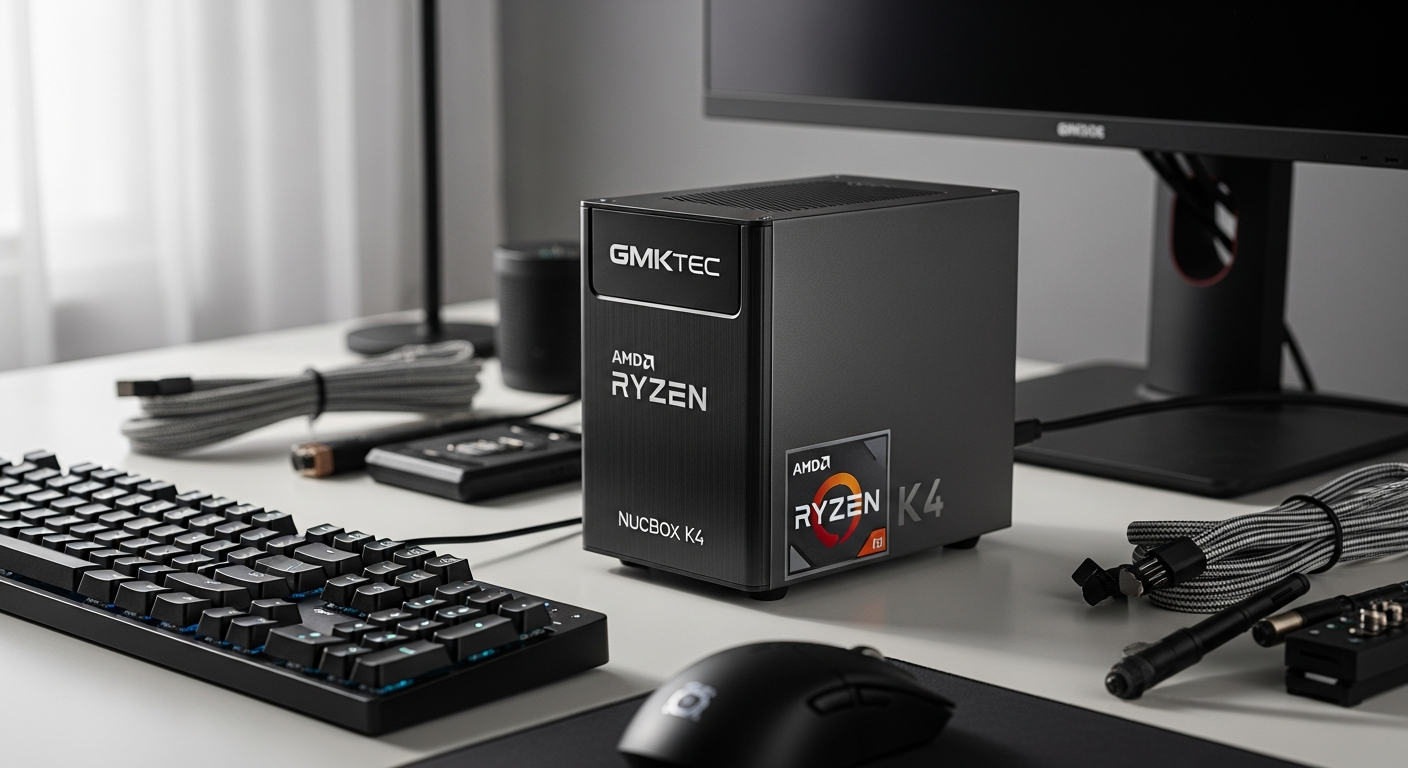
Discover the GMKtec NucBox K4 with AMD Ryzen 9 7940HS. This powerful Ryzen mini PC delivers desktop performance in a palm-sized device. Perfect for creators, professionals, and multitasking power users. Read our complete specs and performance breakdown.
Inside the Ryzen 9 7940HS: Core Architecture and Processing Power
The AMD Ryzen 9 7940HS forms the computational heart of the NucBox K4, and its architecture represents a significant step forward in mobile and compact processing. This processor features 8 Zen 4 CPU cores paired with 16 threads, delivering the multitasking horsepower traditionally found in full-size desktop systems. The base clock runs at 4.0GHz, with boost frequencies reaching up to 5.2GHz when applications demand maximum performance.
What makes this processor remarkable is its 5nm manufacturing process. This advanced node technology allows AMD to pack tremendous compute density while maintaining thermal efficiency—a critical advantage in a device this small. The architecture scales dynamically, meaning you get high performance when needed and power efficiency during lighter workloads. For professionals juggling multiple applications simultaneously, the 16 threads ensure smooth operation across demanding software stacks.
The real-world impact becomes apparent when handling CPU-intensive tasks. Video encoding that might take hours on older hardware completes in a fraction of the time. Developers experience faster compilation cycles. Content creators manipulating complex timelines in professional editing software encounter minimal bottlenecks. The processing architecture essentially brings workstation-class capability to a device smaller than a paperback book.
Integrated Radeon 780M Graphics: Gaming and Creative Capabilities
The Radeon 780M graphics processor sits alongside the Ryzen processor, built on AMD's RDNA3 architecture with 12 graphics cores operating at 2.8GHz. This integrated GPU eliminates the need for a dedicated graphics card in most scenarios, keeping the device compact while delivering respectable gaming and content creation performance.
For gaming enthusiasts, the 780M handles 1080p gaming across most modern titles with solid frame rates. Popular AAA games run at playable speeds with appropriate quality settings, while indie titles often achieve high refresh rates. The GPU also supports newer gaming features like hardware ray tracing, bringing modern visual effects to a portable system.
Content creators benefit significantly from this graphics architecture. The RDNA3 foundation provides hardware acceleration for video encoding tasks, which speeds up rendering in software like DaVinci Resolve, Adobe Premiere Pro, and OBS. GPU-accelerated rendering in 3D modeling applications like Blender processes faster than CPU-only rendering. Color grading, motion graphics, and effects composition all leverage the graphics processing capabilities without taxing the CPU cores.
Memory and Storage Configuration: Upgradeability and Future-Proofing
The NucBox K4 ships with DDR5-5600MHz RAM in a 32GB configuration (2x16GB modules), though the system supports up to 64GB for users with particularly demanding multitasking scenarios. The DDR5 standard provides significantly faster memory bandwidth compared to DDR4, benefiting applications that process large datasets or manipulate high-resolution media files.
The upgrade path remains straightforward—both RAM modules sit in easily accessible slots, allowing users to swap memory without specialized tools or technical expertise. This accessibility means your investment remains relevant as software demands evolve over the coming years.
Storage consists of a 1TB PCIe 4.0 NVMe 2280 M.2 SSD in the standard configuration, with support for up to 2TB drives. The PCIe 4.0 interface delivers transfer speeds exceeding 5GB/s, dramatically reducing file transfer times and improving application load speeds. For creative professionals working with large video files or extensive project libraries, this speed translates to tangible productivity gains.
Explore the NucBox K4 with upgraded storage and memory configurations.
Connectivity Ecosystem: Ports, Wireless, and Network Integration
Connectivity options on the NucBox K4 reflect professional-grade requirements rather than consumer shortcuts. The device features two HDMI 2.0 ports capable of driving 4K displays at 60Hz, enabling multi-monitor setups for productivity workflows. This dual-display support proves invaluable for content creators managing timelines and asset libraries simultaneously.
The USB4 port represents the most advanced connectivity feature, offering up to 40Gbps bandwidth with integrated Power Delivery and DisplayPort 2.1 Alt Mode support. This single port can daisy-chain external storage, power the device, and drive additional displays—effectively multiplying your connectivity options through a single connection.
Additional USB 3.2 Gen 2×1 Type-A ports provide backward compatibility with existing peripherals, while a USB 2.0 port handles slower devices without consuming high-speed bandwidth. A 2.5 Gigabit Ethernet port offers wired network stability superior to Wi-Fi, essential for remote professionals and office environments. Wi-Fi 6 and Bluetooth 5.2 wireless standards round out the connectivity package, ensuring compatibility with modern wireless peripherals and strong signal reception.
Real-World Performance Across Professional Workflows
Video editing represents one of the most demanding workflows the NucBox K4 tackles. Timeline scrubbing in DaVinci Resolve with 4K footage experiences minimal stuttering, particularly when working with optimized media. The combination of CPU cores for timeline rendering and GPU acceleration for color grading creates a capable environment for professional video work. Export times remain reasonable for a compact system—a typical five-minute 4K sequence takes minutes rather than hours.
3D rendering and modeling workflows benefit from the processor's core count and graphics capabilities. Blender projects with complex geometry and multiple render engines process at speeds comparable to entry-level workstations. Cinema 4D handles moderate projects smoothly, while GPU-accelerated rendering leverages the Radeon 780M for faster preview iterations. The RAM capacity supports substantial scene complexity without excessive swapping to storage.
Software developers experience faster compilation cycles across major programming languages and frameworks. The 8 cores parallelize compilation jobs effectively, reducing iteration time during active development. Version control operations, dependency resolution, and testing frameworks all benefit from the available processing power. Remote developers appreciate the portability—you maintain development velocity whether working from an office, coffee shop, or travel location.
Pricing Strategy and Value Proposition Analysis
The NucBox K4 pricing structure offers flexibility across different budget levels. Barebones configurations start at $519 for users who want to source their own RAM and storage, reducing cost for those comfortable with component selection. Standard configurations with 32GB RAM and 1TB SSD typically price at $689-$699.99, with coupon availability frequently dropping prices further.
This positioning creates compelling value when compared to equivalent traditional desktop systems. A desktop computer delivering equivalent performance would require a separate monitor, keyboard, mouse, and speakers—adding $300-$500 to the total cost. The NucBox K4 connects to existing peripherals, eliminating redundant purchases. When calculated on a performance-per-dollar basis, particularly against competing premium mini PCs, the NucBox K4 demonstrates genuine competitive advantage.
For content creators and professionals, the cost efficiency extends beyond purchase price. Portability eliminates the need for multiple workstations across different locations, and the upgrade pathway ensures longer usable lifespan compared to sealed systems.
Who Should Buy the NucBox K4 and Ideal Use Cases
Content creators managing video, audio, and graphic design workflows find genuine value in the NucBox K4's capabilities. The processing power handles demanding timelines and rendering tasks while the compact form factor fits any workspace. Freelance creators particularly benefit from portability—moving between client locations or home office doesn't mean leaving your primary workstation behind.
Remote professionals requiring powerful portable computing solutions appreciate the balance the NucBox K4 strikes. Architectural designers, engineers, and data analysts working with resource-intensive applications gain the necessary computational power in a device that fits carry-on luggage. Video conferencing runs smoothly even with background applications active, and the 2.5 Gigabit Ethernet ensures reliable connectivity for important calls.
Developers and programmers valuing fast compilation speeds and responsive development environments find the 8-core architecture compelling. Whether working with compiled languages, Docker containers, or virtual machines, the available processing headroom reduces friction during active coding sessions. The DDR5 memory bandwidth benefits memory-intensive development workflows.
Tech enthusiasts and early adopters attracted to cutting-edge architecture specifications appreciate the Ryzen 9 7940HS and RDNA3 graphics combination. The upgrade potential and driver optimization trajectory make the system appealing to users who want current technology without the sealed-ecosystem limitations.
Optimization Tips for Maximum Performance and Longevity
BIOS settings significantly influence NucBox K4 behavior under various workloads. Performance-focused users can adjust power profiles to favor maximum clock speeds, though this generates additional heat. Thermal-conscious users benefit from tweaking thermal thresholds to maintain system stability during extended sessions. The manufacturer provides BIOS documentation addressing common optimization scenarios.
Windows 11 Pro configuration allows granular control over resource allocation and background processes. Disabling unnecessary startup applications and services improves responsiveness during active work. Resource Monitor and Task Manager reveal which processes consume CPU and memory, enabling informed decisions about running services. Developer mode and virtualization features can be toggled based on specific workflow requirements.
Driver updates and chipset optimization represent ongoing opportunities for performance improvements. AMD releases regular processor and graphics driver updates addressing compatibility and performance. Windows updates similarly improve system stability and efficiency. Dedicating time to driver maintenance ensures you extract maximum performance from the hardware investment while maintaining long-term system reliability.
The Compact Powerhouse That Refuses to Compromise
The GMKtec NucBox K4 stands as a remarkable achievement in miniaturization without sacrificing substance. This device genuinely delivers desktop-class performance in a compact form factor. Whether you're rendering 4K video, compiling code, managing dozens of browser tabs, or enjoying 1080p gaming, the Ryzen 9 7940HS and Radeon 780M combination proves that compact doesn't mean compromised.
I'd recommend the NucBox K4 to anyone seeking a portable powerhouse—content creators, remote professionals, developers, and tech enthusiasts will find genuine value here. The upgrade potential through RAM and storage expansion adds longevity to your investment, while the $689-$699 price point positions it as a genuinely competitive option in the premium mini PC market. If you prioritize performance density, portability, and future-proofing, this machine deserves serious consideration.