
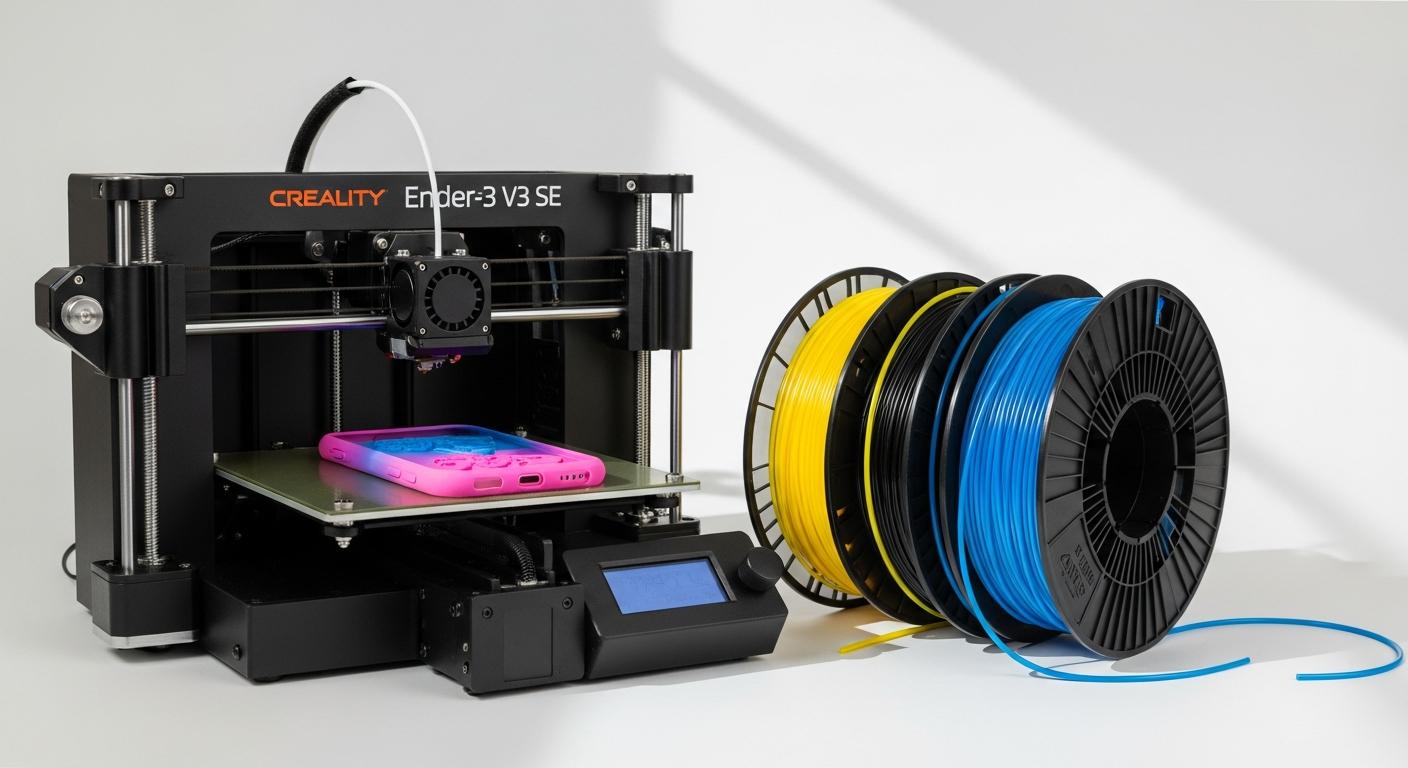
Discover how to print TPU, TPE, and other flexible filaments on the Creality Ender-3 V3 SE. Learn settings, best practices, and which materials work best with this budget 3D printer's direct-drive extruder.
Flexible 3D printing has traditionally belonged to high-end machines and seasoned makers. The barrier to entry was steep, the learning curve punishing, and the results inconsistent. That landscape has shifted dramatically.
The Creality Ender-3 V3 SE’s direct-drive Sprite extruder has democratized flexible material printing in ways that seemed impossible five years ago. The jump from rigid plastics like PLA to flexible materials represents a transformational milestone in any maker’s journey, unlocking entirely new applications—phone cases, flexible hinges, gaskets, prosthetics, and wearable prototypes suddenly become viable projects rather than distant aspirations.
Explore the Creality Ender-3 V3 SE and start your flexible printing journey today.
Why the Ender-3 V3 SE Excels at Flexible Material Printing
Direct-drive extruder advantage
The Sprite extruder’s proximity to the hotend eliminates the filament slack that plagues Bowden systems. This architectural choice enables consistent pressure application—critical when working with materials that compress under inconsistent force. The reduced distance between extruder and nozzle means each rotation of the drive gear translates directly into material movement, with no accommodation for the flex that defeats Bowden-based printers when handling TPU or TPE.
Reduced friction and binding
Direct-drive configuration prevents the material compression and jamming issues that make flexible printing frustrating on comparably-priced competitors. Flexible filaments don’t jam when forced through a long, winding tube path. They simply stop moving. The Sprite extruder’s direct connection bypasses this problem entirely, allowing the drive gears to maintain constant grip without the risk of losing traction that haunts Bowden users.
Linear rod stability
The Y-axis linear rods provide the mechanical precision needed for consistent extrusion of softer materials. When the print bed moves with predictable smoothness, the nozzle maintains proper contact with each layer. This stability matters exponentially more with flexible materials, where inconsistent bed movement translates directly into extrusion inconsistencies.
Spring steel PEI bed
The flexible print surface accommodates the expansion and contraction of flexible prints without warping. Flexible prints naturally want to curl slightly as they cool. A rigid aluminum bed compounds this problem. The spring steel surface flexes with the print, reducing stress and making removal far easier once the print completes.
Compatible Flexible Filaments for the Ender-3 V3 SE
TPU (Thermoplastic Polyurethane)
TPU represents the most popular flexible filament choice for the Ender-3 V3 SE. Shore A hardness ratings typically range from 85A to 95A, with lower numbers indicating greater flexibility. Brands like Prusament TPU, MatterHackers Flexible Filament, and Creality’s own TPU offerings consistently perform well on this machine. These materials print reliably between 230-250°C and require slower speeds than rigid plastics, but the results justify the patience.
TPE (Thermoplastic Elastomer)
TPE shares similar characteristics with TPU but often exhibits slightly different flow properties and temperature requirements. Optimal printing temperatures range from 220-240°C, generally lower than TPU. The material differs from TPU in its polymer structure, resulting in prints that feel slightly different—often slightly softer and more rubber-like. TPE tends toward less aggressive stringing than TPU, making it forgiving for beginners.
Flexible PLA variants
Several manufacturers now produce PLA-based flexible filaments that bridge the gap between rigid PLA and full TPU flexibility. These materials offer easier printing than TPU while still providing reasonable flexibility. They represent an excellent entry point for makers new to flexible materials, requiring fewer settings adjustments than TPU and printing successfully at speeds only slightly slower than standard PLA.
Ninjaflex and specialty brands
Premium flexible filaments command higher prices but don’t always deliver proportionally better results on budget hardware like the Ender-3 V3 SE. The printer’s capabilities plateau before the filament’s potential becomes relevant. Standard TPU from reputable manufacturers delivers exceptional value. Premium brands shine more on higher-end machines with advanced controls.
Essential Printer Settings for Flexible Material Success
Nozzle temperature optimization
Finding the sweet spot between 220-250°C depends on the specific filament brand and hardness rating. Start at 235°C for most TPU and adjust upward if you observe under-extrusion or layer separation. Lower temperatures reduce stringing but increase jamming risk. Higher temperatures improve flow but amplify oozing. Document your findings for each filament batch—temperature can vary slightly between manufacturers despite identical material classifications.
Bed temperature recommendations
Why 50-60°C works better than higher temperatures for flexible materials relates to how these materials behave during cooling. Higher bed temperatures keep flexible materials soft longer, increasing the likelihood of warping and curling during print progression. The moderate range of 50-60°C provides adequate adhesion during initial layers while allowing the material to cool sufficiently to maintain dimensional stability as the print builds upward.
Print speed adjustments
Standard print speeds of 150mm/s work fine for rigid plastics but overwhelm flexible materials. Slow to 30-50mm/s for flexible printing, allowing the extruder to maintain consistent pressure without overwhelming the drive gears. At slower speeds, the extruder has time to grip, advance, and release the filament in controlled increments rather than trying to force material through an inconsistent path.
Retraction settings
Standard retraction often fails catastrophically with flexible materials. The filament compresses under the retraction force, then fails to decompress reliably when retraction reverses. Disable retraction entirely or use minimal values like 1-2mm at 20mm/s. Accept some stringing as the trade-off for consistent extrusion and fewer jams. Post-processing with an exacto knife removes stringing far more efficiently than fighting retraction issues.
Get your Creality Ender-3 V3 SE configured for flexible material success.
Pre-Print Preparation and Maintenance
Filament storage best practices
TPU and TPE absorb moisture from the environment, degrading performance over time. Store filament in airtight containers with desiccant packets, keeping them away from direct sunlight and heat sources. Check stored filament for moisture before printing—even slightly damp flexible material will exhibit brittleness and extrusion inconsistencies. A filament drying box set to 50-60°C for 4-6 hours conditions damp material before printing.
Nozzle cleaning procedures
Flexible materials leave residue more readily than rigid plastics, and minor clogs cause disproportionate extrusion problems. Clean the nozzle after every 5-10 hours of flexible printing rather than the 20-30 hour intervals acceptable for PLA. Use a brass wire brush or specialized nozzle cleaner, and always clean with the nozzle heated to at least 220°C. Hardened flexible material becomes nearly impossible to remove once cooled.
Extruder tension adjustment
Getting the right grip without crushing flexible filament requires careful calibration. The drive gear should bite firmly into the filament without deforming it. Too little tension causes slipping; too much causes compression that prevents consistent feeding. Start with moderate tension and perform test prints, listening for clicking sounds that indicate insufficient grip. Gradually increase tension until clicking stops, then back off slightly.
Bed adhesion preparation
Flexible materials stick better to prepared surfaces than bare steel. Apply a thin layer of glue stick, hairspray, or an adhesion sheet before printing. These substances create a release agent that prevents the print from bonding too aggressively to the bed—critical because over-adhesion causes tearing when removing the finished print. Reapply adhesion aids between prints.
Troubleshooting Common Flexible Printing Issues
Under-extrusion and gaps
Diagnosing whether the problem stems from extruder slippage, nozzle clogs, or settings requires systematic testing. Check the filament path for kinks or damage. Verify the extruder isn’t clicking (sign of insufficient tension). Clean the nozzle if you haven’t done so recently. Then adjust temperature upward by 5°C increments while monitoring first-layer quality. Document which temperature and tension combination produces consistent extrusion.
Stringing and oozing
Flexible materials are more prone to stringing than rigid plastics because they cool more slowly and their reduced viscosity promotes material leaking from the nozzle. Reduce hotend temperature by 5°C increments while maintaining reliable extrusion. Increase print speed slightly within the 30-50mm/s range. Accept minor stringing as normal and plan for post-processing cleanup.
Layer adhesion problems
Delamination in flexible prints indicates insufficient extrusion width or temperature. Increase nozzle temperature by 5°C, or reduce print speed by 10mm/s to allow more material deposition time. Check bed leveling—flexible materials are more sensitive to improper distance than rigid plastics. Rerun automatic bed leveling before attempting another print.
Extruder grinding and clicking
Recognizing these sounds indicates either excessive tension crushing the filament or the material jamming inside the nozzle. Reduce extruder tension slightly and attempt a print. If grinding persists, the nozzle likely has a partial clog—stop the print and clean the nozzle. Never increase tension as a response to grinding; this only compounds the problem.
Real-World Applications and Project Ideas
Phone cases and protective covers
Phone cases showcase the printer’s capabilities perfectly. The flexibility absorbs impact while maintaining structural integrity. Design cases with 2-3mm walls, incorporating finger grips and camera cutouts. TPU at 95A Shore A hardness provides an excellent balance between flexibility and durability. Production prints typically require 12-18 hours per case, demonstrating how practical manufacturing becomes with the right hardware.
Flexible hinges and living hinges
Creating functional joints without separate assembly represents one of flexible printing’s most compelling applications. Design print-in-place hinges using thin flexible sections connecting rigid structural elements. The Ender-3 V3 SE handles these designs reliably, producing hinges that endure thousands of flex cycles without failure. This capability opens possibilities for articulated enclosures, movable joints, and adaptive structures.
Gaskets and seals
Flexible materials excel at sealing applications where rigid gaskets fail. Print custom gaskets for plumbing, automotive, or industrial applications. TPU’s material properties provide compression set resistance—the ability to maintain sealing force after repeated compression. Design gaskets with draft angles and material thickness matched to specific pressure requirements.
Prosthetic components
Makers are using flexible printing for assistive devices where rigid materials would cause discomfort. Flexible prosthetic sockets, custom orthotics, and wearable support structures benefit from materials that conform to the body while maintaining functional geometry. The Ender-3 V3 SE’s capability to handle these projects affordably democratizes assistive device manufacturing.
The Flexible Future Starts Here
The Creality Ender-3 V3 SE has fundamentally changed what’s possible at the budget end of the 3D printing spectrum. Its direct-drive architecture and robust frame make it genuinely capable of handling flexible materials that would frustrate users on comparably-priced alternatives. With the right settings, proper maintenance, and a methodical approach to troubleshooting, you’ll produce functional, high-quality flexible parts that rival prints from machines costing three times as much.
Whether you’re designing phone cases, creating prosthetic components, or experimenting with living hinges, the Ender-3 V3 SE delivers exceptional results. The barrier to flexible printing has lowered dramatically. Start with a quality TPU sample from a reputable brand, dial in your settings using the recommendations in this guide, and document your results.
Begin your flexible material printing adventure with the Creality Ender-3 V3 SE today.