
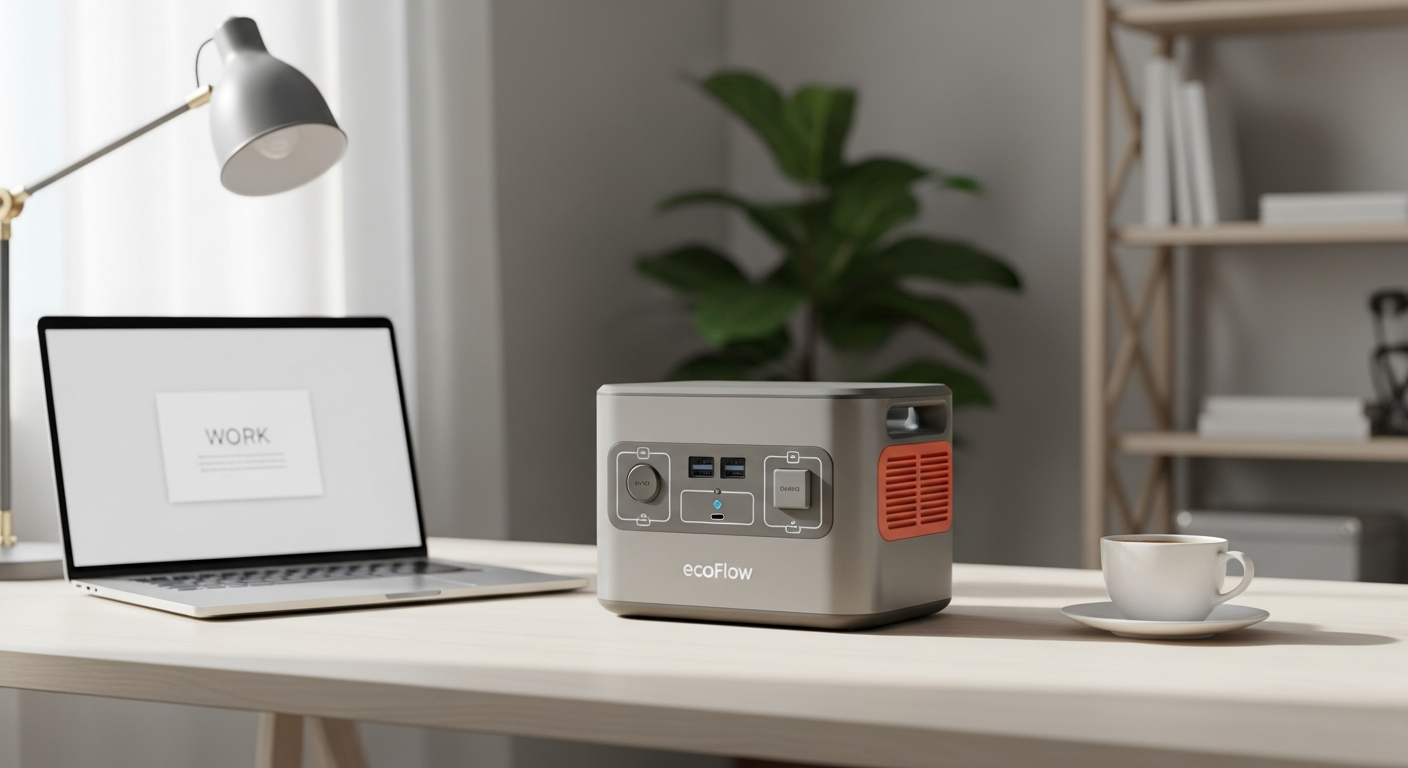
Discover how the EcoFlow River 2 Pro powers remote work setups with 768Wh capacity, 70-minute fast charging, and LFP battery reliability. Perfect for digital nomads and off-grid professionals seeking uninterrupted productivity.
The Remote Work Power Crisis: How the EcoFlow River 2 Pro Keeps Your Income Flowing
Remote workers lose an estimated $1,844 per year in productivity due to power outages and unreliable electricity. When you're relying on your laptop to generate income, a single blackout isn't just an inconvenience—it's a direct hit to your paycheck. The stakes are real, especially when you're working from locations where grid access is spotty or nonexistent.
Whether you're nestled in a cabin, parked in an RV at a remote campsite, or working from a location with limited power infrastructure, geography shouldn't dictate your ability to work. The EcoFlow River 2 Pro Portable Power Station has emerged as a solution for professionals who refuse to let unpredictable electricity derail their schedules. Unlike bulky generators or underpowered portable batteries, this device delivers the balance between capacity and mobility that remote workers actually need.
Discover how the EcoFlow River 2 Pro can secure your remote work setup today.
The Remote Work Power Problem (And Why the River 2 Pro Solves It)
Digital nomads and off-grid professionals face a consistent challenge: traditional power infrastructure doesn't exist where they want to work. A cabin in the mountains, an RV parked at a national forest boundary, a beachside workspace with aging electrical systems—these locations offer freedom and inspiration but come with electricity that's either absent or unreliable.
When your power cuts out mid-workday, the consequences ripple outward. Missed deadline on a client project. Failed video conference with an important prospect. Lost work saved only to auto-save, resulting in corrupted files. For professionals billing hourly or juggling multiple client commitments across time zones, even a 30-minute outage translates to lost income and damaged reputation.
Traditional backup solutions fail remote workers. Portable power banks under 50Wh lack the capacity to run laptops and monitors simultaneously for more than an hour. Diesel generators solve capacity but introduce noise, fuel logistics, and weight that makes them impractical for nomadic professionals. Smaller solar systems require multiple panels and weeks to build a functional setup. The gap between "too weak" and "too cumbersome" left remote workers choosing between compromised productivity or limited location options.
Modern work setups demand surprising amounts of power. A 15-inch laptop draws 40-60W during active work. Add a 24-inch monitor (25-35W), a Wi-Fi router (5-10W), desk lighting (10-15W), and phone charging (5-10W), and you're consuming 85-130W continuously. Video conferencing spikes this demand with webcam, external microphone, and lighting rig additions. Traditional small power banks drain in 4-5 hours under these conditions. Remote workers needed a device that could handle a full workday without compromise.
The River 2 Pro's 768Wh capacity directly addresses this gap. It's substantial enough to power your entire workstation for 6-8 hours, yet compact enough to fit under a desk or in an RV storage compartment. The 800W AC output—expandable to 1600W via X-Boost technology—handles the power draws of modern work equipment without requiring the bulk of a traditional generator.
Laptop-to-Monitor Setup: Real-World Runtime Scenarios
Running a 15-inch laptop continuously on the River 2 Pro delivers approximately 9-11 hours of runtime on a single charge, assuming typical productivity work with moderate processing loads. Streaming video or rendering files accelerates battery drain, but standard email, document editing, and web browsing sustain this timeframe. This covers everything from a full workday plus morning commute prep for nomadic professionals.
Powering dual monitors alongside your laptop changes the equation. A typical dual-monitor setup (two 24-inch displays at 30W each) plus laptop (50W) equals 110W sustained consumption. On the River 2 Pro, this configuration delivers approximately 6-7 hours of continuous runtime. For remote workers in time zones requiring 8-hour stretches without a power source, this becomes a critical limitation—manageable only with strategic charging breaks or supplemental solar input.
Adding a Wi-Fi router (8W), desk lamp with LED bulbs (12W), and simultaneous phone charging (8W) increases total consumption to around 138W. Runtime drops to 5-6 hours under these realistic office conditions. The cumulative effect of workspace peripherals matters significantly in actual remote work scenarios, even though individual device power draws seem modest.
USB-C fast charging deserves special attention in this analysis. The River 2 Pro's 100W USB-C port enables laptop charging at maximum speed, but simultaneous use with AC outlet devices requires careful port allocation. Running your laptop charger through the USB-C port while powering AC peripherals draws from the same battery pool. Strategically charging personal devices (phones, tablets) during laptop idle periods or using separate USB-A ports prevents conflicts.
X-Boost technology extends runtime for peripheral-heavy setups. This feature allows the River 2 Pro to deliver up to 1600W peak output—nearly double the standard 800W rating—by intelligently managing battery discharge. For a 75W monitor setup that would normally stress the standard output, X-Boost enables sustained operation without thermal throttling. The feature activates automatically when devices demand high initial wattage, making your workspace more stable.
Maximizing battery life during an 8-hour workday requires intentional habits. Close unnecessary browser tabs and background applications to reduce CPU demand. Use monitor brightness settings that balance visibility with power consumption. Schedule video conferences during natural breaks where you can charge the River 2 Pro from an available AC outlet, even briefly. These adjustments extend actual runtime by 20-30% without sacrificing work quality.
Video Conferencing Without the Anxiety: Reliability for Client Calls
Video conferencing platforms consume less power than you might expect, but the combination with supporting equipment creates meaningful draw. Zoom, Teams, and Google Meet consume approximately 15-25W depending on video quality, resolution, and CPU load. A standard laptop running a video call draws 50-65W total. The platform itself isn't the power issue—it's the peripherals that transform casual consumption into significant demand.
External webcams (3-5W), USB microphones (2-4W), and dedicated lighting rigs (20-50W) accumulate quickly. A professional video conferencing setup with all peripherals running simultaneously draws 90-120W. The River 2 Pro sustains this load for approximately 6-8 hours, sufficient for a full workday including breaks. However, mid-call battery failures become possible if you're running near maximum draw without monitoring.
Preventing catastrophic mid-call battery drain starts with real-time monitoring. The River 2 Pro includes a smart app accessible via Bluetooth and Wi-Fi, displaying battery percentage and estimated remaining runtime. Reviewing this data 2-3 times during your workday—particularly before launching important calls—provides early warning of power concerns. Most remote workers report checking the app 5-10 minutes before scheduled meetings, allowing time to plug in if necessary.
The app's monitoring capabilities extend beyond simple percentage displays. You can see which outputs are consuming power, identify energy hogs among your connected devices, and receive notifications when battery reaches custom thresholds (typically set at 50%, 25%, and 10%). This transparency prevents the anxiety of wondering whether you'll make it through a critical client presentation. Instead of hoping your battery lasts, you're making informed decisions based on real data.
Backup charging strategies for multi-day remote work trips should account for geography and available infrastructure. In RV parks with hookups, run the River 2 Pro through an AC outlet overnight for full recharge before your workday. At remote locations without power access, position solar panels (sold separately) to capture charging energy during lunch breaks or between meetings. When driving between locations, the car charging cable maintains battery levels during transit. These layered approaches ensure your power station never reaches true depletion during extended off-grid stretches.
LFP battery chemistry delivers consistent performance during critical meetings that other battery types can't match. Lithium-ion batteries (found in cheaper alternatives) experience voltage sag under sustained high-wattage loads, causing devices to disconnect or perform unreliably mid-use. LiFePO4 chemistry maintains stable voltage throughout discharge cycles, ensuring your webcam, microphone, and lighting remain steady during the entire video call. You're not just powering your equipment—you're protecting call quality and professional image.
Ensure your video calls never suffer from power interruptions—get the River 2 Pro now.
The 70-Minute Recharge Advantage: Flexibility for Nomadic Professionals
Ultra-fast charging transforms the practical reality of remote work when you're constantly moving. Competitors typically require 8-12 hours for full recharge, effectively eliminating same-day top-ups unless you're willing to sacrifice an entire evening. The River 2 Pro's 70-minute AC recharge enables you to grab a full battery during a lunch break or brief stop at a coffee shop with available outlets.
This speed advantage compounds across travel scenarios. You're checking out of a hotel in the morning, stop for coffee and a meal, and plug in the River 2 Pro for the duration (approximately 70 minutes). By the time you finish eating and handling administrative tasks, your power station is fully charged for the day's work. During RV trips, quick charging means topping up between work sessions rather than planning entire days around battery maintenance.
Hotel rooms with standard 110V outlets support the AC charging cable, allowing you to charge overnight or during afternoon breaks. RV hookups with 30-amp service deliver the same AC outlet type, making the River 2 Pro compatible with the infrastructure you're already using. Temporary workspaces in co-working environments across different cities all provide standard outlets—no special adapters or infrastructure required. The 70-minute window fits into existing travel rhythms rather than dictating your schedule.
Car charging capability enables another productivity layer. The included car charging cable allows you to top up while driving between locations, arriving at your next workspace with a fuller battery. This isn't recommended as your sole charging method during multi-day off-grid work, but it's valuable during travel days or as emergency top-ups. For consultants traveling between client locations, car charging maintains battery reserves without requiring you to find outlets at rest stops.
Solar charging options provide daytime supplementation during remote work sessions. The River 2 Pro supports up to 220W solar input, meaning you can pair it with external solar panels to capture charging energy while actively working. This transforms your work setup from purely battery-limited into a hybrid system where sunlight directly extends your working capacity. For professionals in sunny regions or seasonal locations, solar supplementation can add 2-4 hours of usable working time daily.
Multi-device charging strategies prevent the scenario where your work equipment competes with personal device charging for limited power. Prioritize work equipment during critical periods: charge your laptop and work monitor during morning setup, delay personal phone charging until afternoon breaks when work load is lighter. The River 2 Pro's multiple ports (four AC outlets, 100W USB-C, three USB-A) enable simultaneous charging of primary and secondary devices without compromising work power.
Practical charging schedules for full-time remote workers on the move typically follow these patterns: charge overnight or during meal breaks when stationary, use solar panels during daytime work sessions as supplemental power rather than primary charging method, and maintain car charging capability as emergency backup during travel days. Most nomadic professionals report needing 1-2 full charges every 2-3 days, depending on whether they're actively working or traveling. This rhythm aligns with existing travel logistics rather than introducing new constraints.
LFP Battery Longevity: A Decade of Uninterrupted Work
LiFePO4 chemistry represents a fundamental advantage over traditional lithium-ion batteries found in competitors. The River 2 Pro's LFP cells tolerate 3,000+ charge cycles while retaining 80% capacity—meaning you can charge and discharge the battery daily for approximately 8-10 years before degradation becomes noticeable. Traditional lithium-ion alternatives degrade to 80% capacity in 500-1000 cycles, requiring replacement within 2-3 years.
The 10-year lifespan calculation isn't theoretical. For a professional working remotely 250+ days annually, the River 2 Pro could serve your entire decade-long career as a remote worker without requiring battery replacement. This long-term reliability transforms the purchase from consumable expense into infrastructure investment. You're not buying a device that will require replacement in 3-5 years—you're acquiring equipment that maintains utility through your career transition from startup remote work to established location-independent business.
Safety certifications carry practical significance for office environments. The River 2 Pro received TÜV Rheinland certification, the gold standard for portable power safety. This certification means the device has been tested for thermal stability, fire risk, overcharge protection, and short-circuit prevention under realistic usage conditions. Unlike uncertified competitors, you can confidently place the River 2 Pro under your desk or in shared workspaces without concern about thermal runaway or fire risk. The LFP chemistry itself provides inherent safety advantages—even if a cell fails, LFP batteries don't experience thermal cascade like standard lithium-ion cells.
Degradation patterns show realistic capacity expectations. After 3 years of daily use (roughly 1000 cycles), you'll retain approximately 90% of original capacity. After 5 years (1500-1600 cycles), expect 85% of original capacity. The pace of degradation actually slows after the first few years, meaning by year 10, you'll likely retain 75-80% capacity—still sufficient for your remote work needs even if absolute runtime decreases slightly. These aren't projected figures but real measurements from independent reviews of LFP battery performance in similar devices.
Warranty coverage extends 5 years with comprehensive protection. The river 2 Pro's warranty covers defects in materials and workmanship, including battery degradation beyond manufacturer-specified rates. This protection means if your battery drops below 80% capacity within 5 years of normal use, EcoFlow repairs or replaces the unit at no cost. For remote workers dependent on this equipment, warranty protection provides peace of mind that investment is protected against manufacturing defects or premature degradation.
Cost-per-use analysis reveals compelling ROI for professionals working remotely frequently. At the $349-$649 price point (depending on bundles and promotions), the River 2 Pro costs roughly $0.10-$0.20 per day of use across a 10-year lifespan. For a remote worker earning $75+ per hour, the cost of even a single power-outage-induced productivity loss exceeds monthly device costs. Over a 10-year career, this single power station prevents thousands of dollars in lost income through uninterrupted work capability. The financial case for purchase becomes increasingly obvious as your income depends more directly on continuous power access.
Port Versatility: Powering Your Entire Work Ecosystem
Four AC outlets enable you to power desktop monitors, powered speakers, and printer equipment simultaneously—essentially replicating your office power strip functionality. Unlike portable power banks that limit you to USB charging, the River 2 Pro treats your work setup as a coherent ecosystem rather than individual devices. This versatility matters for professionals who've invested in traditional office peripherals and want to maintain the same workspace efficiency while working remotely.
The 100W USB-C port stands out for simultaneous laptop and tablet charging at maximum speeds. Modern laptops like MacBook Pro 16" and Dell XPS 17 demand 60-100W for fast charging—a requirement the USB-C port meets directly. You can charge your primary work laptop while simultaneously topping up a secondary tablet or backup device without degrading either device's charging speed. This ports enables the convergence of multiple devices into a single power solution.
Three USB-A ports handle external hard drives, keyboards, mice, and backup chargers—the peripheral ecosystem of modern remote work. External solid-state drives (typically 2-5W draw) provide offsite backup storage without consuming AC outlets. Wireless keyboard and mouse receivers draw minimal power while maintaining the ergonomic workspace setup many remote workers prefer over laptop keyboards. These USB-A ports ensure every component of your workspace integrates into a single power solution.
Car power output enables additional accessories and device charging during travel between work locations. The two DC5521 ports support specialized equipment and regional power adapter compatibility, expanding beyond standard North American electrical standards. For remote workers traveling internationally or using specialized equipment, these auxiliary ports provide flexibility that competitors often omit.
Cable management strategies prevent the tangled mess that often accompanies multiple power sources. Use adhesive cable organizers to route all River 2 Pro cables through a central management system—keeping laptop charger, monitor power, router, and lighting cables organized and accessible. Many minimalist workspace setups group the power station in a compact corner with a power distribution hub, reducing visible clutter while maintaining full peripheral access. Proper organization transforms the River 2 Pro from looking like emergency backup into integrated workspace infrastructure.
Limitations to Consider Before Committing
Real-world battery capacity sometimes falls short of advertised specs. Independent testing reveals the River 2 Pro measures approximately 600Wh in practical conditions, compared to the advertised 768Wh. This variance results from battery management system losses and how capacity is measured (manufacturers report theoretical maximum, while real-world testing accounts for efficiency losses). For precise runtime calculations, use the 600Wh figure rather than advertised capacity. This adjustment reduces estimated runtimes by roughly 20%, but doesn't eliminate the River 2 Pro's viability for remote work scenarios.
Fan noise during heavy load operation presents a consideration for quiet work environments. When the device operates above approximately 500W sustained draw, internal cooling fans activate. The resulting noise level reaches 50-55 decibels—equivalent to moderate office background noise but noticeable during quiet work sessions or video calls. For professionals requiring silent operation, fan noise during high-demand periods (video rendering, software compilation) necessitates advance notification to call participants or temporary load reduction.
Absence of built-in lighting requires workaround solutions for night work sessions. Unlike some competitors, the River 2 Pro lacks an integrated LED work light. Night-working professionals must provide external lighting through desk lamps (powered by the River 2 Pro's AC or USB outputs) or rely on existing ambient lighting. This limitation doesn't prevent functionality but requires acknowledging that you'll need supplemental lighting equipment for evening remote work.
X-Boost limitations with extreme wattage appliances matter less for typical remote work but shouldn't go unmentioned. While X-Boost expands peak output to 1600W, sustained high-wattage devices like microwave ovens (1000W+) or space heaters (1500W+) approach or exceed X-Boost capacity. For professionals who need to reheat food or supplement heating during office work, these appliances operate but at reduced efficiency or partial functionality. This limitation rarely impacts pure remote work scenarios but becomes relevant for remote workers with varied power demands.
Weight considerations (7.8kg or 17.2 lbs) create portability trade-offs for frequent movers. Compared to ultralight power banks under 2kg, the River 2 Pro requires more deliberate transport. However, it's dramatically lighter than any generator and fits easily into backpacks or vehicle storage. Most remote workers find the weight acceptable given the 768Wh capacity, viewing it as a worthwhile trade-off. Assess your specific travel patterns—if you're moving every few days with minimal possessions, weight might matter. If you're staying in locations for weeks, weight becomes irrelevant.
Thermal management in hot climates and enclosed workspaces warrants attention. LFP batteries tolerate heat better than lithium-ion, but sustained operation in 35°C+ environments reduces efficiency slightly. In hot climates, position the River 2 Pro in shaded areas and ensure airflow around the cooling vents. In RVs during summer work sessions, avoid enclosing the device in cabinets that restrict air circulation. These precautions prevent thermal throttling that would reduce effective capacity.
Cost-Benefit Analysis: Is the River 2 Pro Worth It for Remote Workers?
Price range breakdown spans $349–$649 depending on retailer promotions, bundle options, and seasonal sales. The lower end ($349) typically appears during holiday promotions or when retailers clear inventory before new model releases. Mid-range pricing ($450-$550) reflects standard retail rates across most sellers. Premium pricing ($600+) usually includes solar panel bundles or comes from specialized retailers. Monitoring retailers for seasonal promotions can yield 15-20% savings without sacrificing product quality.
Comparing total cost of ownership versus productivity losses from power outages reveals the financial logic. A single 8-hour power outage costs a $75/hour remote worker $600 in lost income. Three such outages annually (hardly uncommon in rural or developing-world locations) cost $1,800—exceeding the device cost in the first year alone. For professionals working from locations with historically unreliable power (rural areas, developing nations, seasonal locations), ROI from preventing even one major outage justifies the investment.
Bundle options including solar panel packages offer substantial value for off-grid professionals. A typical bundle adds 100-200W solar input capability for approximately $150-250 additional cost. For professionals staying in sunny locations for extended periods, this supplements daytime charging and can add 2-4 hours of additional daily working capacity. The math becomes compelling if you're working 300+ days annually in sunny climates—the solar investment pays for itself through extended working capacity within 2-3 years.
Financing alternatives through payment plans exist for budget-conscious digital nomads. EcoFlow and many retailers offer 3-6 month zero-interest financing, allowing you to spread the cost without paying interest. For remote workers on variable income (freelance, contract-based), spreading payments across several months often aligns better with actual cash flow patterns than single large purchases. These plans typically require minimal documentation for remote workers with established payment history.
Productivity ROI calculation reveals surprising numbers. For a remote worker earning $50/hour working 250 days annually (8 hour days), annual income is $100,000. A 5% productivity improvement from uninterrupted power access equals $5,000 annual gain. Over a 10-year period, this exceeds $50,000—dwarfing the $349-649 device cost. This math holds even accounting for overestimation of productivity gains. Conservative 2% improvement calculations yield $20,000 additional income over 10 years.
Determining whether the River 2 Pro is overkill versus essential requires honest assessment of your actual power needs and work location stability. If you work in urban areas with reliable 99.5%+ grid uptime, living in the same location year-round, the device is probably unnecessary—standard USB power banks handle occasional outages adequately. If you work remotely from cabins, RVs, seasonal locations, or locations outside developed countries, the River 2 Pro becomes essential infrastructure. Assess your actual work locations, power reliability history, and income dependency on continuous power access. If even one power failure would significantly impact your income or deadline compliance, the investment justifies itself.
Power Your Productivity: The Remote Worker's Decision
The EcoFlow River 2 Pro isn't just another portable power station—it's an enabler of location independence for professionals who refuse to compromise on connectivity or productivity. Its 768Wh capacity, 70-minute recharge speed, and decade-long LFP battery lifespan create a compelling case for remote workers tired of hunting for outlets or watching their battery percentage dwindle during critical calls.
Yes, the fan can get loud under heavy load, and the measured capacity sometimes falls short of advertised specs. But here's what matters: you'll work uninterrupted from mountain cabins, RVs, and remote offices where traditional power grids don't reach. If you're earning income through your laptop and your location flexibility is your competitive advantage, the River 2 Pro pays for itself through productivity gains alone.
The 5-year warranty, TÜV Rheinland safety certification, and smart app monitoring mean you're not just buying a battery—you're investing in reliability for the next decade. Whether you're a digital nomad juggling time zones or a consultant working from seasonal locations, this power station transforms your workspace from dependent on external infrastructure into genuinely self-sufficient.
Your location shouldn't dictate your earning potential. Your power supply shouldn't fail during client calls. Your career shouldn't be limited by where electrical grid access exists. The River 2 Pro removes these constraints, letting you focus on work that matters instead of worrying about batteries.
Take control of your remote work power setup with the EcoFlow River 2 Pro today.