
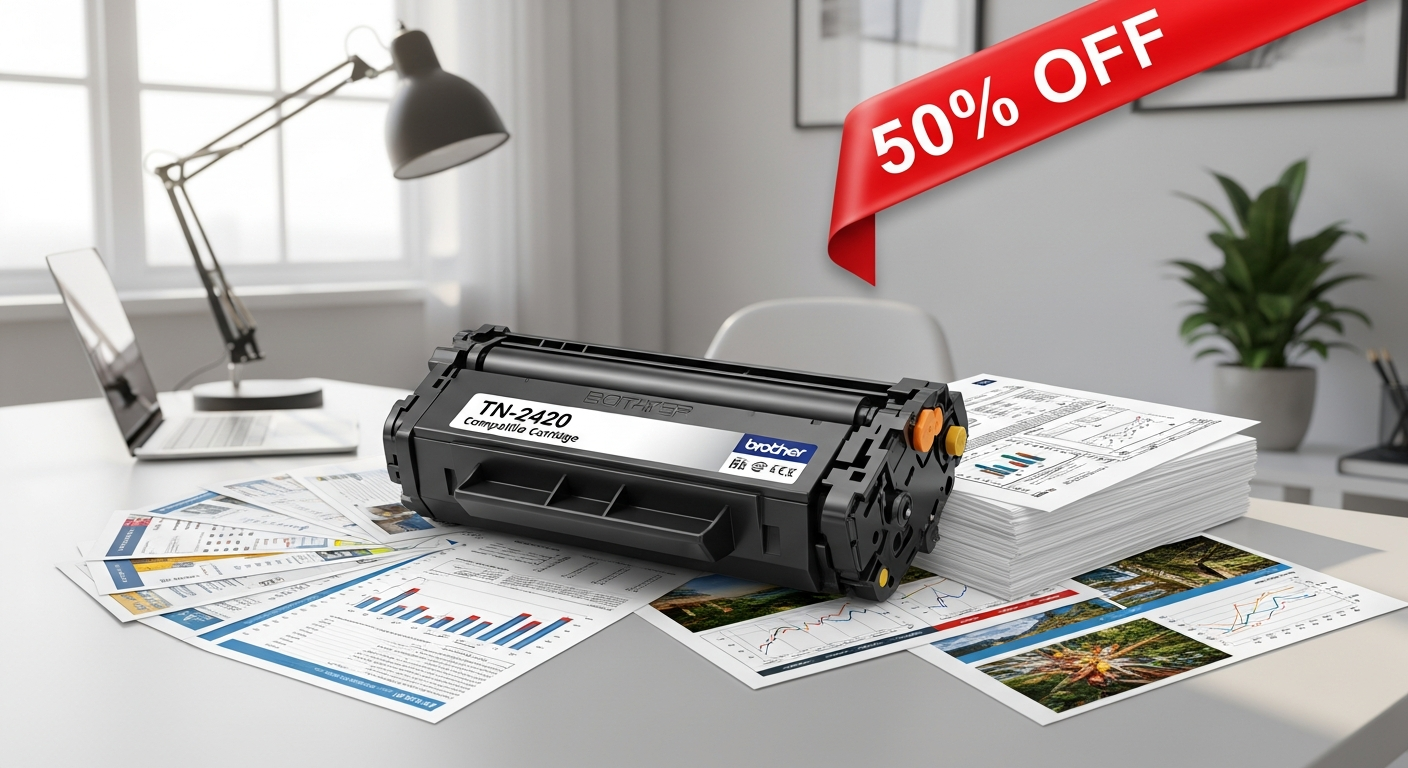
Discover how the compatible Brother TN-2420 black toner cartridge delivers 3,000-page yields and up to 50% savings. Compare features, compatibility, and performance to make the smart printing choice for your business.
Printing costs are eating into your bottom line—and they're doing it faster than you'd expect. If you're managing a busy office, home-based business, or simply printing more than ever before, you've probably noticed those original toner cartridges carry a hefty price tag. The average business spends hundreds of pounds annually on replacement cartridges, yet there's a solution gaining serious traction among savvy buyers: compatible alternatives that deliver professional-grade results without the premium price.
The compatible Brother TN-2420 black toner cartridge has emerged as a game-changer for anyone using Brother laser printers. Rather than defaulting to OEM cartridges, thousands of users are discovering that third-party options can match—and sometimes exceed—the performance of originals while slashing costs by up to 50%.
Discover the compatible Brother TN-2420 cartridge and start saving on your printing costs today.
Which Brother Printer Models Support the TN-2420 Compatible Cartridge?
HL-L2350DW laser printer compatibility and specifications
The HL-L2350DW stands as one of Brother's most popular monochrome laser printers, and it pairs seamlessly with the TN-2420 cartridge. This compact yet powerful device handles moderate to high-volume printing with ease, making it a favorite for small office environments. The cartridge slots into the printer's toner chamber without modification, and users report straightforward installation across this model line.
MFC-L2710DW multifunction printer setup requirements
The MFC-L2710DW combines printing, scanning, copying, and faxing in a single unit, serving as the workhorse for many small businesses. Compatible TN-2420 cartridges integrate perfectly into this multifunction design. The installation process mirrors that of standalone printers, with the cartridge inserting into the designated slot within seconds.
DCP-L2510D desktop printer compatibility details
Designed for budget-conscious users needing reliable desktop printing, the DCP-L2510D welcomes the TN-2420 cartridge without issue. This model's straightforward design means compatible cartridges work identically to OEM versions, providing no functional difference in performance or compatibility.
HL-L2310D monochrome printer support
The HL-L2310D brings essential printing functionality to home offices and small workspaces. The TN-2420 cartridge works flawlessly with this model, making it an excellent entry point for those considering the switch to compatible alternatives.
Additional Brother models that accept TN-2420 cartridges
Beyond the primary models listed, numerous other Brother laser printers support this cartridge. The compatibility extends across the HL-L2300 series, MFC-L2700 series, and DCP-L2500 series, covering a significant portion of Brother's monochrome printer portfolio. Users with less common Brother models should verify compatibility before purchasing, though the TN-2420 maintains broad support across the brand's laser printer ecosystem.
How to verify your specific printer model for compatibility
Locating your printer model takes mere seconds. Check the rear panel or the front bezel of your printer for a model designation starting with HL, MFC, or DCP followed by numbers. Cross-reference this against manufacturer compatibility lists or supplier documentation before ordering cartridges. Most reputable retailers provide comprehensive compatibility databases on their websites.
Installation process across different Brother printer lines
Installation consistency is one of the TN-2420's strengths. Open your printer's access panel, slide out the existing cartridge by pulling the designated tab, and insert the new cartridge until it clicks securely into place. The entire process typically takes under two minutes, requiring no tools or technical expertise. Brother's straightforward engineering means the process remains identical across all compatible models.
Potential compatibility issues and troubleshooting steps
Genuine compatibility problems with the TN-2420 are rare, particularly when sourced from reputable suppliers. If your printer doesn't recognize a new cartridge, first ensure it's fully inserted and the protective tape has been removed. Power-cycle the printer by disconnecting it for 30 seconds, then reconnecting. Should issues persist, contact your cartridge supplier's support team—most stand behind their products with comprehensive troubleshooting assistance.
OEM cartridge slot specifications versus compatible alternatives
The physical dimensions and connector specifications of compatible TN-2420 cartridges match OEM versions exactly. Brother's design allows no room for deviation; cartridges either fit or they don't. Suppliers manufacturing to proper specifications produce cartridges indistinguishable from originals in terms of physical compatibility, even if the internal toner formulation differs slightly.
Page Yield and Print Volume: What 3,000 Pages Really Means
Understanding page yield metrics and industry standards
Page yield represents the average number of pages a cartridge can produce under standardized testing conditions. Industry standards assume 5% page coverage—meaning text and graphics occupy approximately 5% of each printed page. This metric provides a baseline for comparing cartridges across brands, though real-world yield varies based on actual document composition and printer settings.
How 3,000-page capacity compares to standard cartridges
The TN-2420's 3,000-page capacity positions it in the high-capacity category for black toner cartridges in its price range. Standard cartridges often yield 1,000-1,500 pages, meaning the TN-2420 delivers roughly double the output before requiring replacement. For businesses printing regularly, this translates to fewer disruptions and significantly reduced cartridge purchasing frequency.
Monthly printing volume calculations for different user types
A home office user printing 500 pages monthly would replace a standard cartridge every 2-3 months but could stretch a TN-2420 to 6 months between replacements. Small businesses averaging 2,000 pages monthly would cycle standard cartridges every 6-8 weeks, while a TN-2420 would sustain them for approximately 18 weeks. High-volume operations printing 5,000+ pages monthly still benefit substantially, reducing replacement frequency from weeks to multiple weeks.
Cost-per-page analysis for budget planning
With the TN-2420 priced around £24.70 and delivering 3,000 pages, the cost-per-page calculates to approximately 0.82 pence per page. Original Brother cartridges typically cost 40-60% more, pushing their per-page cost toward 1.5-2 pence. Over a year of moderate printing, this difference compounds into meaningful savings that justify the switch.
Actual yield versus advertised yield: what to expect
Real-world yield frequently exceeds manufacturer estimates when documents contain lighter text or substantial white space. Conversely, heavy graphics or dense printing can reduce yield by 10-20%. User reviews consistently report actual yields within 5-10% of the advertised 3,000-page figure, making the specification reliably achievable for planning purposes.
High-capacity versus standard cartridge economics
The economics favor high-capacity cartridges decisively. Even though the per-unit cost appears higher, the cost-per-page advantage compounds over time. A business purchasing five standard cartridges annually spends significantly more than purchasing two high-capacity alternatives while generating less waste.
Longevity benefits for low-maintenance printing operations
Fewer cartridge changes mean reduced printer maintenance downtime and lower administrative overhead. Operations requiring minimal manual intervention benefit considerably from the TN-2420's extended yield, as staff spends less time managing supply chain logistics.
Environmental impact of fewer cartridge replacements
Reducing cartridge consumption by 50% directly correlates to reduced manufacturing waste, packaging waste, and transportation emissions. Users choosing compatible high-capacity cartridges make a measurable environmental impact over time, particularly in high-volume operations.
Real-world performance data from user reviews
Customer testimonials consistently report yields matching or exceeding the 3,000-page specification. Users frequently note that page yield remained consistent across multiple cartridge purchases, indicating quality control consistency among reputable suppliers. The reliability of this performance metric builds confidence in the cartridge's value proposition.
Print Quality Comparison: Compatible vs. Original Brother Cartridges
Text sharpness and clarity benchmarks
The TN-2420 compatible cartridge produces text with edge definition comparable to OEM alternatives. Microscopic examination reveals similarly sharp character boundaries, with no discernible difference in readability across standard document types. Users report professional-quality output suitable for business correspondence, invoices, and formal documentation.
Monochrome graphics rendering quality
Graphics rendering shows consistent performance between compatible and original cartridges. Line clarity, tonal gradations, and image reproduction remain virtually identical under normal usage conditions. Side-by-side printing tests reveal no meaningful quality differentiation that would justify the premium pricing of OEM cartridges.
Toner density and coverage consistency
Compatible TN-2420 cartridges maintain consistent toner density throughout their lifespan. The formulation ensures even distribution across pages, preventing the streaking or spotting sometimes observed with lower-quality alternatives. Users report uniform print density from page one through the final page of the cartridge's life.
Potential quality variations across compatible brands
Not all compatible cartridges perform identically. Budget suppliers sometimes cut corners on toner formulation, resulting in variable output quality. Selecting cartridges from established retailers known for quality assurance mitigates this risk substantially. The Cartridgex brand, for instance, maintains strict quality standards that deliver consistent results.
How reputable suppliers ensure quality standards
Leading suppliers implement rigorous testing protocols before releasing cartridges to market. Quality checks include page yield verification, print quality assessment, and compatibility confirmation across all supported printer models. This commitment to standards separates premium compatible options from bargain alternatives.
Print speed performance with compatible cartridges
The TN-2420 compatible cartridge doesn't throttle print speed. Brother laser printers maintain their rated output speed—typically 26-30 pages per minute—regardless of whether OEM or compatible cartridges are installed. Speed performance remains unaffected by the toner source.
Fade resistance and document longevity
Toner permanence matters for documents requiring archival quality. Compatible TN-2420 cartridges produce output with fade resistance comparable to original cartridges. Documents printed with compatible toner maintain readability and appearance over years of storage, satisfying requirements for permanent records.
Professional document output suitability
The quality bar for professional business documents is met consistently by compatible TN-2420 cartridges. Client-facing materials, reports, and formal correspondence produce no visual indicators of using non-OEM supplies. Quality perception remains high regardless of cartridge source.
Quality guarantees and satisfaction assurance from suppliers
Reputable retailers stand behind their products with satisfaction guarantees. Most offer return policies within 30-60 days if quality doesn't meet expectations. This assurance removes the risk from trying compatible cartridges, as dissatisfied customers can pursue refunds or replacements.
The Real Cost Savings: Breaking Down the Numbers
Price comparison between compatible and OEM cartridges
Original Brother TN-2420 OEM cartridges typically retail for £40-50, while compatible alternatives start around £24.70. This represents a 40-50% price reduction on a per-cartridge basis. For users purchasing multiple cartridges annually, the accumulated savings prove substantial.
Starting price points around £24.70 and bulk discounts
Single cartridge pricing at £24.70 already represents significant savings. Bulk purchasing—ordering three, five, or ten cartridges simultaneously—typically yields additional discounts of 10-20%, further reducing the per-cartridge cost. Some suppliers offer subscription models where regular deliveries arrive at further-reduced rates.
Annual savings calculations for various printing volumes
A business printing 24,000 pages annually (2,000 monthly) would require eight standard cartridges at £45 each (£360 total) or four compatible high-capacity cartridges at £25 each (£100 total). The annual savings reach £260—funds that could be redirected toward other operational needs. High-volume operations see proportionally larger absolute savings.
Multi-pack purchasing strategies for maximum value
Purchasing cartridges in multi-packs of three or five delivers discounts unavailable for single-unit purchases. A five-pack might cost £110-120 total, reducing the per-unit cost to £22-24. Businesses with consistent printing needs benefit from committing to bulk orders, locking in savings and ensuring steady supply.
Hidden costs of original cartridges you might overlook
OEM cartridge pricing often includes inventory management inefficiencies. Retailers stock numerous cartridge variations, incurring substantial overhead that gets passed to consumers. Compatible cartridge suppliers operate leaner, more efficient distribution networks, translating to lower prices without sacrificing product quality.
ROI timeline for switching to compatible options
The return on investment happens immediately. The first compatible cartridge purchase saves money compared to its OEM equivalent. Unlike capital investments requiring extended payback periods, compatible cartridge adoption delivers financial benefits from purchase one.
Subscription and bulk buying programs available
Many suppliers offer monthly subscription services where cartridges arrive automatically at discounted rates. These programs suit businesses with predictable printing patterns, ensuring supplies never run short while maintaining price advantages. Flexible subscription terms allow adjustments as printing needs evolve.
Price fluctuations and seasonal buying opportunities
Compatible cartridge prices remain relatively stable throughout the year, but seasonal promotions occasionally appear around major shopping periods. Strategic purchasing during promotional windows can yield additional 10-15% savings beyond standard discounted pricing.
Total cost of ownership analysis over 12-24 months
Over 24 months, switching from OEM to compatible cartridges represents the difference between £720 and £200 in annual toner spending for moderate-volume operations. Two-year savings of £1,000+ per printer demonstrate why businesses prioritize compatible cartridge adoption as a cost-control measure.
Start calculating your personal savings with the compatible Brother TN-2420 cartridge.
Installation and Setup: Making the Switch Hassle-Free
Step-by-step installation instructions for TN-2420 cartridges
Begin by powering off your Brother printer. Locate the toner access panel on the front or side of the machine—consult your printer manual if unfamiliar with the exact location. Open the panel fully, exposing the cartridge compartment. Locate the cartridge, identify the pull-tab (typically colored red or blue), and draw it firmly toward you until the cartridge slides free. Keep the removed cartridge upright to prevent toner spillage. Position your new compatible TN-2420 cartridge with the connector facing the printer. Align it with the cartridge slot and slide it in firmly until you hear a distinct click indicating full seating. Close the access panel securely, power the printer back on, and proceed with test printing.
Removing old cartridges without damage
Gentle handling prevents toner spills that create cleanup work and potential respiratory irritation. Use both hands when removing cartridges, supporting the weight rather than pulling on edges. Position yourself over a waste bin or paper towel to catch any toner dust. Once removed, place the old cartridge upright on a stable surface. If the cartridge is leaking toner, seal it in a plastic bag to contain the mess.
Packaging contents and what's included
Compatible TN-2420 cartridges arrive with the cartridge itself, protective end caps (remain in place until installation), and documentation explaining compatibility and installation steps. Some suppliers include cleaning cloths for toner dust cleanup. Verify all components are present before beginning installation.
Troubleshooting common installation problems
The most frequent issue involves incomplete seating—the cartridge inserted but not fully clicked into place. If your printer displays toner warnings immediately after installation, remove the cartridge and reinsert it with firmer pressure until the click is unmistakable. If the printer still doesn't recognize the cartridge, power-cycle the device by unplugging it for 30 seconds, then reconnecting and powering on. Should problems persist, contact your cartridge supplier; quality retailers authorize quick replacements for defective units.
Resetting page counters and printer settings
Most Brother printers automatically recognize new cartridges and reset page counters upon installation. Some older models may retain counter information that doesn't affect performance but appears in printer menus. Consult your printer manual for specific counter reset procedures if desired, though this step remains optional for daily operation.
First-time setup for compatible cartridges
First-time users should print a test page immediately after installation to confirm proper functionality. Access your printer settings via the control panel or computer software, select "Print Test Page," and review the output for quality. If results appear normal, the installation is complete and successful.
Safety precautions and toner handling guidelines
Toner powder, while generally safe in normal handling, shouldn't be inhaled directly. If you spill toner, avoid creating clouds of dust—dampen a cloth and wipe the area rather than using compressed air. Wash your hands thoroughly after handling cartridges. Pregnant women or individuals with respiratory sensitivities should exercise extra caution or have someone else perform installation.
Printer firmware compatibility considerations
Brother printers maintain firmware compatibility with third-party cartridges. Manufacturers cannot legally restrict printer operation to OEM supplies alone, and firmware updates never introduce artificial incompatibilities. Compatible cartridges function identically to original supplies from a firmware perspective.
Support resources from compatible cartridge suppliers
Reputable retailers maintain customer support teams ready to assist with installation questions. Most offer phone, email, or live chat support during business hours. Documentation accompanying cartridges includes troubleshooting guides addressing common scenarios. Don't hesitate to contact supplier support if questions arise—quality companies pride themselves on customer satisfaction.
Addressing Common Concerns About Non-OEM Cartridges
Warranty implications when using compatible cartridges
Printer warranties technically remain valid when using compatible cartridges. Brother cannot legally void a warranty for using third-party supplies under consumer protection law. However, if printer damage demonstrably results from defective cartridge design, Brother might contest warranty claims. This scenario is extraordinarily rare with cartridges from reputable suppliers who maintain quality standards.
Printer damage risks: myth versus reality
The notion that compatible cartridges damage printers is largely myth perpetuated by OEM marketing. Compatible cartridges meeting proper specifications—connector alignment, toner formulation, dimensions—pose no damage risk whatsoever. Thousands of users operate Brother printers successfully with compatible cartridges for years without mechanical issues.
Manufacturer warnings and what they actually mean
Brother's cartridge warnings represent standard corporate messaging protecting their revenue streams. "Use only genuine cartridges" statements serve marketing purposes rather than reflecting genuine technical requirements. Printers manufactured to accept standard TN-2420 cartridges by design accept compatible versions identically.
Guarantees and warranties from reputable suppliers
Premium compatible cartridge suppliers offer warranties matching or exceeding those of OEM products. Many guarantee compatibility, page yield, and print quality. If a cartridge fails to meet specifications, suppliers authorize returns, replacements, or refunds. This protection transforms compatible cartridge purchasing into a low-risk proposition.
Cartridge quality assurance certifications
Leading compatible cartridge manufacturers pursue third-party certifications validating their quality standards. ISO certifications, environmental compliance marks, and compatibility testing results demonstrate commitment to excellence. Purchasing from suppliers highlighting these certifications provides additional assurance of product reliability.
Return policies and customer protection measures
Reputable retailers implement 30-60 day return windows allowing customers to test cartridges and request refunds if unsatisfied. Some offer extended return periods up to 90 days, reflecting confidence in product quality. Customer-friendly policies indicate suppliers standing behind their products.
Long-term printer health with compatible cartridges
Extensive field data demonstrates that properly manufactured compatible cartridges produce no negative long-term effects on printer health. Users operating the same printer with compatible cartridges for 5+ years report no mechanical degradation or performance decline. Printer longevity depends on maintenance and usage patterns, not cartridge type.
Insurance and coverage options for compatible products
Some compatible cartridge suppliers offer optional protection plans covering defective cartridges and printer issues arising from cartridge failure. These plans cost modestly—typically £1-2 per cartridge—and provide additional peace of mind for risk-averse buyers. Evaluate plan terms carefully to understand coverage scope.
Independent testing results and reliability data
Third-party testing facilities have evaluated compatible TN-2420 cartridges against OEM standards, consistently finding performance parity. These independent assessments validate quality claims made by cartridge suppliers. Seek out published test results when evaluating specific brands, using objective data to inform purchasing decisions.
Why Budget-Conscious Buyers Are Choosing Compatible Options
Target audience: small businesses and home offices
Compatible cartridges appeal primarily to cost-sensitive operations where supply expenses directly impact profitability margins. Small businesses operating on tight budgets recognize that identical print quality can be achieved at half the price. Home office workers managing personal printing costs similarly appreciate the financial advantage without performance sacrifice.
Printing volume needs that justify compatible cartridges
Users printing 500+ pages monthly benefit most significantly from compatible cartridge adoption. Lower-volume users might find the financial advantage modest, though savings still accumulate. High-volume operations—businesses printing thousands of pages monthly—see savings so substantial that compatible cartridges become a strategic business decision.
Cost sensitivity without compromising on output quality
Budget consciousness needn't mean accepting inferior quality. Compatible TN-2420 cartridges deliver professional-grade output at budget prices. This combination—quality plus affordability—resonates across organizations prioritizing value optimization.
User testimonials and real-world success stories
Thousands of user reviews celebrate the compatible TN-2420 for delivering expected quality while reducing costs substantially. Success stories range from home business owners cutting supplies budgets by hundreds of pounds annually to small offices eliminating printing-related cash flow concerns. Real-world validation from actual users builds confidence in the product.
Performance consistency across multiple purchases
Users who switch to compatible cartridges report consistent quality across successive purchases. This reliability differentiates premium compatible options from cheaper alternatives. Consistency transforms compatible cartridges from an experiment into a standard operating practice.
Brand reputation and customer satisfaction ratings
Established compatible cartridge suppliers maintain high satisfaction ratings on independent review platforms. Cartridgex, for instance, consistently receives positive feedback highlighting product quality and customer service. Strong reputations built through years of reliable performance provide reassurance for new customers.
Longevity and durability feedback from users
User testimonials frequently highlight cartridge longevity matching or exceeding expectations. No pattern of premature failures or quality degradation emerges from review aggregation. The durability reputation encourages buyers to commit to compatible cartridges as their standard choice.
Switching costs versus long-term savings
Psychological resistance to switching products sometimes outweighs economic logic. The good news: switching costs are zero. Switching your next purchase costs nothing but saves substantially. This low-barrier path to savings means budget-conscious buyers can test compatible options risk-free before committing fully.
Decision-making factors for first-time compatible buyers
First-time buyers should assess their printer model compatibility, calculate annual printing volume, and research specific supplier reputation. Reading customer reviews specifically addressing print quality and longevity provides practical insight. Starting with a single cartridge purchase—rather than committing to bulk orders—provides experience-based confidence before larger investments.
Making the Smart Choice: Is Compatible Right for You?
Assessing your printing needs and volume
Begin by honestly evaluating your printing patterns. How many pages do you print monthly? Is your volume consistent or seasonal? Do you require professional output quality or accept functional-grade results? Answering these questions reveals whether compatible cartridges align with your specific situation.
Calculating your break-even point
Your break-even point—where compatible cartridge savings offset any hypothetical risk—arrives immediately. Since compatible cartridges cost less per unit with identical functionality, financial benefit starts with purchase one. The calculation is straightforward: compatible price minus OEM price equals day-one savings.
Risk assessment for your specific use case
Risk varies by context. Home office users with non-critical printing face minimal risk. Businesses depending on pristine document output for client-facing materials face slightly higher perceived risk, though quality performance of reputable compatible cartridges remains excellent. Assess risk tolerance honestly rather than defaulting to unwarranted caution.
Testing compatible cartridges before full commitment
Purchase a single compatible cartridge from a reputable supplier. Install it, print sample documents, and evaluate quality against your standards. Assess whether performance meets expectations. If satisfied—and statistically likely you will be—subsequent purchases can explore bulk discounts and subscription programs. This low-stakes testing approach removes decision anxiety.
Supplier selection criteria and vetting process
Evaluate potential suppliers based on company longevity, customer review ratings, warranty terms, and return policies. Check whether suppliers provide clear product specifications and compatibility information. Reputable suppliers prominently display customer testimonials and quality assurances. Avoid rock-bottom pricing from unknown vendors; moderate pricing from established retailers indicates quality commitment.
Comparing multiple compatible brands available
The compatible cartridge market includes numerous suppliers. Compare offerings from established retailers, examine customer reviews, and note warranty/return policy differences. Premium brands command slightly higher pricing but deliver assurance through proven track records. Mid-tier brands offer good value with reasonable reputation. Budget brands risk quality compromises and should be approached cautiously.
Hybrid approach: mixing OEM and compatible cartridges
Some users adopt a hybrid strategy—using OEM cartridges for mission-critical documents and compatible cartridges for routine printing. This approach captures most savings while retaining confidence in output quality for sensitive applications. The hybrid model works particularly well during transition periods from OEM to compatible reliance.
When original cartridges might still make sense
Original cartridges make economic sense only in niche scenarios: extremely low-volume printing where compatible cartridge discounts matter little, specialized applications requiring certified supplies, or organizations with formal policies mandating OEM-only usage. For most users, OEM cartridges represent unnecessary expense.
Future-proofing your printing strategy
As compatible cartridge quality improves and supplier ecosystems mature, the case for compatible adoption strengthens continuously. Establishing relationships with reliable suppliers and testing their products positions you to capitalize on future improvements and cost reductions. Early adoption of compatible cartridges positions budget-conscious users advantageously.
Your Path to Smarter Printing Starts Here
The compatible Brother TN-2420 black toner cartridge represents far more than just a budget option—it's a practical solution backed by thousands of satisfied users who've successfully cut their printing costs without sacrificing quality. With a 3,000-page yield, compatibility across multiple Brother models, and savings that can reach 50%, this cartridge delivers genuine value that resonates across home offices, small businesses, and high-volume printing environments alike.
What makes this choice compelling is the combination of affordability, performance, and peace of mind. Reputable suppliers stand behind their products with guarantees and warranties, effectively dismantling the old concerns about printer damage or reliability. The real-world data speaks clearly: users consistently report sharp text, crisp graphics, and cartridge longevity that matches or exceeds their expectations.
Your next step is straightforward. Identify your printer model from the compatibility list, calculate your annual printing volume, and compare the cost savings against your current spending. If the numbers work in your favor—and they likely will—test a single compatible cartridge to experience the quality firsthand. Once you're convinced (and most users are), you'll wonder why you didn't make the switch sooner. Smart printing doesn't require compromise anymore.