
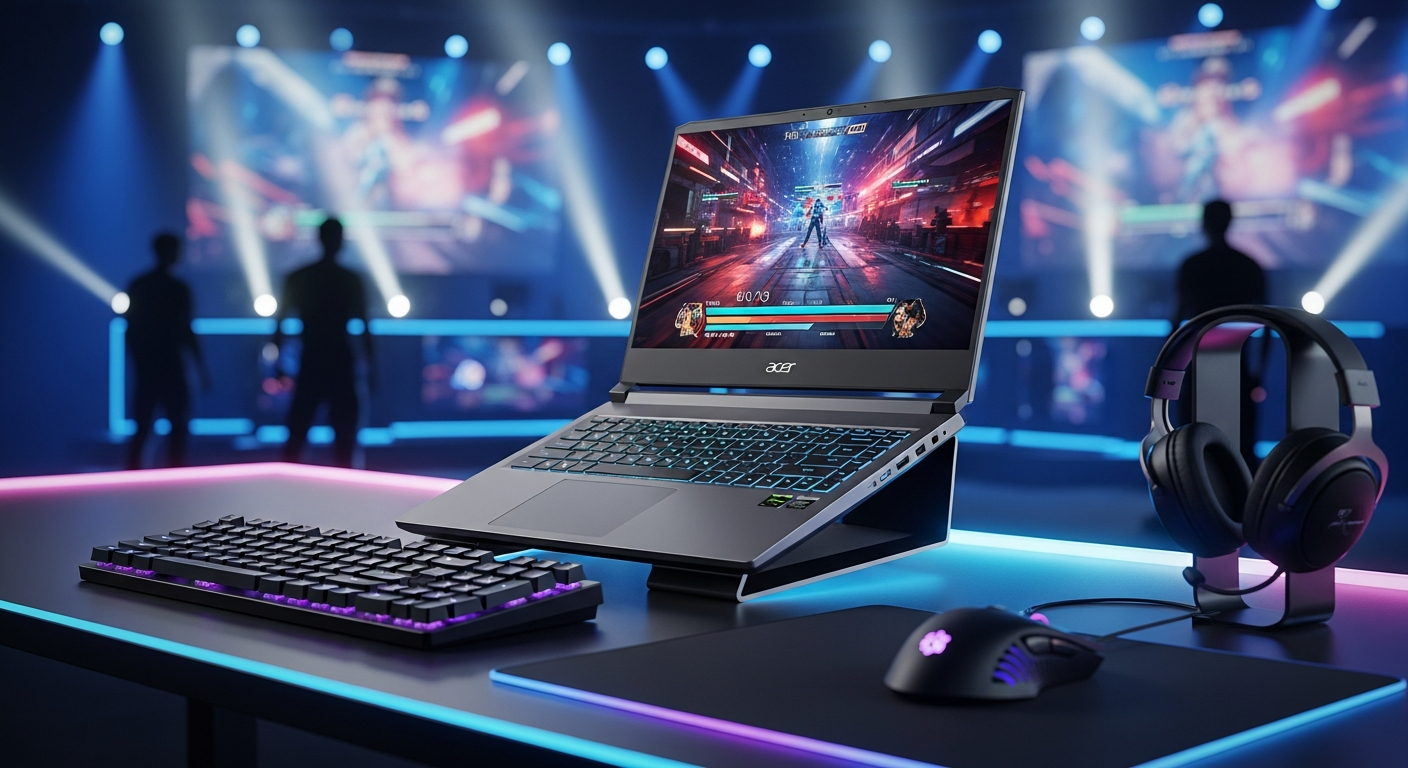
Discover whether the Acer Nitro V 16S AI gaming laptop truly balances affordability with power. We break down specs, performance benchmarks, and real-world gaming capability to help budget-conscious gamers make the right choice.
The Acer Nitro V 16S AI Gaming Laptop has quietly become a game-changer for budget-conscious gamers who refuse to accept mediocrity. With AMD Ryzen 7 processors, RTX 50-series graphics, and a stunning 180Hz display, it bridges the gap between entry-level machines and professional gaming rigs. This comprehensive review examines whether this laptop truly delivers pro-level performance on a student budget, breaking down specs, performance benchmarks, and real-world gaming capability to help you make an informed decision.
The gaming laptop market has evolved dramatically over the past few years, with manufacturers finally recognizing that powerful hardware doesn’t require a four-figure price tag. The Nitro V 16S AI exemplifies this shift, combining current-generation components with aggressive pricing that makes genuine gaming accessible to a broader audience. Budget gaming laptops have traditionally meant compromise—poor displays, thermal issues, or weak processors. This machine rewrites that narrative entirely.
Your next gaming laptop could be waiting for you right now. Explore the Acer Nitro V 16S AI on Acer’s official store
Breaking Down the Hardware: What Powers the Nitro V 16S AI?
The processing foundation rests on AMD’s Ryzen 7 260 processor, featuring 8 CPU cores with a boost clock reaching 5.1 GHz built on the Zen 4 “Hawk Point” architecture. This configuration delivers consistent performance across gaming, streaming, and productivity workflows without feeling bottlenecked or sluggish.
Graphics processing comes courtesy of NVIDIA’s RTX 50-series laptop GPUs, primarily the RTX 5060 with an 85W TGP, though RTX 5050 and even RTX 5070 configurations appear in certain markets. This GPU flexibility allows buyers to select configurations matching their performance targets and budget constraints.
Memory and storage configurations offer genuine flexibility. The laptop ships with either 16GB or 32GB of DDR5-5600 RAM, both fully user-upgradable for future expansion without voiding warranties. Storage arrives as either a 512GB or 1TB PCIe 4.0 NVMe SSD, also user-replaceable, making this one of the most modular gaming laptops in its price range.
The 16-inch IPS display presents two resolution options: 1920×1200 (WUXGA) or 2560×1600 (WQXGA), both running at an impressive 180Hz refresh rate. The IPS panel technology ensures consistent colors and brightness from different viewing angles, crucial for shared gaming sessions or collaborative work.
Portability remains surprisingly impressive at 2.4 kg for a 16-inch machine, making this viable for students transitioning between classes or professionals working between office and home. Connectivity encompasses Wi-Fi 6E for next-generation wireless speeds, Bluetooth 5.3 for reliable peripheral connections, Gigabit Ethernet for hardwired stability, USB-C, multiple USB-A ports, and HDMI 2.1 for external display support. Audio features three microphones with AI-powered noise reduction and Acer TrueHarmony spatial audio enhancement.
The Copilot+ PC certification with AMD Ryzen AI marks this as a forward-looking device, incorporating on-device AI acceleration for productivity tasks beyond gaming capabilities.
Real-World Gaming Performance: How It Handles AAA Titles
Gaming at 1080p with high settings delivers smooth performance across current AAA franchises, with frame rates consistently hitting or exceeding 60 fps. The native 1200p resolution provides an ideal sweet spot between visual fidelity and frame rate stability, allowing players to push settings toward ultra while maintaining responsive gameplay.
The RTX 5060 GPU shows strong utilization patterns when paired with the Ryzen 7 260 CPU, minimizing bottleneck concerns that plague many budget gaming systems. Demanding titles occasionally require settings adjustments, but players rarely face unplayable frame rate drops during normal gameplay.
The 180Hz display becomes genuinely noticeable during gaming sessions, delivering visibly smoother motion compared to standard 144Hz panels. This translates to measurable competitive advantages in fast-paced titles where visual clarity matters. Esports games run at maximum refresh rates, making this genuinely competitive-ready for online multiplayer gaming.
Thermal management remains effective during extended gaming sessions, with the cooling solution keeping heat within safe operating ranges without aggressive throttling. The current hardware configuration handles modern game engine demands reasonably well, suggesting a realistic 2-3 year lifespan before significant performance compromises become necessary.
The Battery Life Advantage That Changes Everything
This is where the Nitro V 16S AI genuinely separates itself from gaming laptop conventions. Light-use productivity work yields 10+ hours of battery life, an extraordinary figure for a dedicated gaming machine. Mixed-use scenarios combining web browsing and media streaming deliver 8-10 hours of real-world performance, making this viable for full school days without seeking power outlets.
Gaming sessions drain the battery more aggressively, providing approximately 3-4 hours of continuous gameplay before requiring a charge. Windows 11’s power management combined with Acer’s optimization features intelligently scales performance based on power source availability, extending battery endurance without sacrificing usability.
Fast charging capability returns the battery to full capacity in approximately 2-3 hours, practical for brief recharge windows between activities. Among budget gaming laptops, the Nitro V 16S ranks among the best for battery longevity, fundamentally changing how gamers approach portable computing.
The practical implications transform this machine into a genuine all-day device. Students can genuinely work through classes and library sessions without thermal anxiety or constant wall outlet searching. Mobile professionals gain the flexibility to work from coffee shops, outdoor spaces, or client locations without worrying about battery depletion.
Display Quality: The 180Hz Screen That Justifies Its Price
The 180Hz refresh rate provides immediately noticeable smoothness compared to standard 144Hz gaming displays. Fast pixel response times ensure competitive gaming responsiveness without ghosting artifacts, critical for action-intensive titles where responsiveness translates to wins.
Choosing between WUXGA (1920×1200) and WQXGA (2560×1600) resolution involves trade-offs. WUXGA maintains higher frame rates while WQXGA delivers sharper visuals at the cost of frame rate flexibility. Most gamers find the 1920×1200 option optimal, balancing visual clarity with the 180Hz refresh rate advantage.
IPS panel technology delivers excellent viewing angles and consistent color reproduction from different perspectives, making this suitable for shared viewing or presentations. Screen brightness supports gaming in varied lighting conditions from dark rooms to bright outdoor environments, though color accuracy shows limitations in gamut coverage that matter primarily to content creators rather than gamers.
The multimedia experience extends beyond gaming, enhancing video streaming quality and content consumption through vibrant visuals and smooth motion. Practical visual performance during gameplay matches or exceeds expectations set by specification sheets, with the 180Hz advantage becoming immediately apparent during fast-paced gaming scenarios.
Check current pricing and availability on Acer’s store
Value Proposition: Where the Nitro V 16S Wins on Budget
The price-to-performance ratio delivers component value significantly exceeding the asking price. US pricing ranges from $899 to $1,399, positioning this competitively against similarly-specced gaming laptops from ASUS and MSI. Regional variations exist, with Danish pricing around 13,194-14,639 DKK (approximately $1,900-$2,100 USD) reflecting regional market differences.
Sales event opportunities typically offer 10-20% discounts during major shopping periods, making strategic timing valuable for budget-conscious buyers. The upgrade flexibility with user-replaceable RAM and storage extends device lifespan cost-effectively, meaning buyers avoid purchasing a new laptop for 3-4 years through simple component maintenance.
ROI for students and casual gamers makes this the smartest financial choice in the budget segment. Competitor comparison shows the Nitro V 16S consistently delivers superior specs at lower prices than comparable ASUS and MSI alternatives, making financial sense for anyone balancing gaming with budget constraints.
Build Quality Compromises: What You’re Trading for Affordability
The aluminum and plastic construction keeps weight reasonable while producing a less premium feel than all-metal alternatives. Durability assessment shows solid long-term structural integrity with reliable hinge performance, suggesting this laptop can withstand years of daily use.
The touchpad experience has surface texture and tracking limitations compared to premium gaming laptops, though it remains perfectly functional for basic navigation. Keyboard comfort provides adequate key travel for extended work sessions without fatigue, making this viable for students balancing gaming with coursework.
Chassis rigidity remains solid without excessive flex or creaking during normal use. Thermal design manages heat effectively through efficient vent placement and airflow, though fan behavior becomes noticeable during intense gaming sessions. Fan noise levels stay reasonable—noticeable but not intrusive for most gaming environments.
These compromises rarely impact real-world usage or user satisfaction. The build quality reflects the price point honestly, delivering durability expectations that match asking prices while maintaining structural integrity across years of use.
AI Capabilities and Future-Proofing: More Than Just a Gaming Machine
Copilot+ PC features integrate Microsoft AI for productivity enhancements and workflow acceleration. AMD Ryzen AI processor provides on-device AI acceleration for faster computations without cloud dependency, ensuring privacy and responsiveness.
Content creation tools include AI-assisted features for photo, video, and document editing tasks, expanding the laptop’s utility beyond pure gaming. Three microphones with AI noise cancellation ensure clear audio during video calls and streaming, critical for students attending online classes or content creators managing live streams.
Acer TrueHarmony audio delivers AI-enhanced sound processing and spatial audio for immersive gaming experiences. Windows 11 optimization ensures native AI feature compatibility with future updates and improvements, positioning this device as forward-looking rather than immediately obsolete.
The productivity acceleration through AI features speeds up everyday computing tasks and workflows, making this genuinely useful for students balancing academics with gaming. Longevity advantage means AI integration extends device relevance well beyond typical gaming laptop lifespan, justifying purchase now rather than waiting for incremental improvements.
Thermal and Acoustic Performance: The Heat and Noise Reality
Idle temperature behavior remains cool during light tasks and web browsing without fan activation, preserving battery life during non-gaming use. Gaming load temperatures show CPU and GPU heat staying within safe operating ranges during sustained play, with thermal management preventing performance throttling.
Fan noise levels measure reasonable across different usage scenarios from quiet web browsing to moderately loud gaming sessions. Thermal throttling risks remain minimal with effective heat management, ensuring sustained gaming performance without unexpected frame rate drops.
Gaming room considerations show noise levels acceptable for shared spaces and quiet environments, though gamers seeking silent operation should note that dedicated gaming machines inherently produce some fan noise under load. Dust accumulation requires periodic maintenance but doesn’t significantly impact long-term thermal performance with regular cleaning.
Thermal management tips include proper ventilation around the laptop and consider using cooling pads for extended gaming sessions, practical investments that extend component lifespan and improve thermal consistency.
Storage Capacity: Planning Your Game Library
The 512GB base model fills quickly with modern AAA titles, requiring careful game library management and strategic uninstallation of completed games. The 1TB configuration provides practical storage for typical gaming libraries supporting 15-20 installed games simultaneously.
Installation sizes for popular games range from 50GB to 150GB, making storage planning essential for serious gamers. Windows 11 and bloatware footprint consume approximately 30-40GB of available storage space, leaving actual game capacity somewhat less than raw drive specifications suggest.
The upgrade path allows cost-effective NVMe drive replacement or addition for expanded storage capacity without professional technical assistance. PCIe 4.0 benefits deliver fast game loading and file transfers compared to older storage standards, making upgrade drives perform consistently with original equipment.
Future-proofing storage suggests the 1TB configuration better meets 2-3 year usage needs than the 512GB option for serious gamers. Practical recommendation favors 1TB configuration while 512GB suits casual players prioritizing upfront cost savings.
Who Should Buy the Acer Nitro V 16S AI—And Who Shouldn’t
Ideal user profiles include students balancing academics with gaming, budget gamers seeking solid performance, and casual content creators looking for value. Gaming preferences should align with 1080p-1200p gaming at high settings rather than demanding 4K gaming or ultra-maximum frame rates.
Use case scenarios span gaming, productivity, streaming, and light content creation equally well, making this genuinely versatile rather than narrowly specialized. Budget constraints make this perfect for gamers with $900-$1,400 spending limits requiring flexible configurations.
Performance expectations should align realistically with 1080p-1200p gaming rather than ultra-high-end gaming dreams or competitive esports aspirations at maximum refresh rates. The machine excels in these scenarios but struggles with more demanding requirements.
Not recommended for professional gamers prioritizing 4K gaming, hardcore esports competitors demanding maximum frame rates, or color-critical creative professionals requiring accurate color reproduction. These users need specialized systems optimized for specific requirements.
Upgrade considerations suggest buying now rather than waiting for marginal improvements in next generation models, particularly for budget-conscious buyers who benefit from current competitive pricing. Long-term satisfaction expectations show 3-4 year device lifespan with strong value retention, making this a sound financial investment.
Connectivity and Ports: Everything You Need (And Then Some)
Wi-Fi 6E advantages deliver faster wireless speeds and reduced latency for competitive online gaming compared to older Wi-Fi standards. Bluetooth 5.3 compatibility supports wireless peripherals with improved range and connection stability for gaming mice and headsets.
USB port variety includes multiple USB-A and USB-C options for gaming mice, headsets, external drives, and other peripherals. HDMI 2.1 capabilities enable external display support and bandwidth for future high-refresh monitors, future-proofing display connectivity.
Gigabit Ethernet provides wired connection option for stable online gaming without wireless interference, essential for competitive players requiring maximum connection reliability. USB-C power delivery compatibility allows charging from third-party chargers, adding flexibility beyond the included power adapter.
The peripheral ecosystem shows excellent compatibility with current gaming mice, headsets, and external storage solutions through modern port standards. Future connectivity supports upcoming gaming peripherals and accessories through forward-compatible port standards and specifications.
Comparison Against Direct Competitors: How It Stacks Up
Price-comparable alternatives include ASUS TUF Gaming and MSI Cyborg models in the same price range, making direct comparison relevant for shopping decisions. Performance benchmarks show the Nitro V 16S matching or exceeding competitor CPU and GPU performance with similar component configurations.
Display advantages with 180Hz refresh rate outpace most competitors offering 144Hz or 165Hz panels, providing immediate visual advantage during gaming. Battery life positioning ranks the Nitro V 16S among the best gaming laptops for endurance and portability, unusual in the gaming laptop category.
Upgrade flexibility and repairability exceed many competitors with user-accessible RAM and storage, providing long-term cost advantages. Brand reliability shows Acer’s strong track record matching ASUS and MSI in gaming laptop quality and customer satisfaction.
Warranty and support coverage provides standard 1-2 year protection with responsive customer service, matching competitor offerings. Value winner designation goes to the Nitro V 16S for overall performance, features, and pricing combination across the entire product comparison.
The Bottom Line: Is the Acer Nitro V 16S AI Your Next Gaming Laptop?
The Acer Nitro V 16S AI Gaming Laptop makes a compelling case for itself by refusing to compromise on fundamentals. You get genuine gaming performance capable of handling current AAA titles at respectable settings, a stunning 180Hz display that immediately improves visual experience, and surprisingly long battery life without premium pricing. The inclusion of AI capabilities through Copilot+ PC integration adds forward-looking value beyond pure gaming, positioning this device as relevant for several years rather than becoming obsolete within months.
Honest expectations matter, though. The plastic-heavy construction, mediocre color accuracy, and fan noise during heavy loads remind you this is fundamentally a budget-friendly device prioritizing performance over premium materials. These compromises rarely impact real-world gaming or productivity use, but they distinguish this from higher-priced alternatives emphasizing aesthetic refinement.
If you’re a student balancing gaming with schoolwork, a casual gamer playing AAA titles at 1080p-1200p, or seeking a portable machine handling productivity equally well, the Nitro V 16S AI delivers genuine value. The upgradeability of RAM and storage means you’re not locked into today’s configuration, allowing affordable future maintenance. For under $1,500, you’re getting a machine that punches well above its weight class.
Visit Acer’s official store and discover the Nitro V 16S AI today