
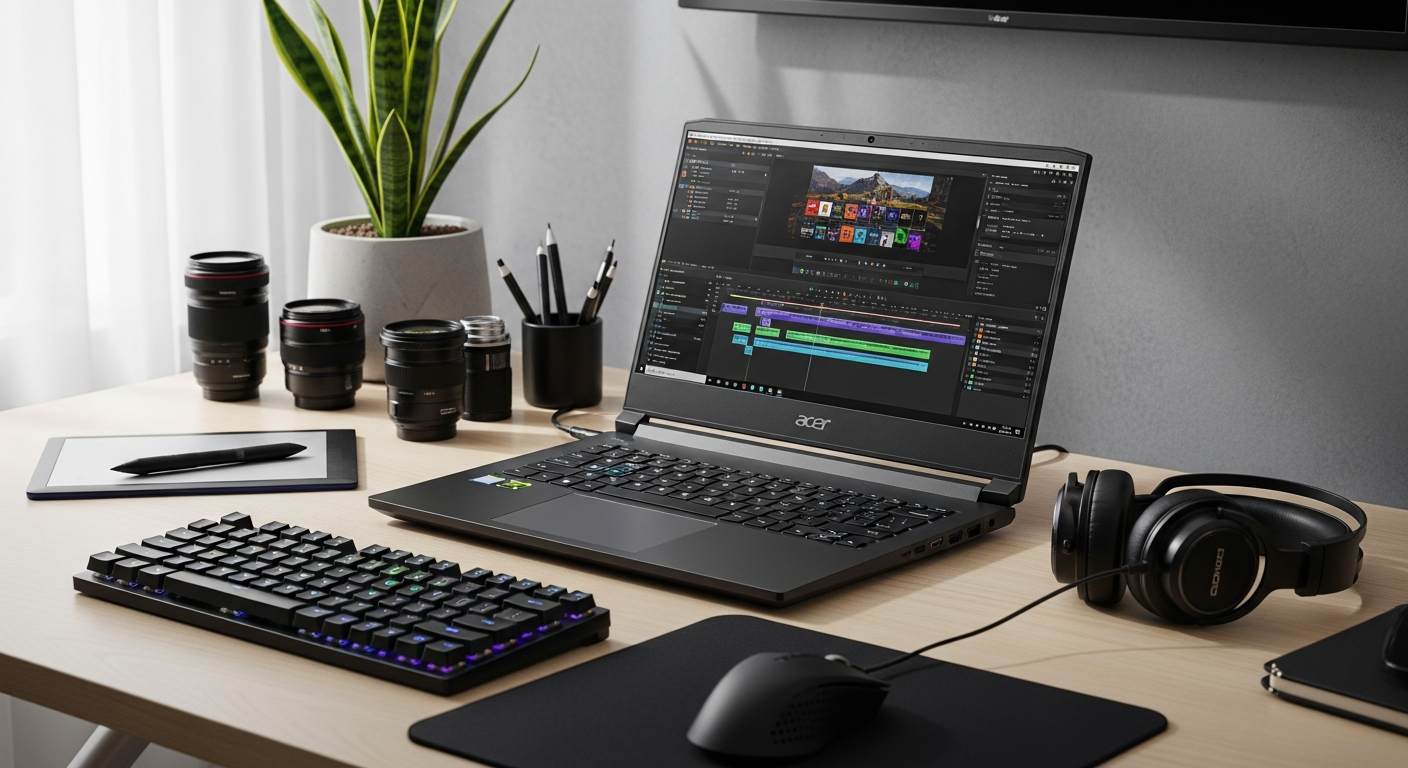
Discover how the Acer Nitro V 15 Gaming Laptop delivers professional-grade content creation capabilities at mid-range pricing. Explore specs, thermal design, and why creators are switching.
Content creators are spending thousands on laptops marketed exclusively for video editing and 3D rendering, yet they're overlooking a category built for something equally demanding: gaming. The Acer Nitro V 15 Gaming Laptop has quietly become a powerhouse for creators who refuse to sacrifice performance for affordability.
Gaming laptops and content creation workstations share more DNA than most people realize—both require robust thermal management, powerful multi-core processors, dedicated graphics memory, and efficient cooling systems to handle sustained workloads. With competitive pricing between $800–$1,270 USD, it represents a genuinely different approach: enterprise-level performance without the enterprise-level price tag.
Check the Acer Nitro V 15 specifications and pricing on the official Acer store.
Why Gaming Laptops Make Exceptional Content Creation Machines
Gaming and content creation workloads share identical hardware demands. Both require sustained CPU and GPU load, efficient heat dissipation, and consistent memory bandwidth. RTX series GPUs excel at both ray-tracing in games and CUDA-accelerated rendering in software like DaVinci Resolve, Adobe Premiere, and Blender.
Gaming laptops prioritize thermal efficiency out of necessity, translating to stable performance during long editing sessions. The Nitro V 15's design philosophy targets high-performance sustainability rather than burst performance alone. This matters enormously when you're exporting a 45-minute project at 4K—thermal throttling kills productivity, but a well-engineered cooling system keeps your machine running at full capacity.
The cost-to-performance ratio significantly favors gaming laptops when compared to workstation-class alternatives. You're getting nearly identical processing capability for roughly half the price, because you're not paying for professional branding or specialized support contracts.
GPU Performance for Video Rendering and 3D Work
The Nitro V 15 features RTX 3050 or RTX 4050 options with 6 GB of dedicated VRAM—sufficient for 1080p and 4K timeline scrubbing without the lag that tanks productivity. NVIDIA CUDA cores accelerate rendering in professional software, including Adobe Media Encoder, Blender Cycles, and OctaneRender.
Real-time preview capabilities in editing software benefit directly from dedicated graphics memory and VRAM bandwidth. Color grading workflows leverage GPU acceleration for faster effects processing and export times. The difference between GPU-accelerated and CPU-only color grading in DaVinci Resolve isn't marginal—it's often the difference between finishing your project today or tomorrow.
3D modeling and asset creation in Blender, Maya, and Cinema 4D see measurable speed improvements with RTX architecture. Machine learning features in Adobe Creative Suite—Super Resolution, Auto Reframe, and other AI-powered tools—run significantly faster on RTX hardware, meaning you can apply sophisticated effects in seconds rather than minutes.
Processor Architecture for Multi-Track Editing and Encoding
The Intel Core i7 13th Gen (13620H) and Core i5 210H processors deliver 8–10 cores optimized for parallel processing. Multi-threaded performance directly impacts video export times and real-time playback of complex timelines. When you're working with nested sequences, multiple adjustment layers, and color correction nodes, those extra cores translate to actual time savings.
Hyper-Threading technology allows efficient handling of simultaneous editing tasks—color correction while scrubbing timeline, background transcoding while you prepare the next sequence. Hardware encoding via Intel Quick Sync accelerates video export without consuming GPU resources, freeing your graphics card for other tasks.
CPU performance scales across professional software: DaVinci Resolve, Final Cut Pro, Adobe Premiere Pro, and Avid Media Composer all benefit from these processors. Thermal design allows sustained turbo clock speeds during extended rendering sessions without throttling, meaning your export times remain predictable even at hour eight of a long render session.
Explore the Acer Nitro V 15 processor and performance specifications today.
Thermal Management and Sustained Performance
Vector heat pipe cooling architecture maintains consistent performance during 8+ hour editing marathons. Efficient thermal design prevents thermal throttling—a critical factor for creators working under tight deadlines. When your machine throttles mid-export, you're looking at unpredictable export times and wasted hours.
The dual-fan cooling system distributes heat across the chassis, protecting both CPU and GPU simultaneously. Thermal stability ensures predictable export times with no performance degradation mid-render. This reliability matters more than raw speed when you're managing client deadlines.
Cooling efficiency reduces fan noise during quiet recording sessions or client presentations. There's nothing worse than recording voiceover while your laptop sounds like a jet engine. Heat dissipation design allows for sustained 100% CPU/GPU load without performance penalties, meaning the machine performs as well in hour ten of a project as it did in hour one.
Storage and Memory Configuration for Large Media Files
The 16 GB RAM standard configuration handles 4K proxy workflows and multi-track timelines without stuttering. When you're color grading a 12-track timeline with effects stacked on every layer, that RAM capacity becomes the difference between smooth operation and constant lag.
The 512 GB SSD provides fast boot times and application loading—critical for workflow efficiency. NVMe SSD speeds (up to 4,500 MB/s) enable real-time media ingestion and fast file transfers. Storage expandability allows you to add additional drives for media libraries and project archives without replacing the machine.
RAM capacity supports simultaneous operation of multiple creative applications—Premiere running alongside Photoshop, After Effects, and browser windows. Fast storage reduces proxy file generation time and improves cache performance in editing software, directly translating to quicker scrubbing and preview playback.
Display and Visual Accuracy Considerations
The Full HD display with high refresh rates provides smooth timeline scrubbing and responsive editing experience. High refresh rate reduces perceived lag during color grading and effects adjustment, making the interface feel more responsive and natural.
Display brightness and panel quality support extended work sessions without eye strain. While not color-calibrated for professional work, the display handles standard editing workflows adequately. The matte finish reduces glare during daylight editing sessions or client reviews.
External monitor connectivity allows you to add calibrated reference displays for critical color work when needed, without forcing you to invest in an expensive display upfront. You can add professional color-accurate monitors later as your business grows.
Real-World Content Creation Workflows
Vlogging and YouTube content production benefits from fast export times, portable form factor, and reliable performance for daily uploads. The Nitro V 15 handles the daily grind of editing short-form content without breaking a sweat.
Podcast production requires CPU efficiency for audio editing in Adobe Audition, Reaper, or Logic Pro. The processor handles multi-track audio projects and batch processing without lag.
Motion graphics work benefits enormously from GPU acceleration in After Effects and Blender, with significantly reduced render times. A 30-second motion graphics sequence that might take an hour to render on integrated graphics renders in minutes on the Nitro V 15.
Photography post-processing involves batch editing in Lightroom and Photoshop with fast SSD access for large RAW file libraries. Scrolling through 1,000 RAW files becomes fluid rather than frustrating.
Live streaming requires stable performance during OBS encoding, chat monitoring, and simultaneous recording. The thermal stability ensures your stream quality remains consistent for hours.
Educational content creation demands reliable hardware for screen recording, editing, and publishing across multiple platforms. Teachers and online educators benefit from the consistent performance and portability.
Pricing and Value Proposition for Creators
The $800–$1,270 USD price range positions the Nitro V 15 as an alternative to $1,500–$2,500 workstation laptops. You're receiving gaming-grade performance without paying for professional branding or support contracts that add thousands to the final cost.
Consistent hardware updates ensure the machine remains relevant for 3–4 years of professional work. The resale value remains strong due to high demand in both gaming and creative communities, meaning your investment depreciates more slowly than typical consumer laptops.
Competitive pricing allows you to invest savings into external monitors, storage solutions, or software licenses that directly enhance your creative output. A $1,500 workstation leaves you broke; a $1,000 Nitro V 15 leaves money in your budget for the tools that actually expand your capabilities.
Financing options and regional pricing variations make professional-grade performance accessible globally, removing the barrier that keeps many creators stuck with underpowered hardware.
The Creator's Gaming Laptop: A Smarter Investment
The Acer Nitro V 15 Gaming Laptop represents a fundamental shift in how you should approach hardware investment. By choosing a machine engineered for gaming's relentless performance demands, you're acquiring a content creation powerhouse that outperforms many laptops twice its price. The RTX GPU architecture, multi-core processor design, and thermal efficiency aren't marketing buzzwords—they're the exact components that accelerate rendering, smooth timelines, and keep workflows uninterrupted during critical deadlines.
What makes this machine genuinely compelling is the value equation: you're not paying for workstation branding, enterprise support contracts, or color-calibrated displays you may not need. Instead, you're investing in raw capability at a price point that leaves room for external monitors, storage solutions, and software subscriptions that actually enhance creative output. If you're tired of choosing between performance and affordability, the Acer Nitro V 15 eliminates that false choice.
Start by evaluating your current workflow against the specifications outlined above, then test-drive the machine with your actual project files. You'll likely discover that gaming-first engineering translates directly into creator-friendly results. The proof lies not in marketing claims but in the hours saved during export cycles, the smoothness of your timeline scrubbing, and the stability of your machine through deadline crunches.